
Grid Bot, Signal Bot, or DCA Position: Which One Fits My Strategy?
Altrady gives you three ways to automate entries and exits: a Grid bot, a Signal bot, and a DCA position. They differ in what starts them, where you set them up, and how they place their orders. Here’s how to tell them apart before you configure anything.
What each engine actually does
 🔍 Click the image to see a larger version
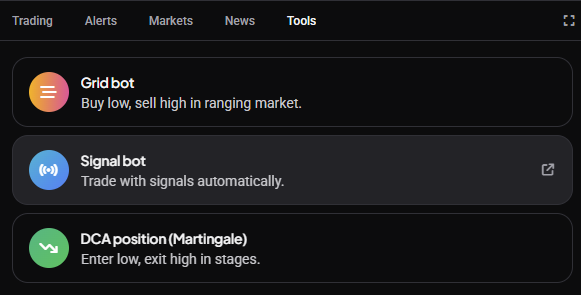
Grid bot: places a ladder of buy and sell orders across a price range you set, buying at levels below the current price and selling at levels above it, and cycles those orders as price moves inside the range. If price leaves the range, the bot pauses until it returns. Grid bots trade spot markets only, and Altrady allows one grid bot per market per trading account. You can create one from Tools > Grid Bot on the trading terminal, or from the Bots page, which offers more setup options.
🔍 Click the image to see a larger version
Grid bot: places a ladder of buy and sell orders across a price range you set, buying at levels below the current price and selling at levels above it, and cycles those orders as price moves inside the range. If price leaves the range, the bot pauses until it returns. Grid bots trade spot markets only, and Altrady allows one grid bot per market per trading account. You can create one from Tools > Grid Bot on the trading terminal, or from the Bots page, which offers more setup options.
Signal bot: also known as a DCA bot, it opens and manages positions when a signal arrives. You can drive it with Altrady’s built-in Crypto Base Scanner signals, built-in signals from one of our partners, a TradingView webhook alert, or a custom webhook feed you build yourself. Signal bots work on both spot and futures markets. You create and manage them on the Bots page; the trading terminal’s Tools widget also lists Signal Bot, which opens that same flow on the Bots page. A signal bot does not start on its own: it stays idle until a signal arrives.
DCA position: opens a position immediately and adds up to nine further entries (safety orders) below it. As price falls, those entries fill and the average entry price comes down; the position closes on its take profit. A DCA position is not a bot: you create it from Tools > DCA Position on the trading terminal, not from the Bots page, and it starts as soon as you confirm it.
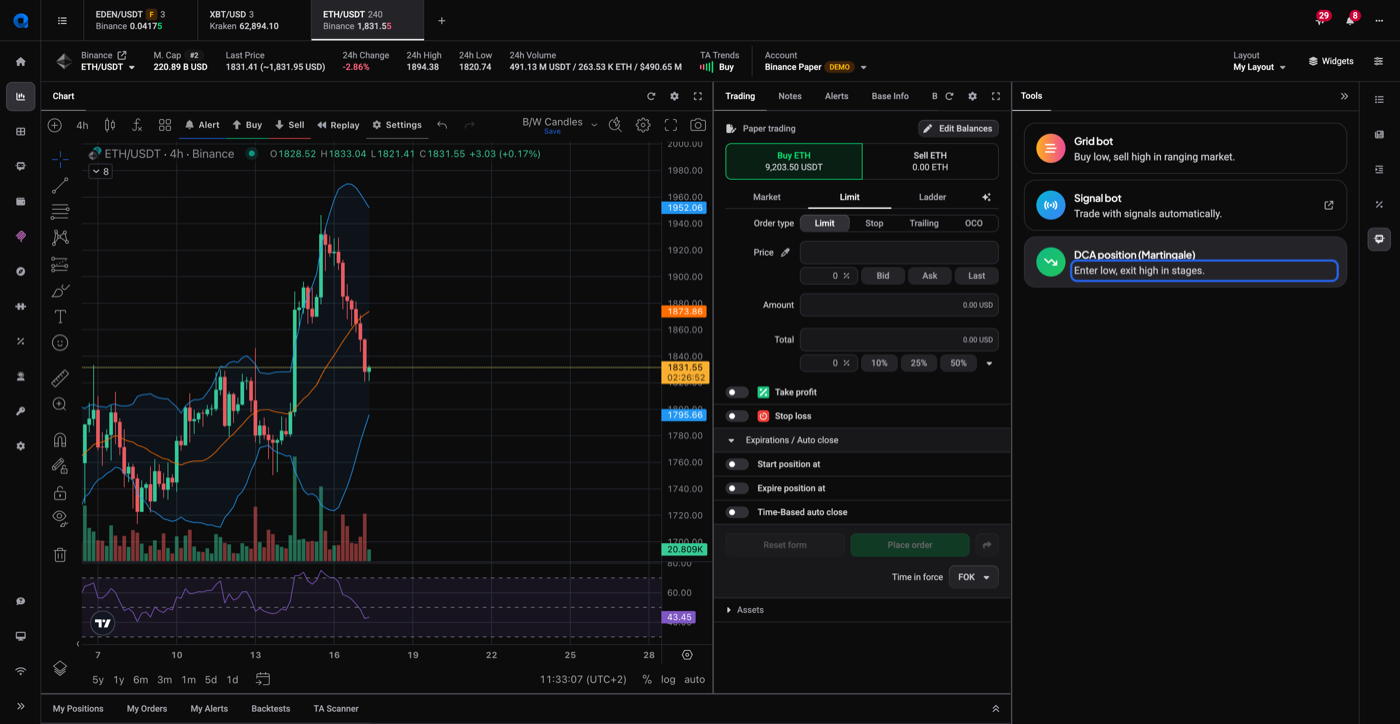
All three appear together in one place: the trading terminal’s Tools widget. It’s the quickest way to see the choice side by side, even though Signal Bot there is a shortcut to the Bots page rather than a form.
 🔍 Click the image to see a larger version
## Telling them apart at a glance
🔍 Click the image to see a larger version
## Telling them apart at a glance
| What you want the setup to do | Engine |
|---|---|
| Work a price range you define, cycling buy and sell orders inside it | Grid bot |
| Wait for an external alert before opening anything | Signal bot |
| Open straight away and stage further entries below the first | DCA position |
Grid bot: how it places orders
A grid bot doesn’t predict direction. It divides the range you set into levels, places buy orders at the levels below current price and sell orders at the levels above, and replaces each order as it fills. Because it’s spot-only, you won’t find it as an option on futures pairs, and Altrady will offer to switch you to a spot market if you try.
You can only run one grid bot per market per trading account, and grid bots count towards the same plan allowance as signal bots. See How many bots can I run? for how that total works.
You can start a grid bot from two places. Tools > Grid Bot on the trading terminal is the quickest route when you’re already looking at the market you want. The Bots page carries more options, including Grid Backtests and a list of markets identified by statistical analysis of historical data. Both routes lead to the same setup form: price range, grid quantity, take profit and stop loss. See How to set up a grid bot.
Signal bot: what triggers it
A signal bot does nothing until something tells it to act. You can feed it:
- Altrady’s built-in Crypto Base Scanner signals
- TradingView webhook alerts from your own indicators or strategies
- A custom webhook feed from a signal provider you use
Signal bots can trade spot or futures markets. How many you can run at the same time comes out of the same plan allowance that grid bots draw on; see altrady.com/pricing for the current numbers, since these can change.
You manage signal bots from the Bots page. It lists your running bots, and opening one shows that bot’s open and closed positions, its error log, and its analytics.
DCA position: how it stages entries
A DCA position opens straight away and adds to itself as price moves against it. On a long, the first entry sits just above the current price so it fills immediately, and up to nine further entries line up below it. If price keeps dropping, those fill one by one and pull the average entry price lower; the position closes on its take profit. Every entry after the first is contingent on price falling further, so the full investment is only deployed if the market keeps moving against the position.
A DCA position is not a bot, and you don’t create it on the Bots page. You set it up from Tools > DCA Position on the trading terminal, and it starts trading the moment you confirm it. That’s the practical difference from a signal bot: a signal bot waits for a signal before it does anything, a DCA position doesn’t wait for anything. There’s no limit on how many DCA positions you can create or run at the same time either, where bots are capped by your plan. For the full walkthrough, see How do I create a DCA position?.
You can run more than one at a time
These three aren’t mutually exclusive. You can run a grid bot on one market, a signal bot driven by TradingView alerts on another, and a DCA position on a third, all at the same time, as long as the two bots fit within your plan’s allowance. Only bots are capped that way: there’s no limit on the number of DCA positions you can create or run at the same time.
For the practical side of running bots day to day, see What to expect from a trading bot and How many bots can I run?.
Still stuck?
If you’re still weighing which engine matches what you want to set up, reach out through support chat in the app. Someone can walk through your specific market and plan with you.