
How to create a HODL bot
A HODL bot buys the same amount of a coin on a schedule, for example every Monday at 09:00, without you watching charts. It only buys: there’s no take profit and no stop loss. HODL bots run on spot markets, and setting one up takes a couple of minutes.
Create a HODL bot
- Open Bots and click + Create.
- Pick HODL Bot in the Create a bot dialog.
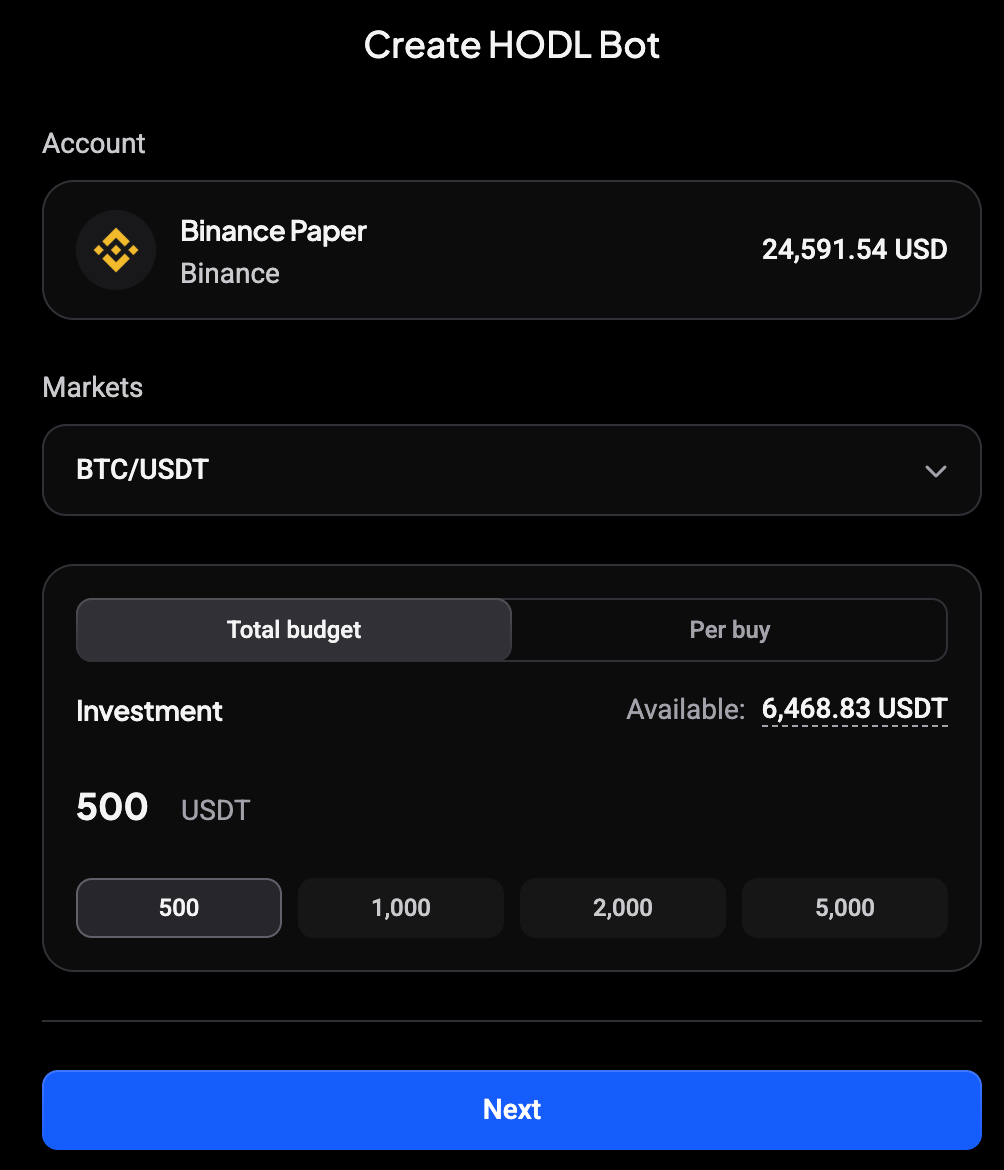
- Choose your Account and the Markets you want to accumulate.
- Set the Investment. Choose Total budget to spread one amount over all buys, or Per buy to set the amount of each buy.
- Click Next.
 🔍 Click the image to see a larger version
Unlike a DCA bot, there’s no Reinvest profits option: a HODL bot never sells, so it has no profit to reinvest.
Set the buy schedule
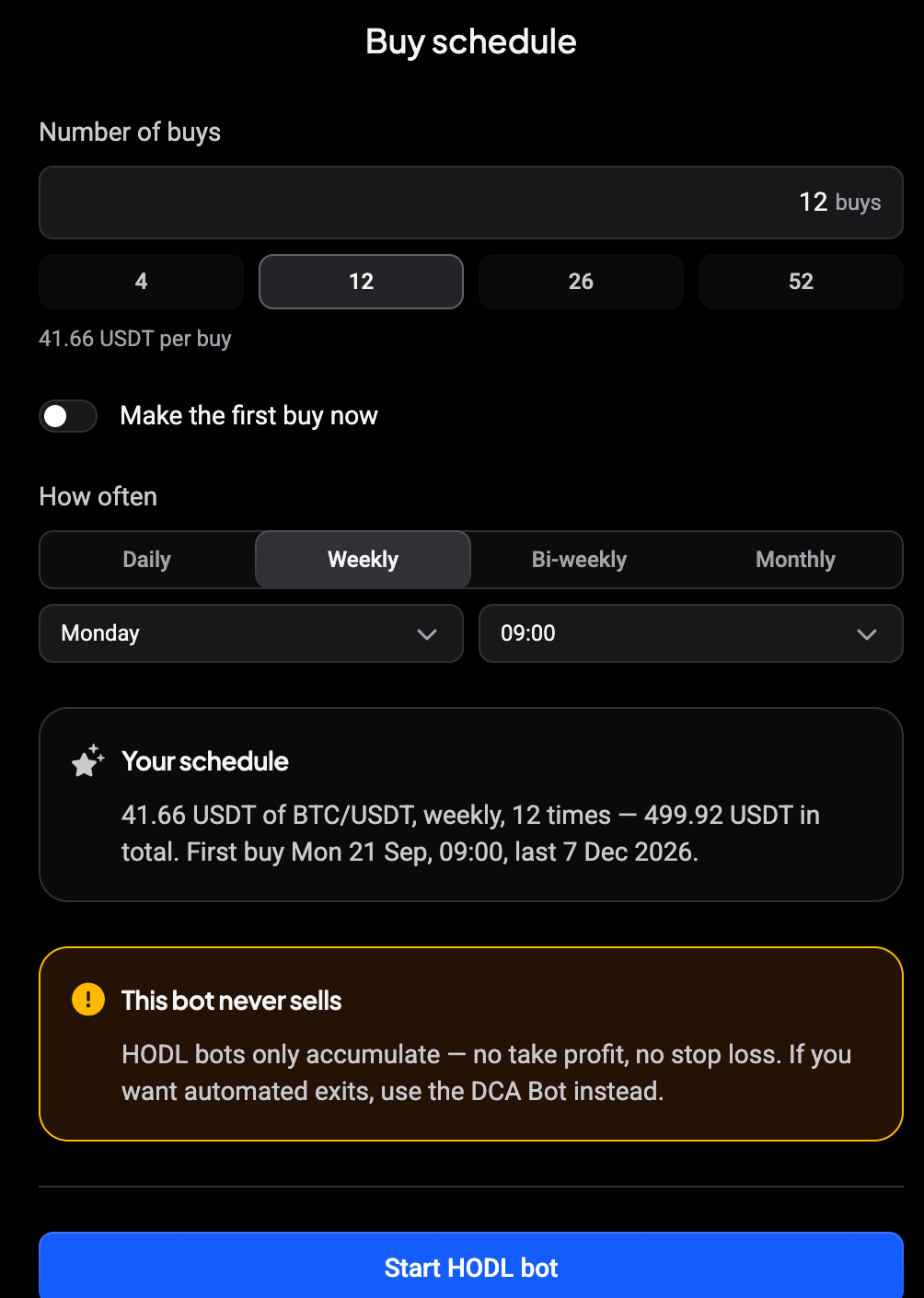
- Number of buys: type a number or pick 4, 12, 26 or 52. The amount per buy shows underneath.
- Make the first buy now: turn it on to buy straight away instead of waiting for the first scheduled slot.
- How often: Daily, Weekly, Bi-weekly or Monthly, with the day and time.
The Your schedule box sums it up: the amount per buy, how often, how many times, the total, and the first and last buy.
 🔍 Click the image to see a larger version
Click Start HODL bot.
After you start
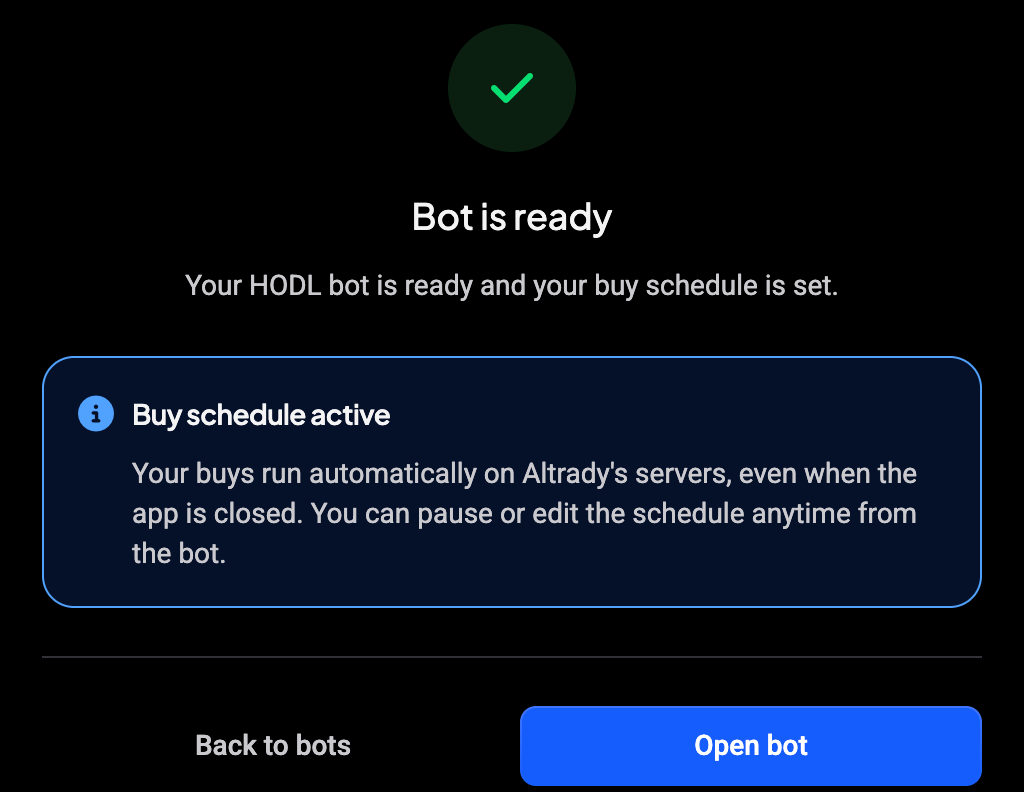
Bot is ready confirms the buy schedule is active. The buys run on Altrady’s servers, so they continue when the app is closed. Click Open bot to see its details.
 🔍 Click the image to see a larger version
Follow your HODL bot
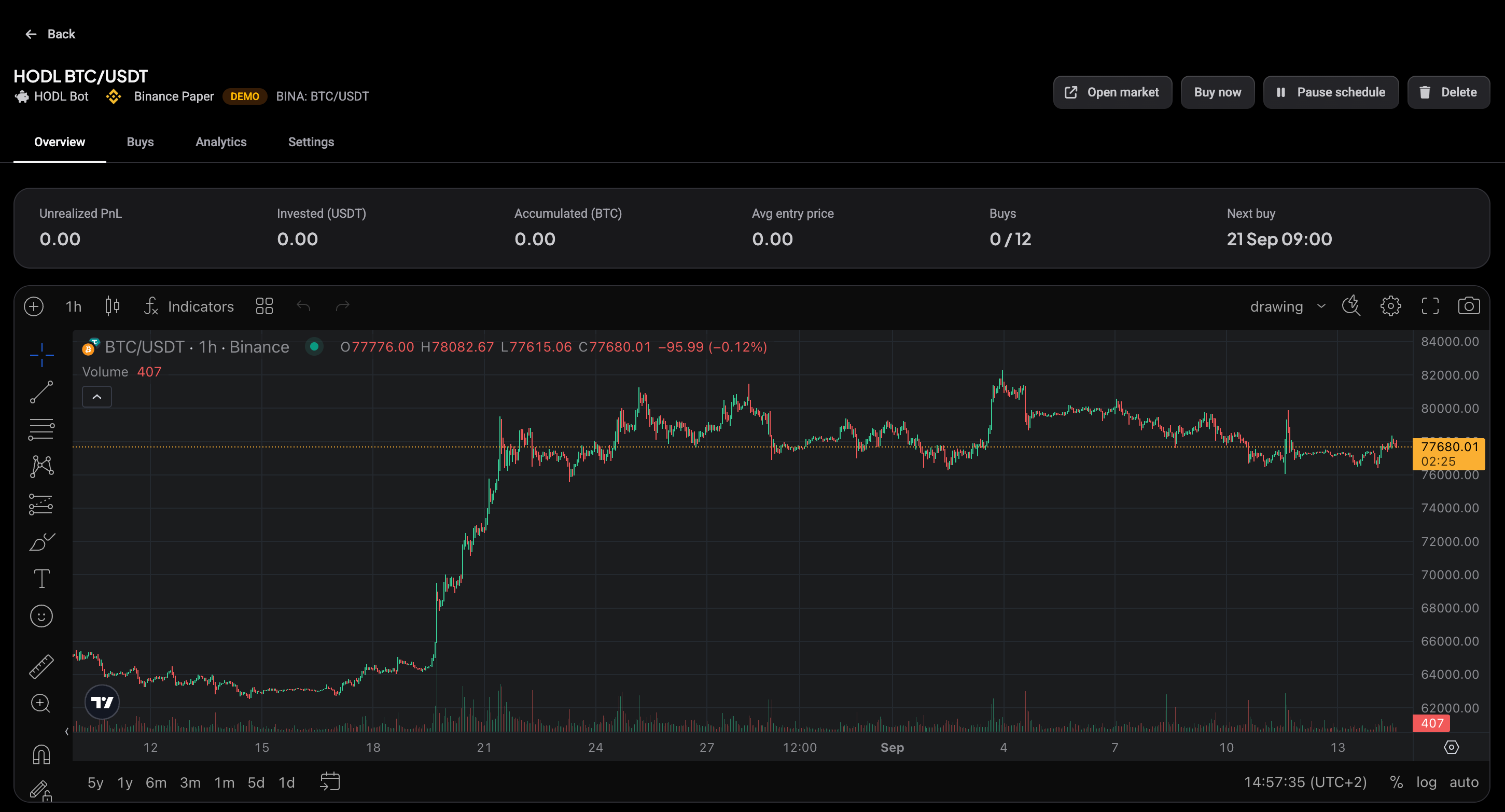
The HODL bot page shows the same header as your other bots: the name, HODL Bot, the account and the market. Buttons at the top let you Open market, Buy now (an extra buy outside the schedule), Pause schedule or Delete the bot.
The stats show Unrealized PnL, Invested, Accumulated, Avg entry price, Buys (done out of planned) and Next buy. The chart below shows the market.
 🔍 Click the image to see a larger version
The other tabs:
- Buys: each executed buy with its time, price, amount, cost and status.
- Analytics: DCA efficiency, a comparison with buying everything at once (Vs lump sum), and how many buys landed below your average entry.
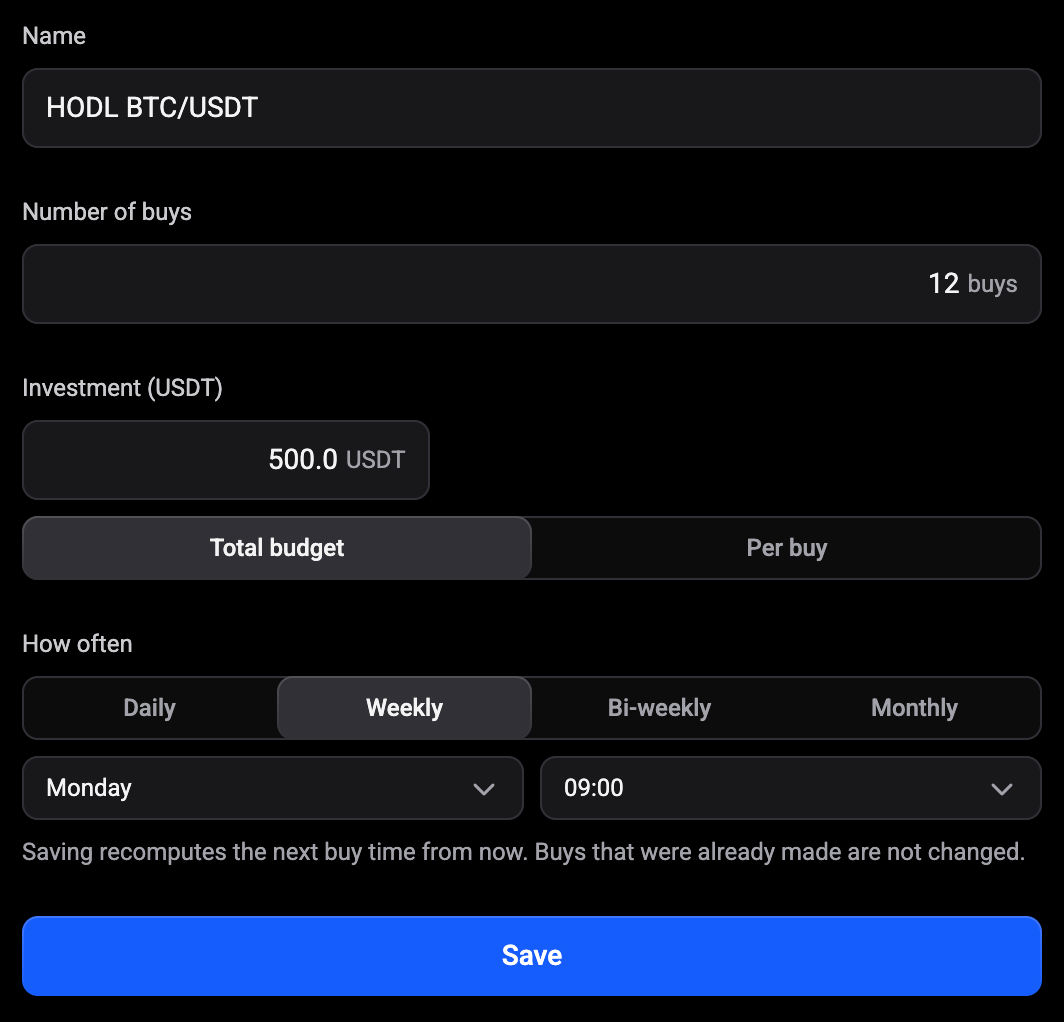
- Settings: change the name, number of buys, investment and schedule. Saving works out the next buy time from now; buys that already happened don’t change.
 🔍 Click the image to see a larger version
On the Trading Bots page, a HODL bot’s card shows how often it buys, the amount per buy and when the next buy is.
Still stuck?
If a scheduled buy didn’t happen, check that the account has enough of the quote currency, then reach out via support chat.