
Smart order stop loss and protections: an overview
A smart order manages its own exits after it opens: a stop loss and the ways it can protect and trail, a take-profit that can trail, cool-downs, and when a position should start, expire, or auto-close. This overview compares the main choices and links the detailed guide for each.
Ways to protect a position and take profit
A smart order gives you a few tools for managing the downside and the exit. They combine freely, with the exceptions noted below.
- Stop loss — your hard floor. If price hits the stop, the position closes. On its own it caps the loss; you can also have it move up as the trade works — to break-even once your first target fills (Average entry), or stepping up behind each filled target (Follow Take Profit) — so a winning trade can’t turn back into a loss. See stop loss and protection modes.
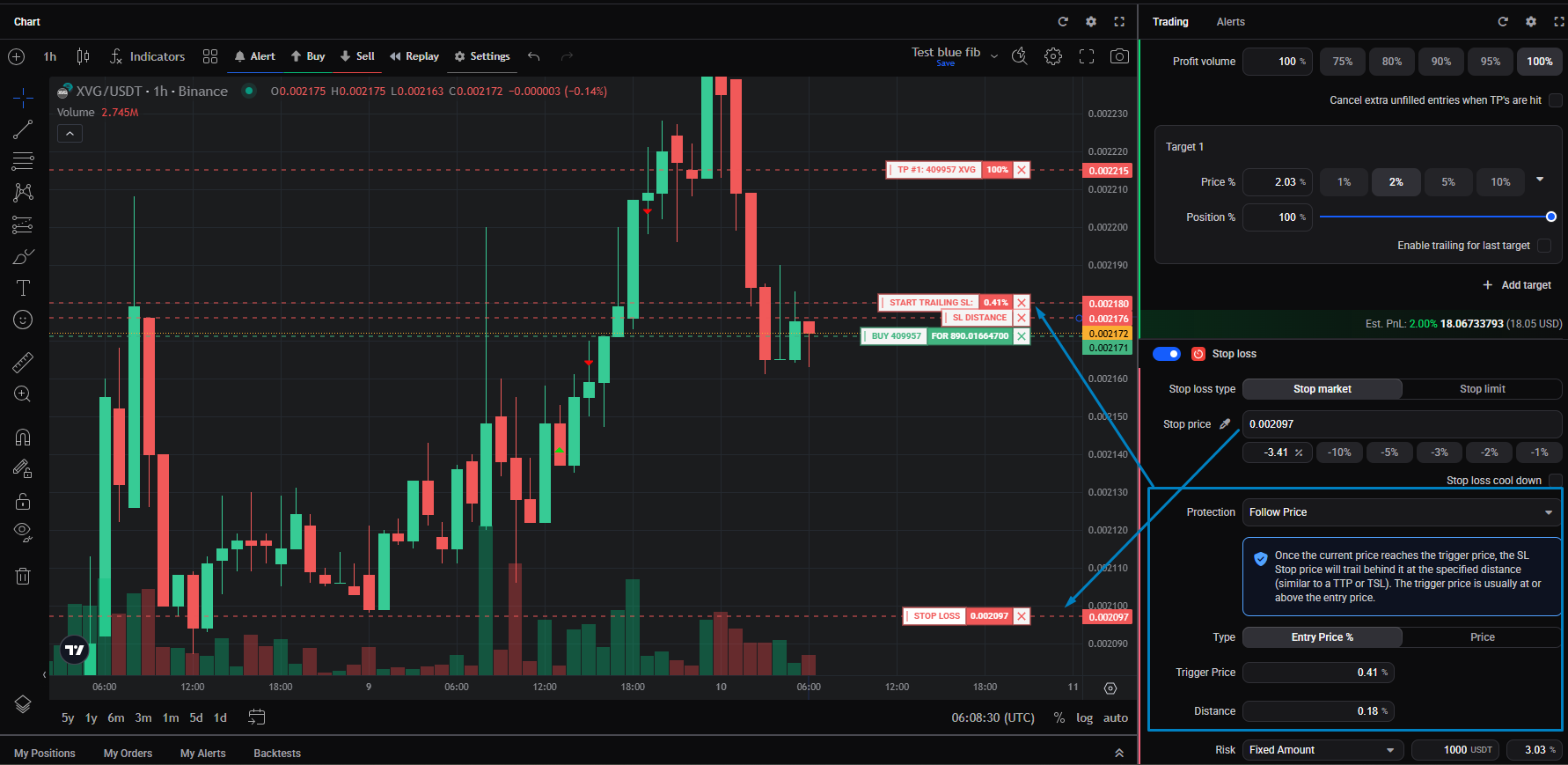
- Trailing stop loss (Follow Price) — a stop that follows price up at a set distance instead of staying put. Once price moves in your favour and it starts trailing, it replaces your fixed stop loss and becomes the protective floor: the further price runs, the more profit it locks in, and it closes the position when price pulls back by that distance. See trailing stop loss (Follow Price), and for the exchange-side timing quirks a live trailing stop can hit, why did an order fail after my position opened?.
 🔍 Click the image to see a larger version
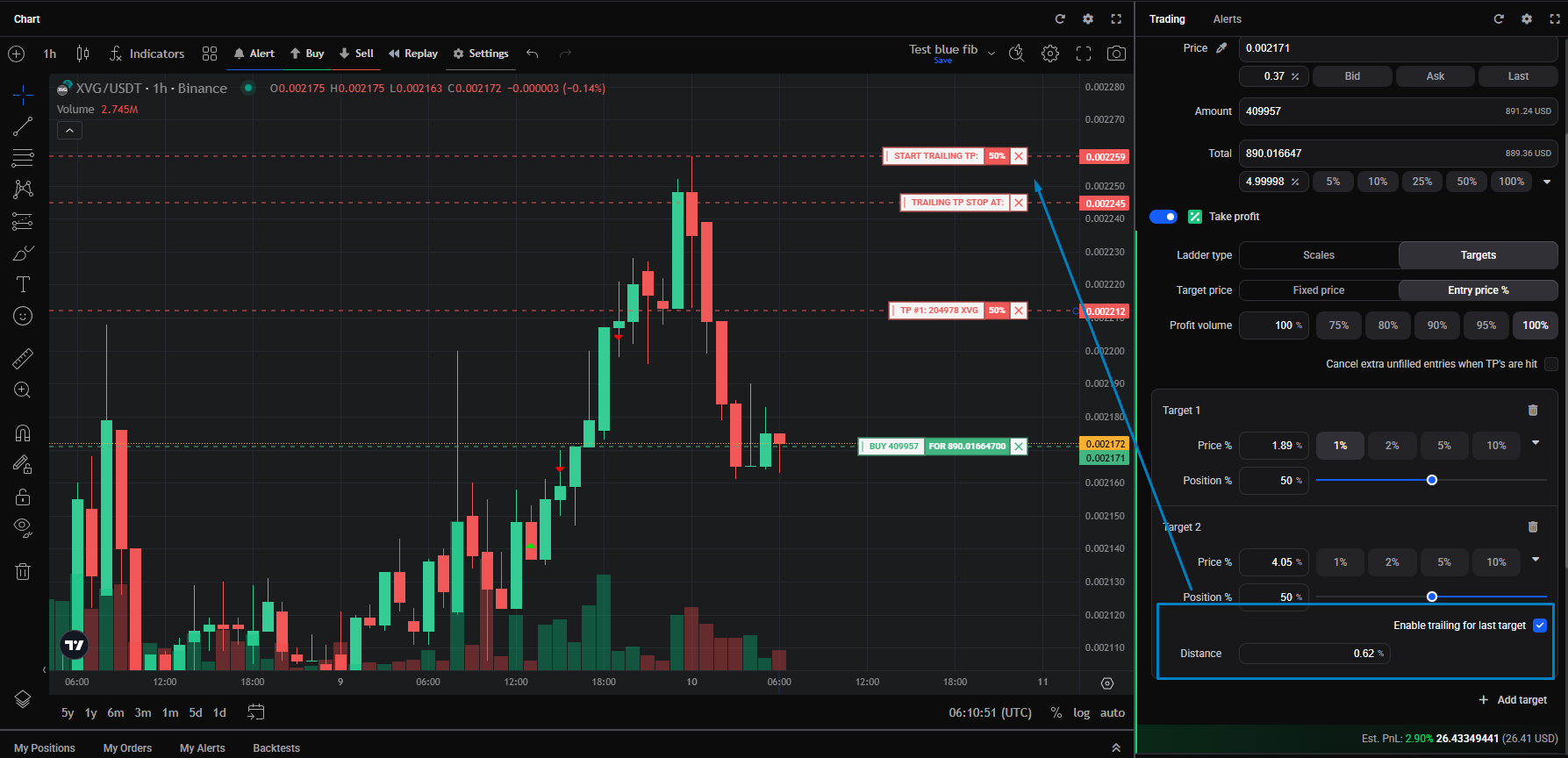
- Trailing take profit — this only switches on once price reaches your take-profit price. From that point it lets the exit follow price up and closes when price turns down, to capture more of a strong run. When it switches on it takes over from your stop loss, which is cancelled — so the trailing exit is then the only thing closing the trade. See trailing take profit.
 🔍 Click the image to see a larger version
Trailing stop loss or trailing take profit? Both follow price, and both end up replacing your fixed stop loss — but at different moments and for opposite reasons. A trailing stop loss takes over as soon as price moves up, and keeps acting as your protection (a moving floor). A trailing take profit only engages once your take-profit price is hit, then cancels the stop loss and runs as a profit-maximising exit. Reach for the trailing stop when keeping a floor matters most; reach for the trailing take profit when catching the top of a move matters most.
Cool-down: ride out a brief dip
Stop loss cool-down and Emergency SL: hold the stop back when it’s first hit to ride out a brief dip, with a hard backstop for a real crash.
Timing: start, expire, auto-close
Start position at, expiry, and auto-close: delay when a position starts, cancel an unfilled entry automatically, or close an open position after a set time.
Risk
Risk controls: size the stop by how much of your balance you’re willing to risk.
Good to know: a new order doesn’t add a target
Placing a new manual order on a market where you already have a smart position open does not add a target to it. To change targets, click an order on the chart, or edit the position from the Position Info widget. A separate manual order won’t merge into the existing ladder, so if a fill looks “missing” from your position, check whether it landed as a new position instead.
Setting one up
New to smart orders? See how do I set up a smart position with take profit and stop loss?, and viewing and managing open positions and orders for how targets and fills show up.
Still stuck?
If a stop loss, trailing stop, or take profit isn’t behaving as expected, reach out through support chat with the market and the exchange so the team can look at the exact order history.