
Stop loss and protection modes on a smart order
A smart order’s stop loss can sit still, move to break even, or step up as your take-profit targets fill. This covers setting the stop and choosing how it protects the position.
Setting the stop loss
Turn on Stop loss and choose the type:
- Stop market: when your stop price is reached, the position exits immediately at the best available price on the order book.
- Stop limit: when the stop price is reached, a limit order is placed. It gives you a fill price (set with a Limit %), but if the market runs past it, part or all can stay unfilled on the book.
Set the stop with a Stop % (from 0% to -99%, measured from your average entry), a fixed price, or by dragging the stop line on the chart. The stop loss always covers 100% of the position: the Profit Volume setting only affects take profits. Until your entries fill, the stop is sized to the full entry amount, then it adjusts to the position’s actual size as entries fill.
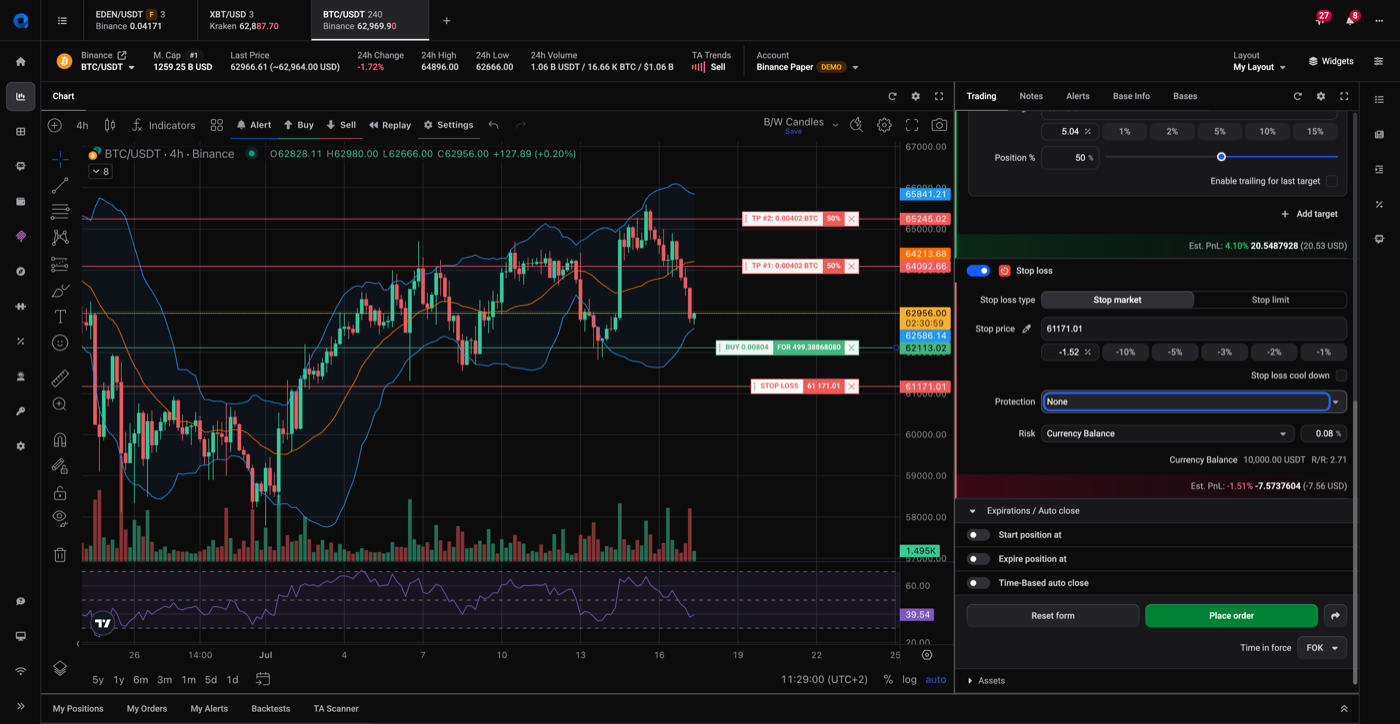 🔍 Click the image to see a larger version
Protection: how the stop moves
The Protection setting decides whether the stop moves after the position opens:
- None: the stop stays exactly where you set it.
- Average entry: once your first take profit fills, the stop moves to your average entry price and stays there. Because Altrady folds fees into the average entry, this is a true break-even, not just your entry price.
- Follow Take Profit: the stop steps up one level behind your targets, to average entry after the first target, then to the first target’s price, then the second, and so on.
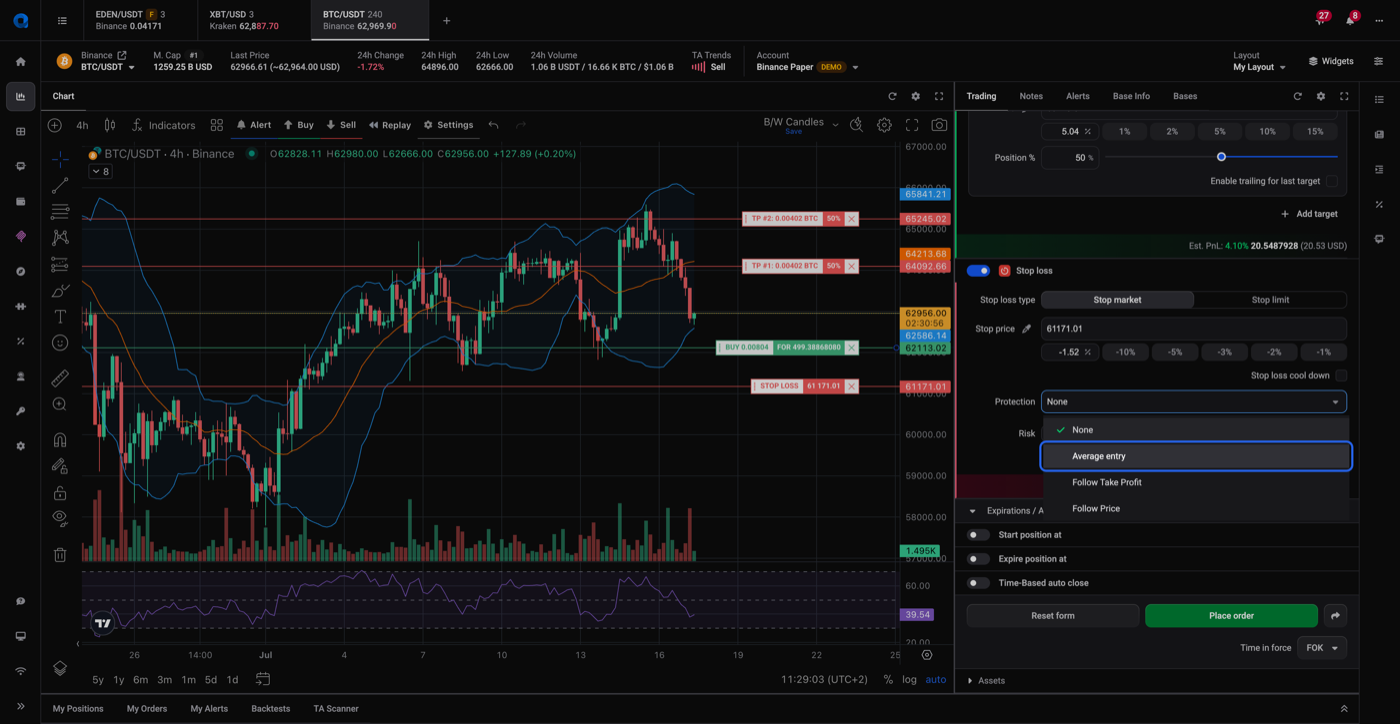 🔍 Click the image to see a larger version
Average entry and Follow Take Profit need two or more take-profit targets; with a single target the stop stays static. With exactly two targets they behave the same, and Follow Take Profit only starts to differ from three targets up:
| Targets filled | Average entry | Follow Take Profit |
|---|---|---|
| None | original stop | original stop |
| 1st | average entry | average entry |
| 2nd | average entry | 1st target |
| 3rd | average entry | 2nd target |
For the third mode in that dropdown, Follow Price (a true trailing stop), see trailing stop loss (Follow Price).
When the stop is placed on the exchange (futures)
On futures, Altrady places the stop-loss market order directly on the exchange before the stop price is reached (it shows Pending, then Open), as long as an entry has filled and no cool-down is set. One exception: KuCoin Futures doesn’t support this, so Altrady manages the stop itself there. On spot markets, the stop is managed by Altrady and only sent to the exchange when it triggers, because a spot exchange can’t hold a take-profit and a stop-loss order on the same position at the same time; a very fast crash on a thin market can therefore miss it, though this is rare on liquid markets.
Editing a stop that’s already trailing
If you change a stop after it has moved under Average entry or Follow Take Profit, Altrady asks whether to reset it to the trailed level or turn Protection off so you can set it by hand.
Related settings
- To delay the stop and ride out a brief dip, see stop loss cool-down and Emergency SL.
- A trailing take profit can’t run alongside a stop loss: when it triggers, the stop is cancelled. See trailing take profit.
- To size the stop by how much of your balance you’re risking, see risk controls.
Still stuck?
If a stop isn’t moving the way its Protection mode should, reach out through support chat with the market and the position and we’ll check it with you.