
Risk controls: sizing your stop loss by account risk
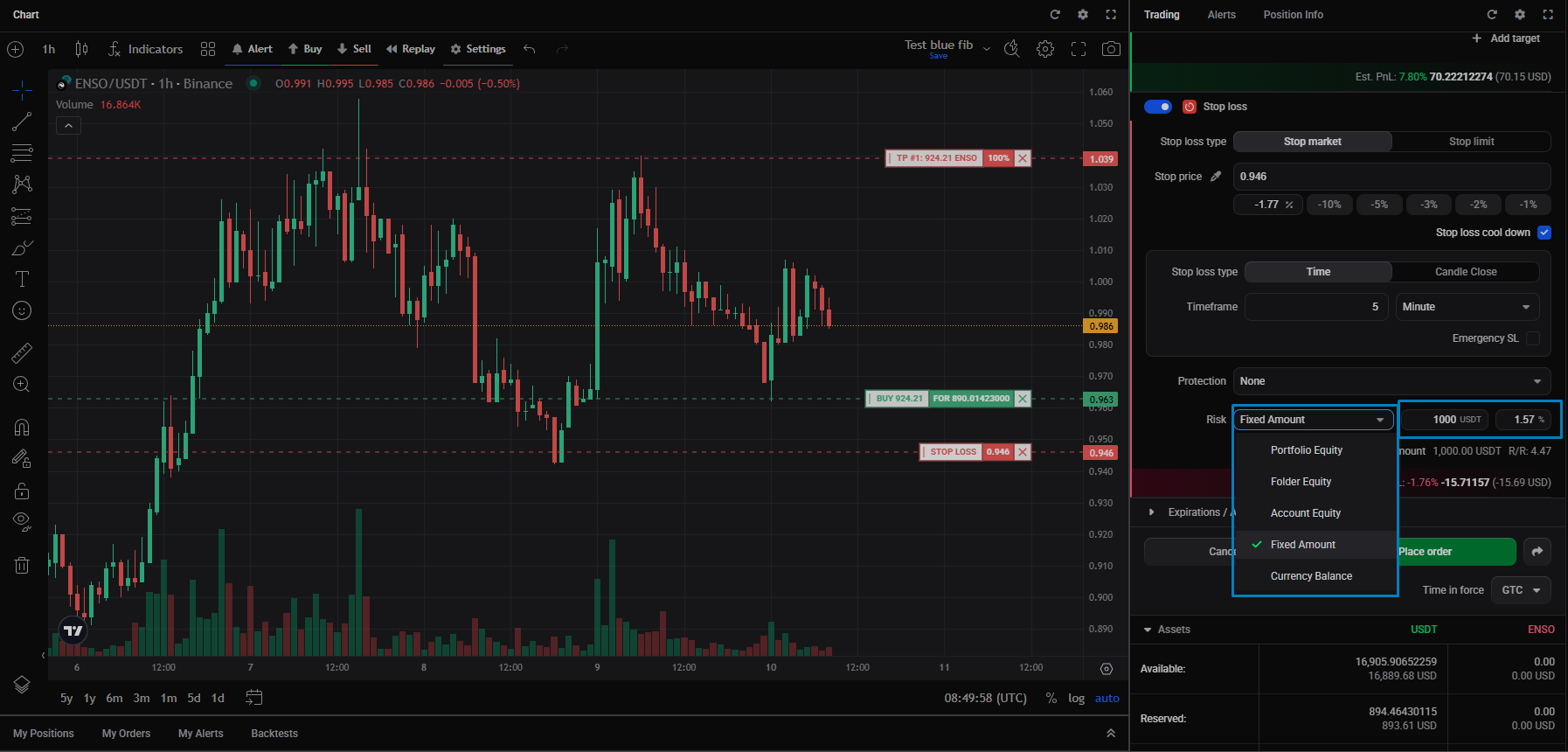
When you add a stop loss to a smart order, the Risk setting shows how much of a chosen base you’d lose if the stop is hit, as a percentage. You pick the base, and the percentage reflects your risk against it.
The Risk base
 🔍 Click the image to see a larger version
The Risk dropdown chooses what the risk percentage is measured against. Every base uses your total balance or equity (not the amount available for trading):
🔍 Click the image to see a larger version
The Risk dropdown chooses what the risk percentage is measured against. Every base uses your total balance or equity (not the amount available for trading):
- Portfolio Equity: your whole portfolio value, across all connected accounts and wallets.
- Folder Equity: a folder, a user-defined group of trading accounts (say all your Binance accounts, or all your futures accounts). Altrady also groups all paper accounts into one folder automatically.
- Account Equity: the value of the currently selected trading account.
- Currency Balance: the total balance (reserved and unreserved) of the market’s currency. On spot that’s the quote currency for a buy/long and the base currency for a sell/short; on futures it’s the quote-currency balance.
- Fixed Amount: an amount you choose yourself, rather than a live balance (see below).
How the percentage behaves
For Portfolio Equity, Folder Equity, Account Equity, and Currency Balance, three things are linked: your position size, how far the stop sits from your entry, and the risk percentage. Change any one and Altrady adjusts the others:
- Move the stop price relative to your entry, and the percentage adjusts.
- Change the percentage, and the position size changes to match.
- Change the position size, and the percentage adjusts.
Altrady shows the base’s value next to the setting.
The risk-to-reward (R/R) figure
As soon as you set a take profit, Altrady shows an R/R (risk-to-reward) figure. It takes all your take profits into account, not just the first, and all your entries, since every entry would be filled before the stop is reached. So on a laddered order the R/R reflects the whole plan, not a single leg of it.
Fixed Amount, the odd one out
Fixed Amount lets you set the denominator yourself: a plain quote-currency amount to measure risk against, instead of a live account or portfolio balance. It has two values, the amount and a percentage, where the percentage is how much of that amount you’re prepared to lose. For example, 10% of a 2,000 fixed amount is a 200 possible loss.
When you first enter a Fixed Amount, Altrady sets the percentage from your current risk and leaves the position size alone. Change the percentage yourself, and it resizes the position to match.
Still stuck?
If the sizing or the risk figure doesn’t come out the way you expect, reach out through support chat with the market, the account, and the base you selected, and we’ll check it with you.