
How do I manage my Altrady subscription, plan, or billing?
All subscription, plan, and billing settings for Altrady live on the website, not inside the desktop app. If you’ve been searching the app for a way to change your plan or download an invoice, that’s why you couldn’t find it.
Where subscription settings live
Manage your subscription from your Altrady web account, not the desktop app.
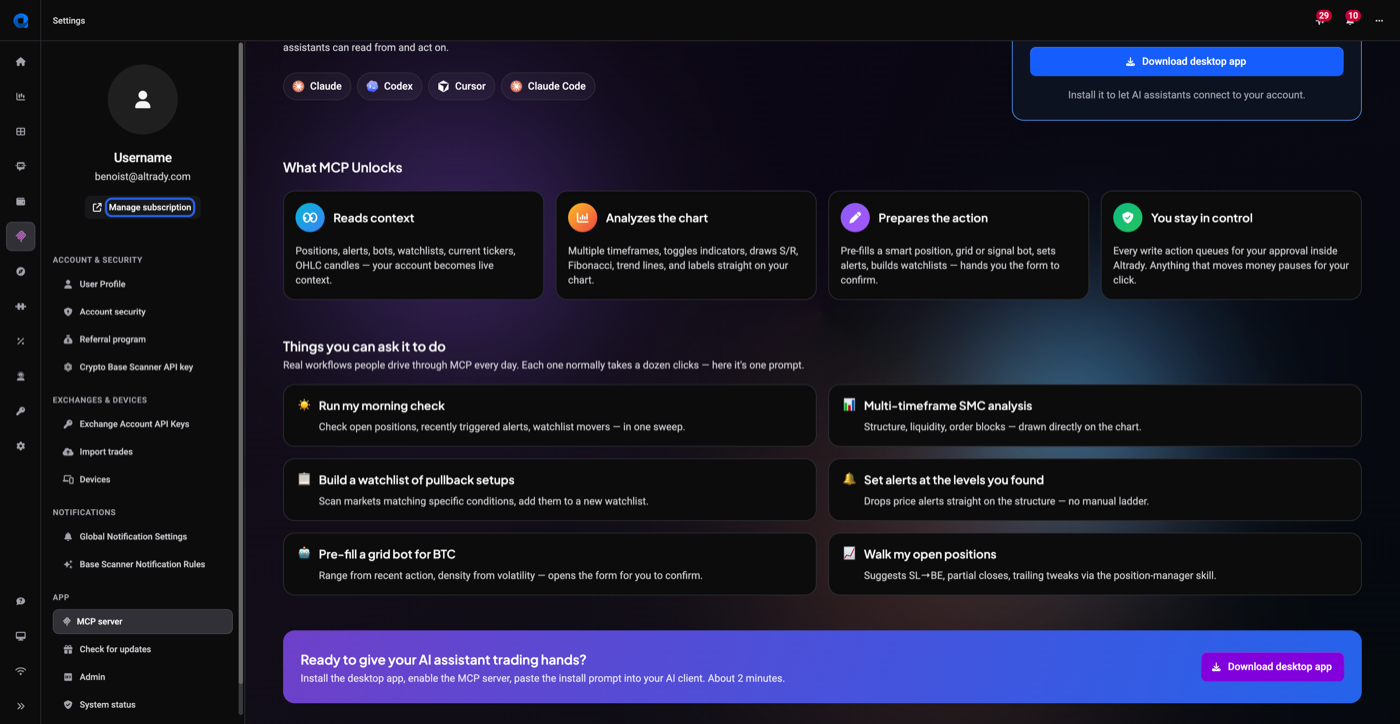
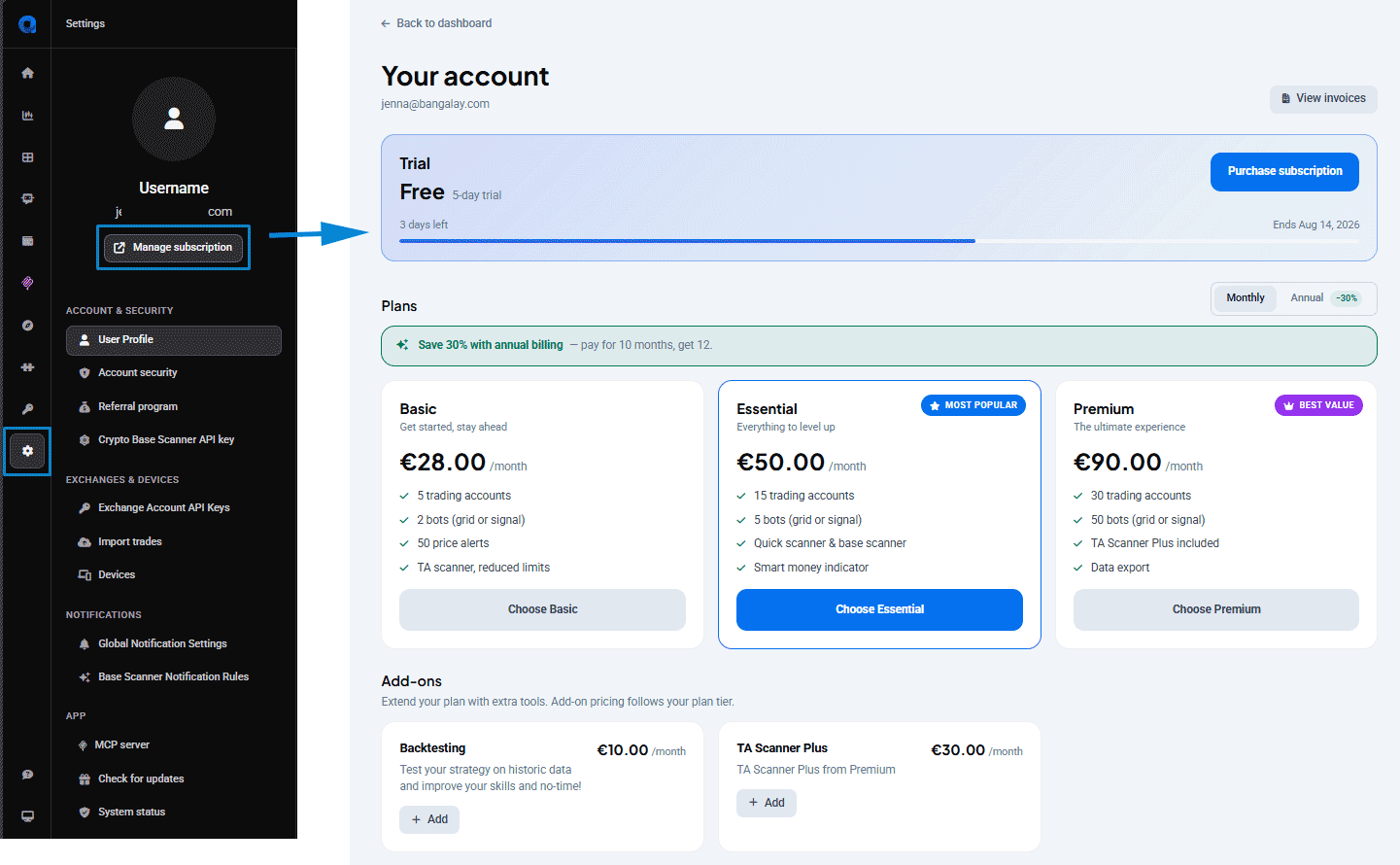
- Go to your account on the Altrady website and log in.
- Open Settings.
- Click Manage subscription.
 🔍 Click the image to see a larger version
This takes you to your account page, where every billing action below happens.
🔍 Click the image to see a larger version
This takes you to your account page, where every billing action below happens.
Viewing current plan, renewal date, invoices
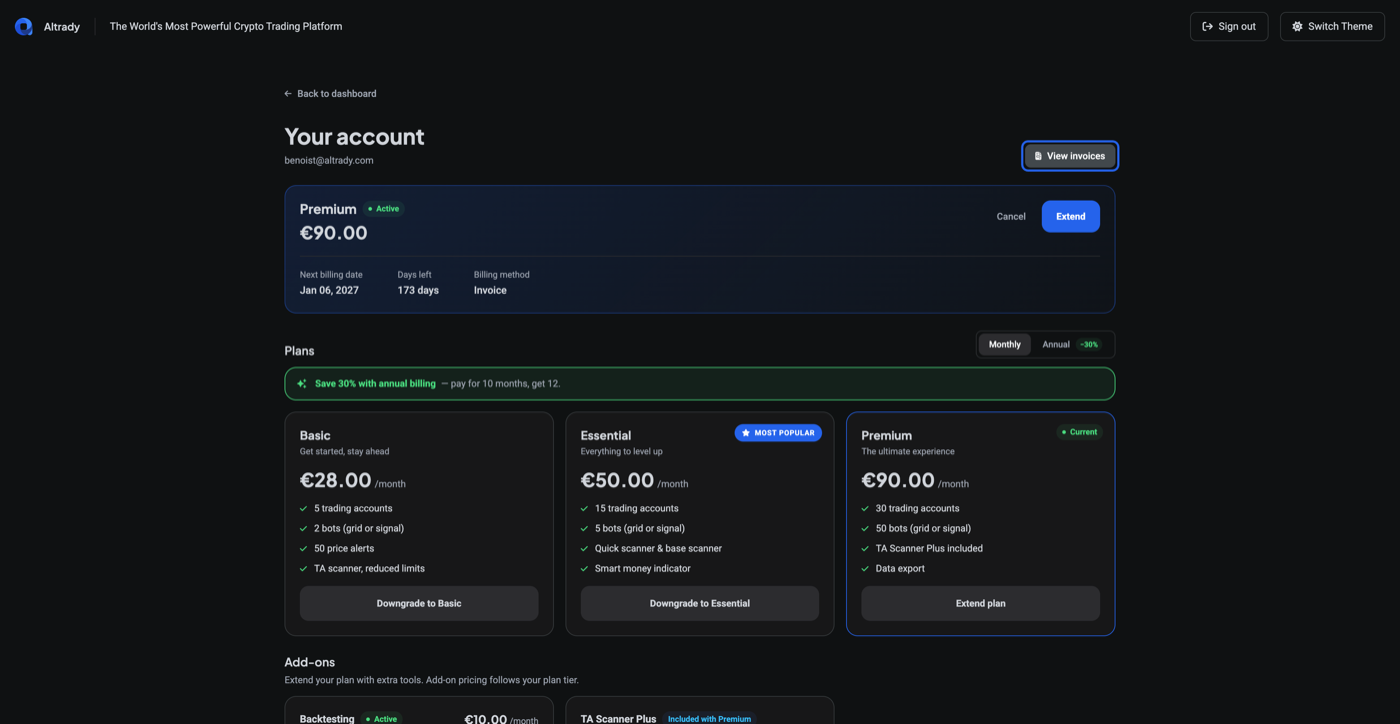
Your account page shows:
- Current plan (e.g. Premium) and price
- Active status
- Next billing date and days remaining
- Billing method
- Cancel and Extend controls
 🔍 Click the image to see a larger version
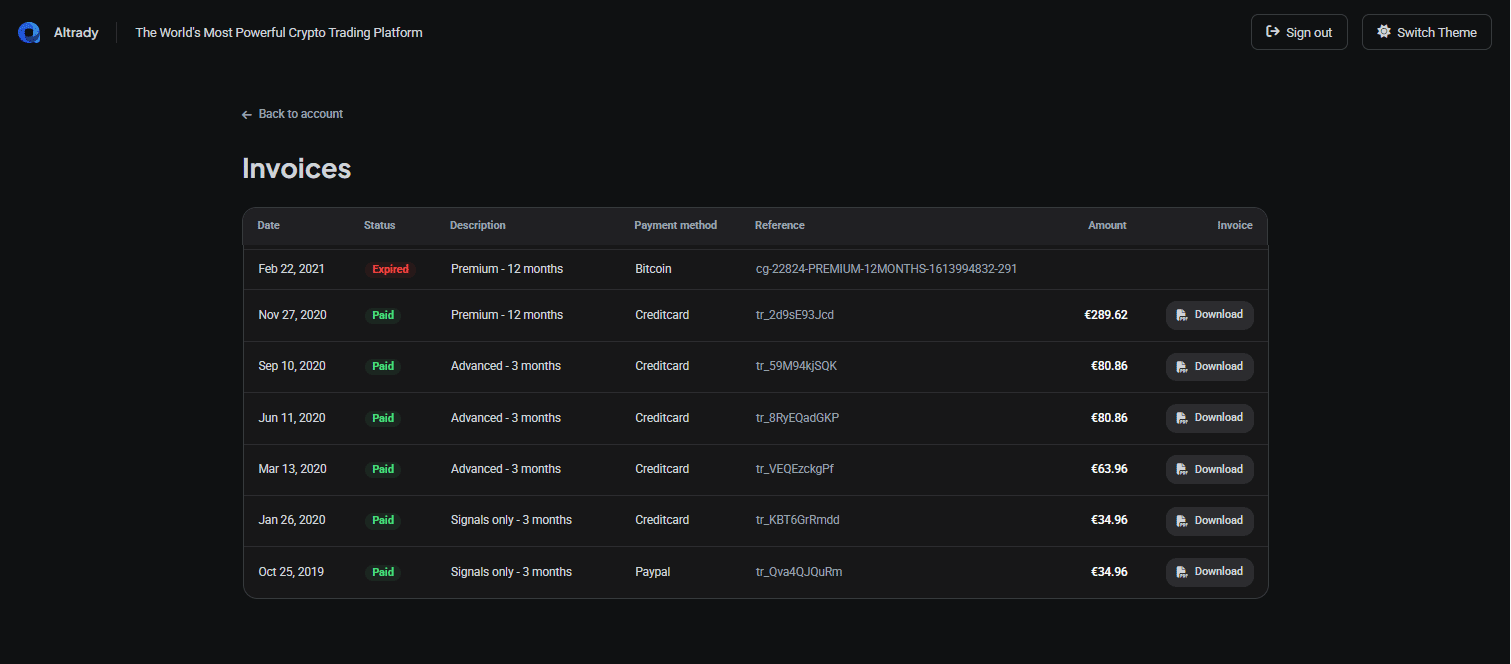
Below that is your full invoice history: date, status, description, payment method, reference, and amount for each past charge. Click any invoice to download it.
🔍 Click the image to see a larger version
Below that is your full invoice history: date, status, description, payment method, reference, and amount for each past charge. Click any invoice to download it.
 🔍 Click the image to see a larger version
Upgrading and downgrading plans
- On your account page, scroll to the plan comparison grid (same screenshot as above).
- Pick the plan you want and confirm.
Plan changes are prorated: you’re only charged or credited for the difference between your old and new plan for the remainder of your billing period. For a side-by-side of what each plan includes, see choose your plan.
Cancelling or turning off auto-renewal
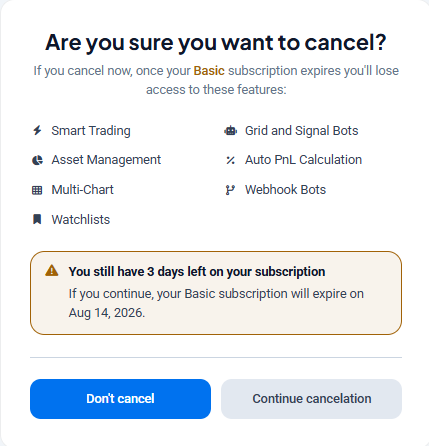
The Cancel control on your account page turns off auto-renewal, so your plan won’t charge again and you keep access until the current period ends.
 🔍 Click the image to see a larger version
For the full walkthrough, see how do I cancel my subscription or turn off auto-renewal?.
Payment methods (card, PayPal, crypto)
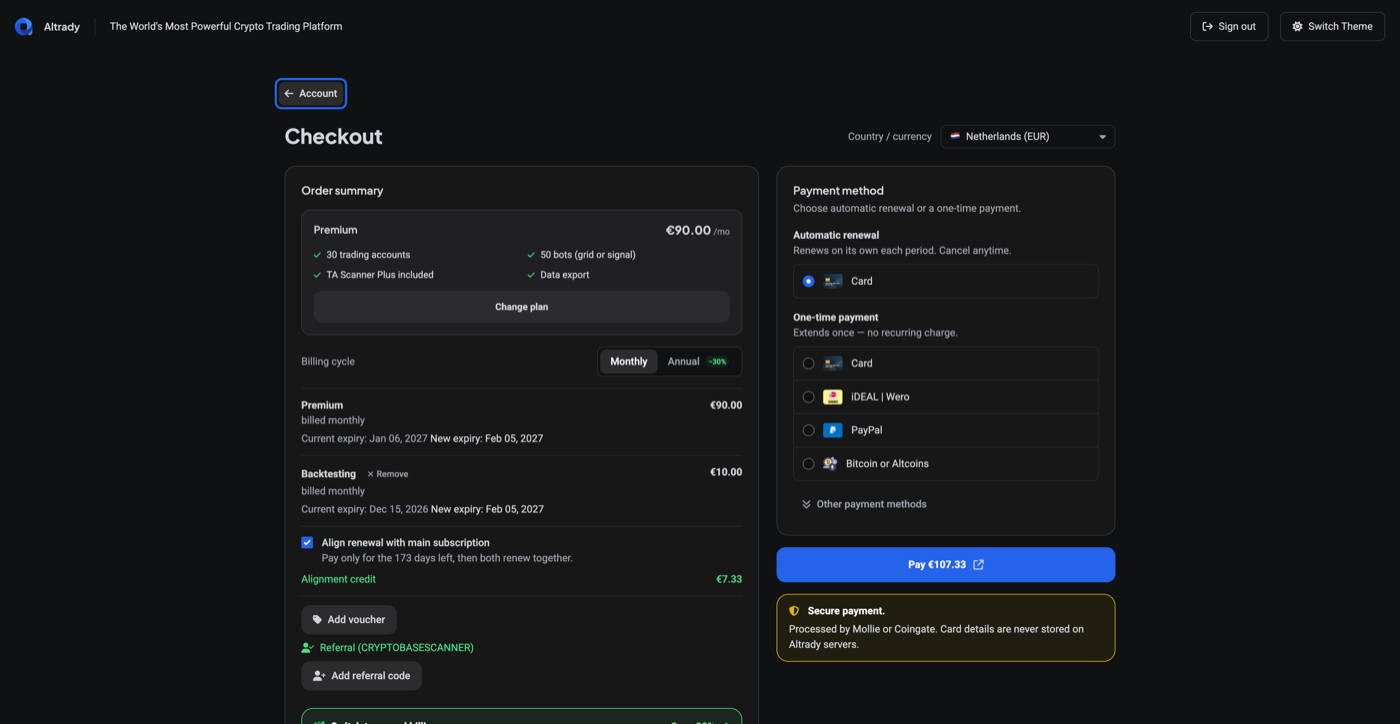
At checkout you can pay with:
- Card (automatic renewal or one-time)
- iDEAL / Wero
- PayPal
- Bitcoin or Altcoins
 🔍 Click the image to see a larger version
Crypto payments (Bitcoin or Altcoins) are processed through a payment processor and do not auto-renew. When a crypto-paid subscription expires, you’ll need to manually pay for the next period; it won’t renew on its own the way a card does.
🔍 Click the image to see a larger version
Crypto payments (Bitcoin or Altcoins) are processed through a payment processor and do not auto-renew. When a crypto-paid subscription expires, you’ll need to manually pay for the next period; it won’t renew on its own the way a card does.
Got a discount or voucher code? See how to use a discount, voucher, or promo code.
The 5-day trial
 🔍 Click the image to see a larger version
New accounts get a 5-day free trial. To keep access to features after the trial ends, choose a plan and subscribe from the account page above.
🔍 Click the image to see a larger version
New accounts get a 5-day free trial. To keep access to features after the trial ends, choose a plan and subscribe from the account page above.
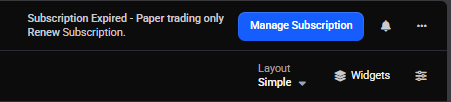
Once the trial has expired, the account reverts to the free plan.
 🔍 Click the image to see a larger version
Still stuck?
If a charge looks wrong, or you were billed twice, see how to request a refund for a subscription charge. For anything else about your subscription, you can reach our support team anytime through the chat bubble in the bottom-right corner of our Help Center at help.altrady.com.