
How to Request a Refund for a Subscription Charge (Including Double Charges)
If you’ve been charged for a subscription you didn’t mean to renew, or you were billed twice for the same period, this article walks you through when a refund applies and how to get it handled as fast as possible.
Refunds on Altrady are handled by our support team; there’s no automatic refund button in the app. Reaching out with the right details is what speeds things up.
When refunds apply
First payment. A refund can be issued within one month of the first payment of a subscription. If you signed up and changed your mind, contact support within that window.
Automated (recurring) payment. Refunds of automated payments will be considered within one week of payment. If your subscription renewed automatically and you didn’t intend to keep it, reach out within seven days of the charge.
Double charge. If you see two charges for the same subscription period, support will refund the duplicate once it’s verified with the payment processor. Verification is usually quick when you provide the transaction details (see below).
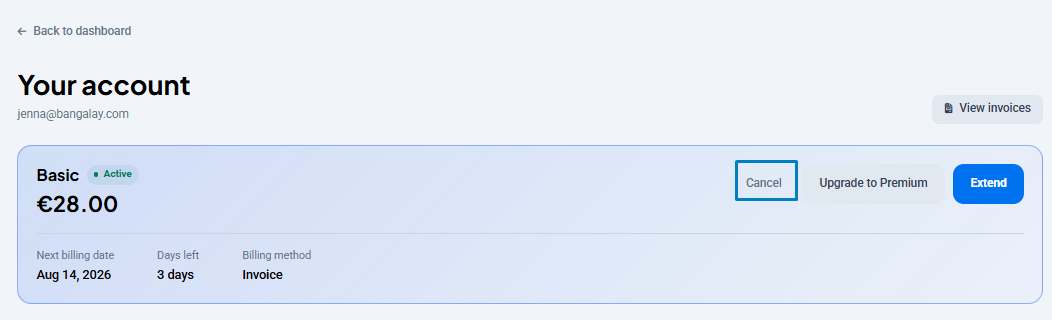
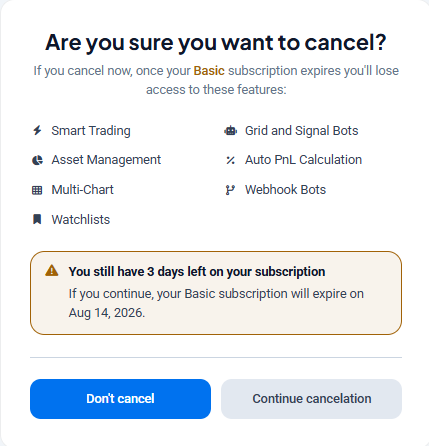
Tip — prevent unwanted renewals. To stop your subscription from renewing automatically, go to Settings > Manage subscription and click Cancel. This removes the recurring payment. You’ll still be notified a few days before your subscription expires, and your access continues until the expiry date. For the full walkthrough, see how do I cancel my subscription or turn off auto-renewal?.
 🔍 Click the image to see a larger version
 🔍 Click the image to see a larger version
How to contact support with the right details
To avoid back-and-forth, include this information in your first message:
- The email address on your Altrady account.
- The date of the charge and the amount billed.
- A short description of what happened (e.g. “renewed automatically, didn’t intend to keep it” or “charged twice on the same day”).
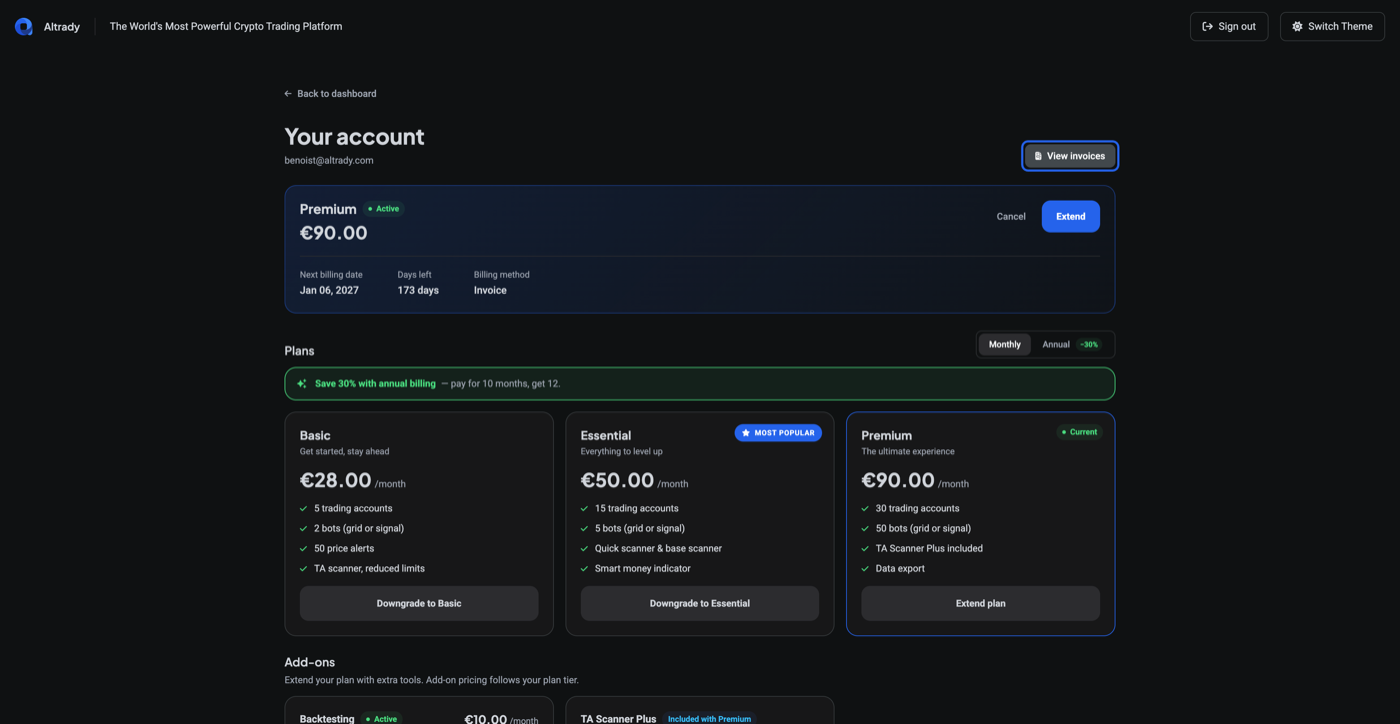
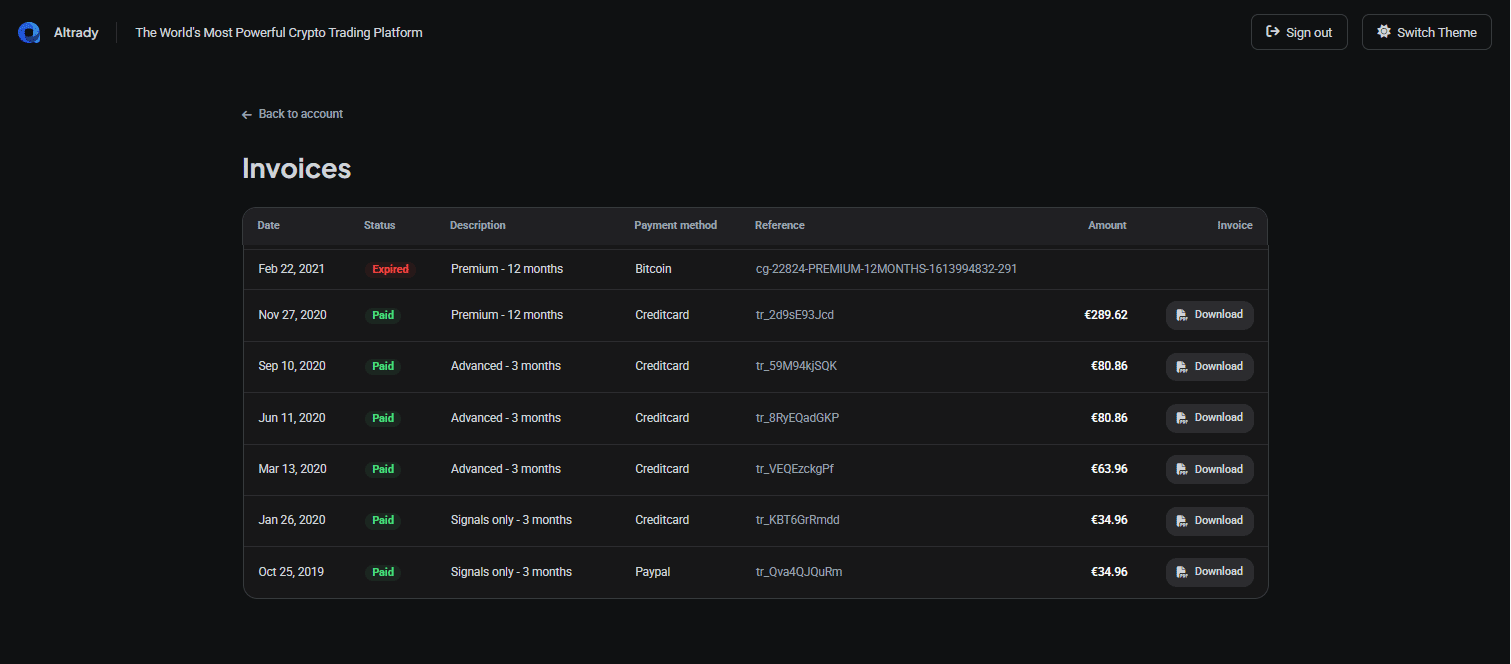
You’ll find the transaction reference on your Invoices page. Open your Account page and click View invoices.
 🔍 Click the image to see a larger version
 🔍 Click the image to see a larger version
You can reach our support team anytime through the chat bubble in the bottom-right corner of our Help Center at help.altrady.com. Send these details in your first message rather than a general request; it lets the team verify the charge with the payment processor right away instead of asking you for it.
🔍 Click the image to see a larger version
You can reach our support team anytime through the chat bubble in the bottom-right corner of our Help Center at help.altrady.com. Send these details in your first message rather than a general request; it lets the team verify the charge with the payment processor right away instead of asking you for it.
Processing time
Support reviews refund requests once all the required details are in. Verifying a double charge with the payment processor can add extra time, especially over weekends.
Crypto payment refunds
If you paid with Bitcoin or another crypto asset, refunds are possible but slower and more limited than card or PayPal refunds. Crypto transactions are processed through a third-party payment provider and settle irreversibly on-chain, so support has to coordinate with the payment provider to reverse or credit a charge; this takes longer and isn’t guaranteed in every case.
If you paid by crypto, include your wallet/transaction hash along with the invoice reference when you contact support; this is the fastest way to help the payment provider trace the charge.
Before you contact support
If you’re unsure whether your subscription is about to renew, check your Account page first; it shows your next billing date and days remaining.