
How to Use a Discount, Voucher, or Promo Code
If you have a discount, voucher, or promo code, you apply it at checkout, on Altrady’s account page. This guide covers where to enter it, when it applies, and why it might not work.
Open your account page
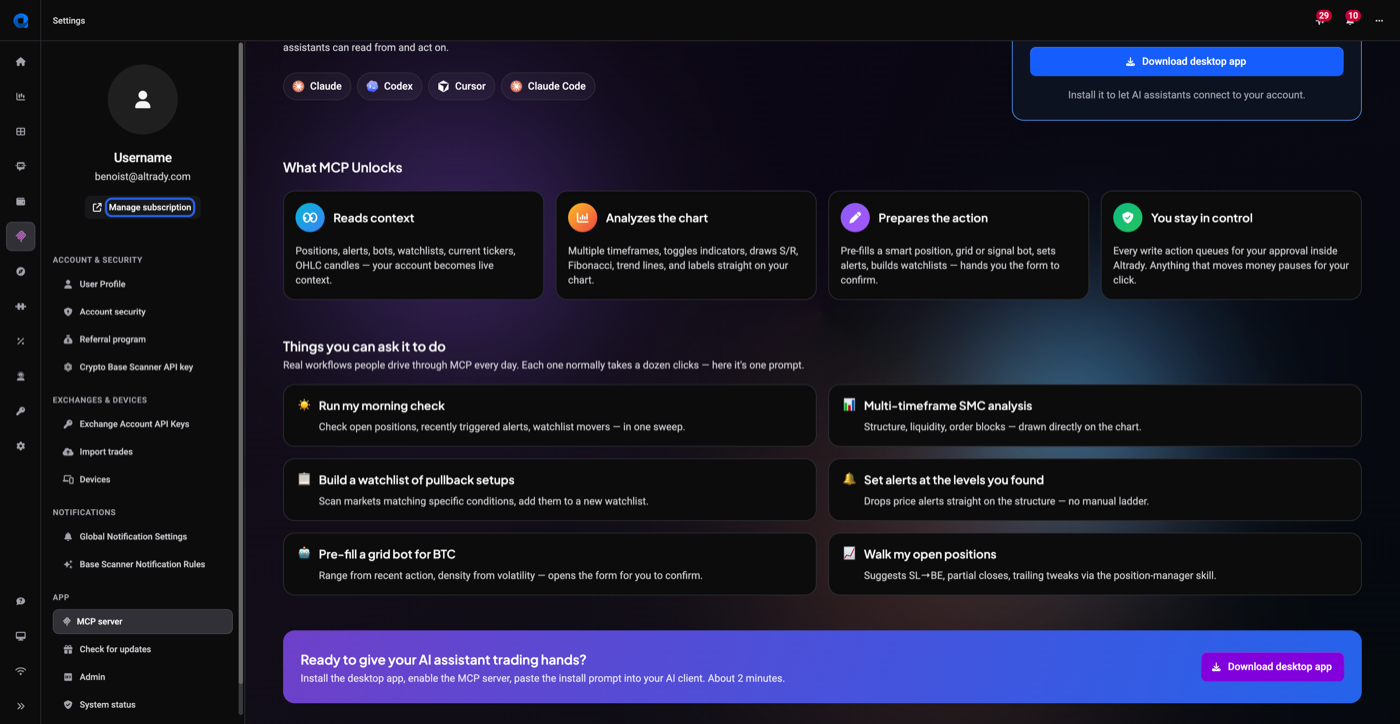
- In Altrady, go to Settings and click Manage subscription under your username in the sidebar. This opens Your account in your browser.
- Your current plan is shown at the top, with your next billing date, days left, and billing method.
 🔍 Click the image to see a larger version
Start a purchase to reach checkout
A code is applied to a purchase, so you need to be at checkout to enter one. From Your account you can:
- Click Extend to renew your current plan.
- Click Upgrade to Premium, or pick a plan from the Plans section below.
- If you’re still on the trial, click Purchase subscription or choose a plan.
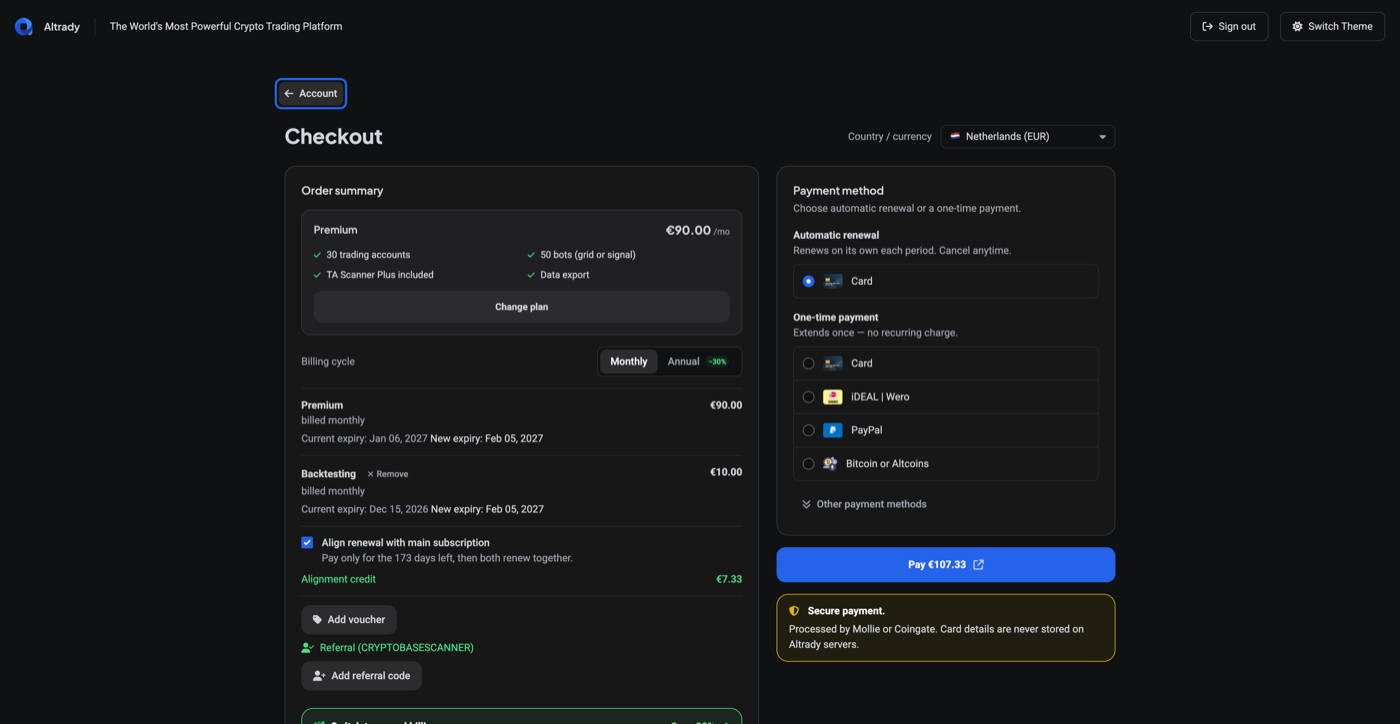
Any of these opens the Checkout page.
 🔍 Click the image to see a larger version
Check Available discounts first
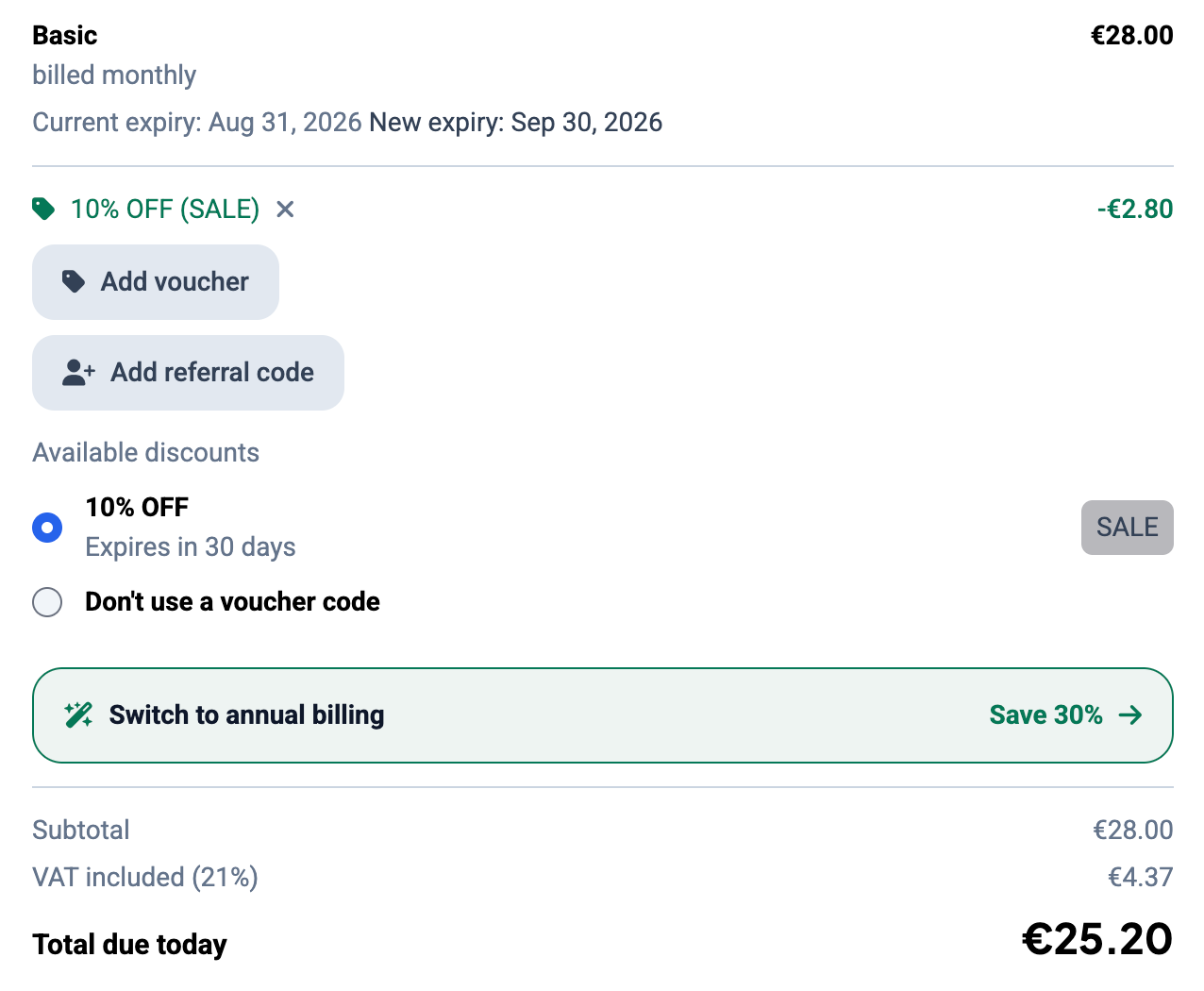
Before typing anything, look under Available discounts in the Order summary column. Any voucher already attached to your account is listed there as an option you can simply select, showing what it’s worth, when it expires, and its code as a small badge on the right. There’s also a Don’t use a voucher code option if you’d rather not apply one.
If your discount is already in that list, select it and you’re done: there’s no need to type the code at all.
Enter a code you were given
 🔍 Click the image to see a larger version
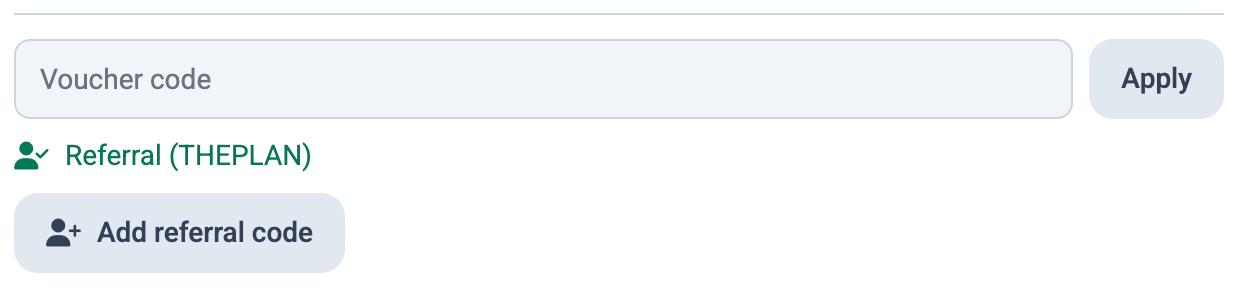
If your code isn’t in the list, add it yourself:
- Click Add voucher. A Voucher code field appears with an Apply button next to it.
- Type your code and click Apply.
There’s a separate Add referral code button for referral codes, which have their own slot.
Check the order summary before paying
 🔍 Click the image to see a larger version
Once a code is accepted, it appears as a green line in the order summary showing the discount name, its code, and the amount it takes off, with an x beside it if you want to remove it again. The Total due today and the amount on the Pay button both drop to match.
Note that Subtotal keeps showing the full plan price: the discount is its own line, so read Total due today to see what you’ll actually be charged.
Codes on renewals vs new subscriptions
Most codes are built for new subscriptions or upgrades, not automatic renewals. If your subscription renews automatically, it renews at the standard price and a promo code does not apply itself to that renewal.
To use a code on an existing plan, click Extend on Your account. This opens checkout as a manual purchase, where you can add a voucher or referral code before paying.
Important: promo codes generally don’t apply retroactively. If your subscription has already renewed, the code can’t be used to refund or discount that charge; it only applies to a purchase made after you enter it.
How discounts stack
 🔍 Click the image to see a larger version
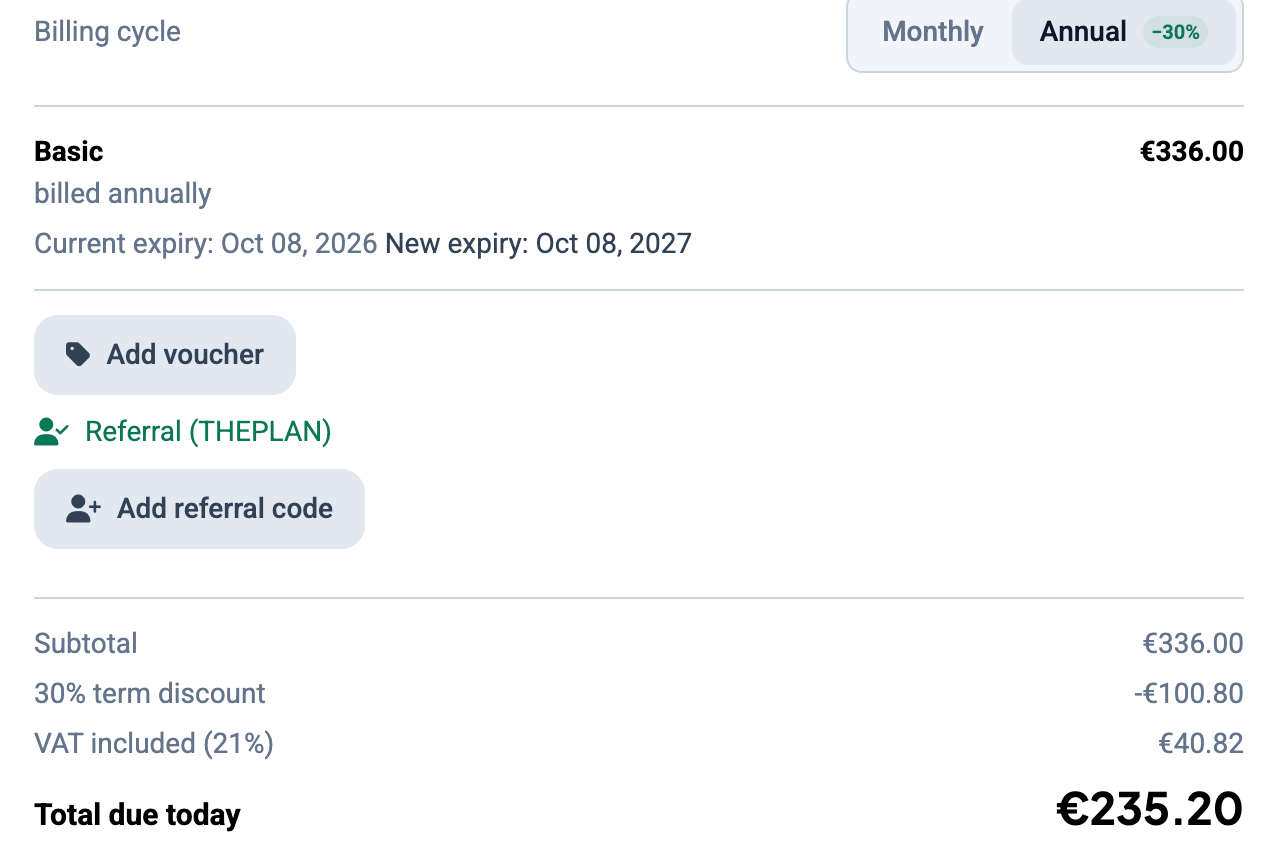
Vouchers and referral codes have their own separate slots at checkout, so an attached referral doesn’t stop you from adding a voucher.
Term discounts work differently again: they’re applied automatically based on the billing cycle you choose, not through a code field. Switch Billing cycle to Annual and the order summary adds a 30% term discount line of its own, alongside Subtotal, VAT included and Total due today.
Common errors
 🔍 Click the image to see a larger version
If a code can’t be used, Altrady shows a banner at the top of the checkout page naming the code and the reason, for example “Voucher code ABC123 cannot be used: Invalid”. The usual causes:
- Invalid code: the code doesn’t exist. Check for typos, and for a letter O typed where a zero belongs.
- Expired code: promo codes carry an end date. Once it passes, the code no longer works, even if you received it recently.
- Plan mismatch: some codes are restricted to a specific plan or billing cycle (for example, annual only). Check that your selected plan matches what the code was issued for.
A rejected code doesn’t block anything else: the rest of the order stays as it was, and you can try another code or select one from Available discounts.
Where deals are announced
Altrady announces discounts and promotions by email and on social media, for example seasonal offers like Black Friday. Keep an eye on your inbox and Altrady’s social channels so you don’t miss a deal.
Note: the free trial is 5 days for all new accounts, separate from any promo code.
Still stuck?
If a valid code won’t apply, or the total doesn’t change after you click Apply, reach out through Altrady’s support chat with the code and a screenshot of the order summary.