
Connect MEXC
Connecting your MEXC account to Altrady lets you trade MEXC spot and futures markets right from Altrady’s dashboard. It only takes a few minutes, and you stay in control the whole time; Altrady never asks for withdrawal access to your funds.
Before you start
You’ll create an API key on MEXC and paste it into Altrady. An API key is like a permission slip rather than your house keys: it lets Altrady view your balances and place orders on your behalf, without ever being able to withdraw your funds. If you’d like to understand API keys better first, see What is an API key?.
Decide now whether you want to trade spot, futures, or both on MEXC. The permissions you tick on the API key decide which trading accounts Altrady creates, and spot and futures each need their own trading account. To trade futures, enable both the spot and the futures permission on the key.
Step 1: Start the connection in Altrady
- Log into Altrady.
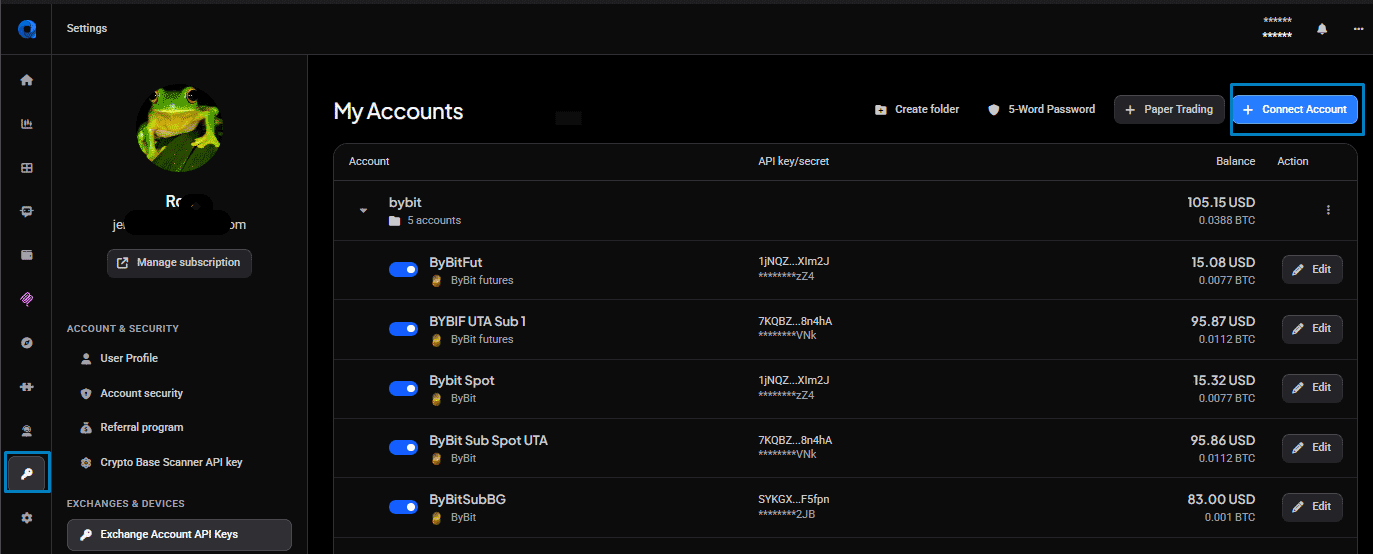
- Go to Settings > Exchange Account API keys.
- Select + Connect Account.
 🔍 Click the image to see a larger version
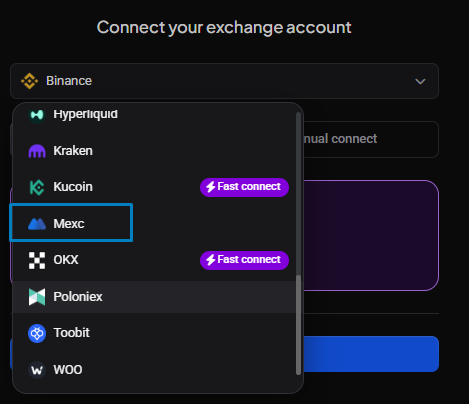
- Select MEXC from the exchange dropdown list.
 🔍 Click the image to see a larger version
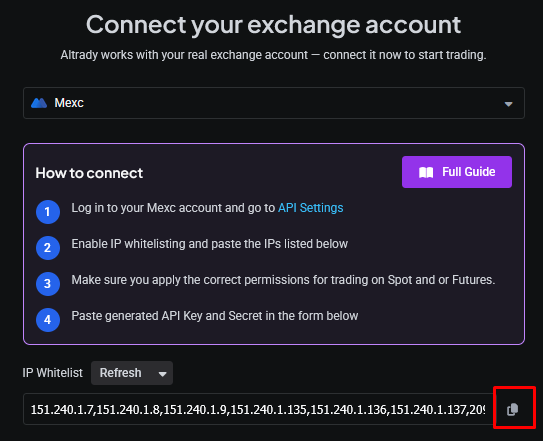
- Click the copy icon to copy Altrady’s IP addresses to your clipboard. You’ll paste these into MEXC in a moment. Whitelisting these IP addresses is optional but recommended; it keeps your API key from working anywhere except from Altrady’s servers.
 🔍 Click the image to see a larger version
Step 2: Create the API key on MEXC
- In a new tab, log into MEXC.
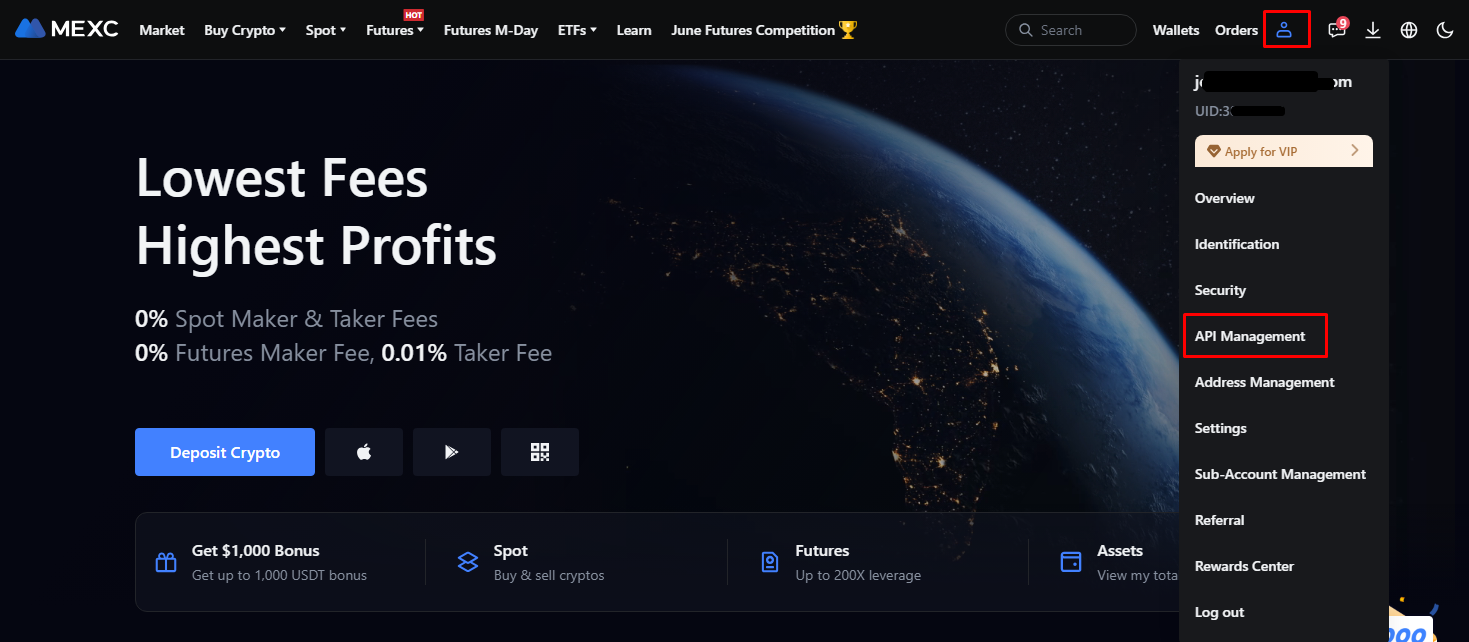
- Navigate to the API Management page.
 🔍 Click the image to see a larger version
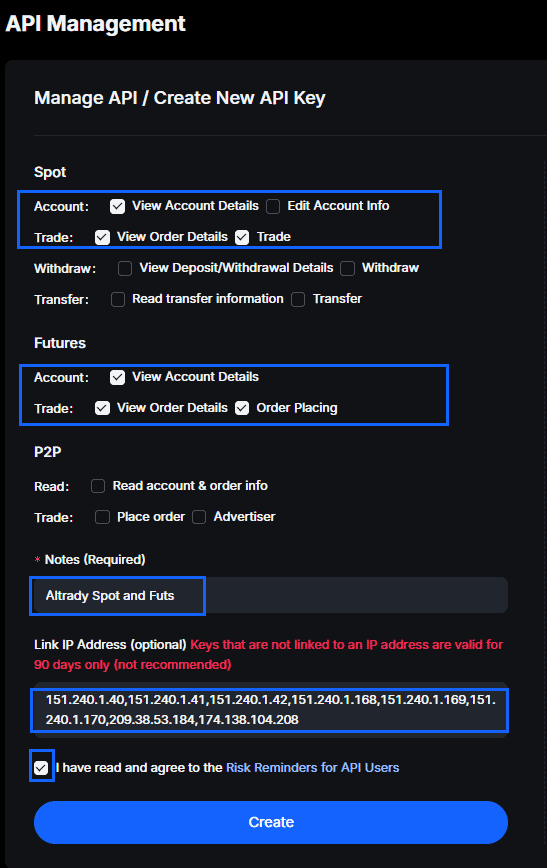
- Tick the trading permissions you need: the spot permission on its own for spot trading, or both the spot and the futures permission if you want to trade futures. Then paste the IP whitelist you copied from Altrady, and click Create.
 🔍 Click the image to see a larger version
Important: Never enable a withdrawal permission on the API key. Altrady only needs to read your balances and place orders; it never withdraws funds, so a withdrawal permission is never required.
Step 3: Connect the key back in Altrady
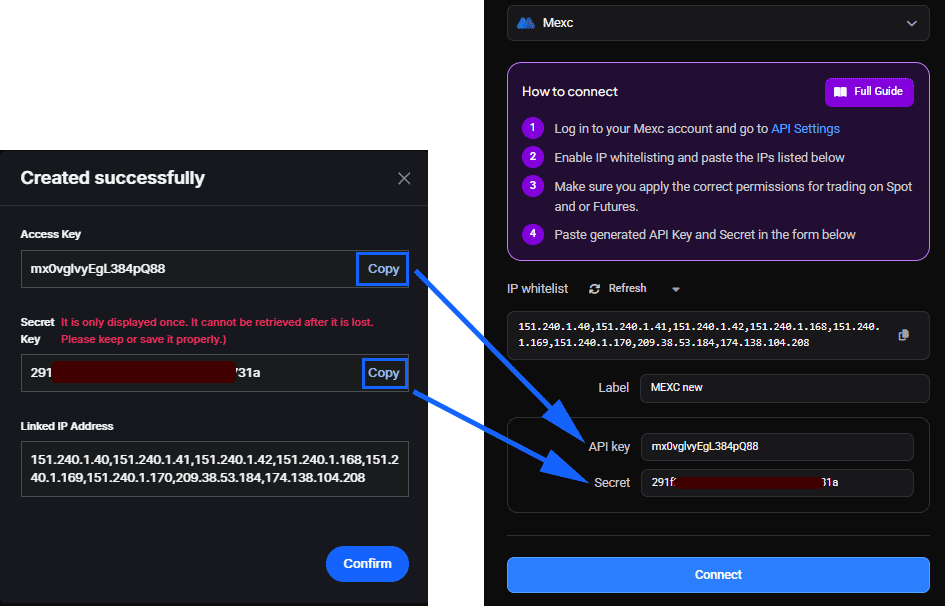
- MEXC now shows you the API key and secret. Copy each one and paste it into Altrady.
 🔍 Click the image to see a larger version
- Click Confirm in MEXC.
- Click Connect in Altrady.
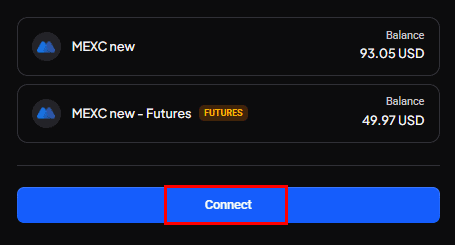 🔍 Click the image to see a larger version
- Click Save.
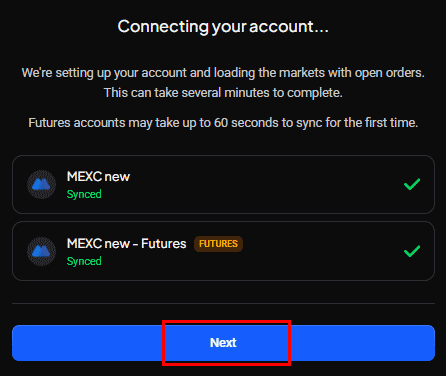 🔍 Click the image to see a larger version
Your MEXC account is now connected.
Your MEXC trading accounts in Altrady
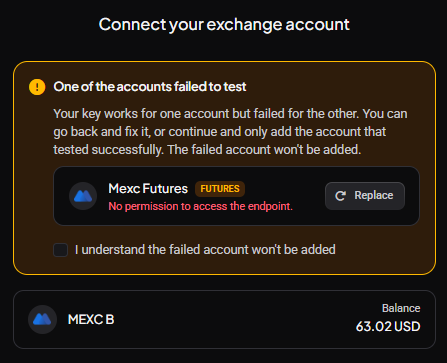
Spot and futures are separate trading accounts in Altrady, and Altrady tests both of them while it connects your key.
With both the spot and the futures permission on the key, both accounts test successfully and both are added.
 🔍 Click the image to see a larger version
With the spot permission only, the futures account has nothing to connect to, so its test fails with “No permission to access the endpoint”. This is expected, and it doesn’t block you: Altrady shows One of the accounts failed to test and offers to continue with the account that worked. Tick I understand the failed account won’t be added and carry on, and your spot account is added as normal.
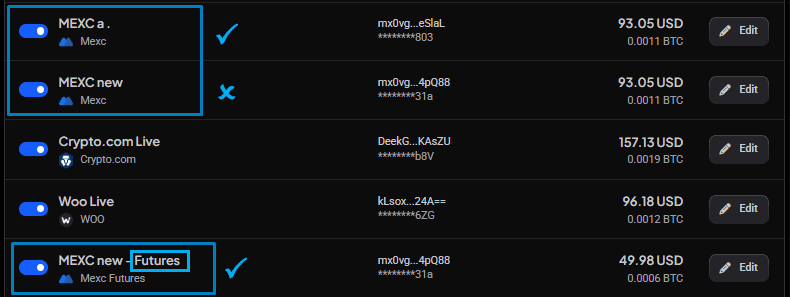
If you already have a MEXC spot account in Altrady, keep using the one you have. Your order history, positions and any running bots are attached to it, and they don’t move to a newly created account.
 🔍 Click the image to see a larger version
Ended up with a trading account you don’t need? Go to Settings > Exchange Account API keys, select Edit on the account you want to remove, and delete it there. Only delete the newly created account, never the one carrying your history (see image above).
Move funds into your futures account
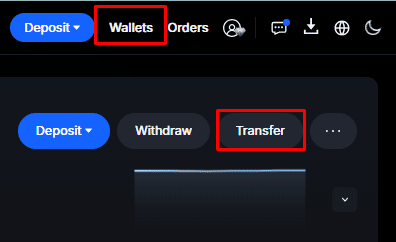
MEXC keeps your spot and futures balances in separate wallets, and futures orders draw on the futures wallet. Before you place your first futures order, transfer funds into your futures account on MEXC.
 🔍 Click the image to see a larger version
Futures account mode: Simple or Unified
MEXC runs your futures account in one of two modes, and Altrady supports both. Simple mode keeps each balance to itself. Unified mode lets several balances in the futures account, USDT and USDC for example, act as cross-collateral for your positions.
One thing to know before you trade: Unified mode works with cross margin only. If your account is in Unified mode and you select isolated margin, Altrady shows an error and the order is not placed. Either set the margin mode to cross, or switch the account back to Simple mode on MEXC. For how the margin modes differ, see Margin mode, leverage, and liquidation price explained.
If your balance doesn’t show up right away
Sometimes your account balance takes a moment to appear next to your new API key in Altrady.
 🔍 Click the image to see a larger version
If it’s still missing after a little while, sync your balance manually from the Portfolio page: select Refresh Balances from the 3-dot menu for the new account.
Having trouble?
If your balances still won’t update, see Balances or positions aren’t syncing. If the account shows as invalid or expired, see Fix an invalid or expired exchange account.