
What does "Order size is too small" or "Investment below minimum" mean?
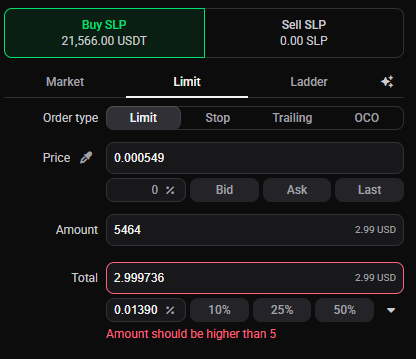
“Order size is too small” and “Investment below minimum” both mean an order would fall below the smallest size the exchange accepts. Every exchange sets its own minimum per pair, and it’s the exchange’s rule, not Altrady’s. Where it can, Altrady checks against that minimum before sending, so you see the problem in the app instead of a rejected order coming back.
Why an order ends up too small
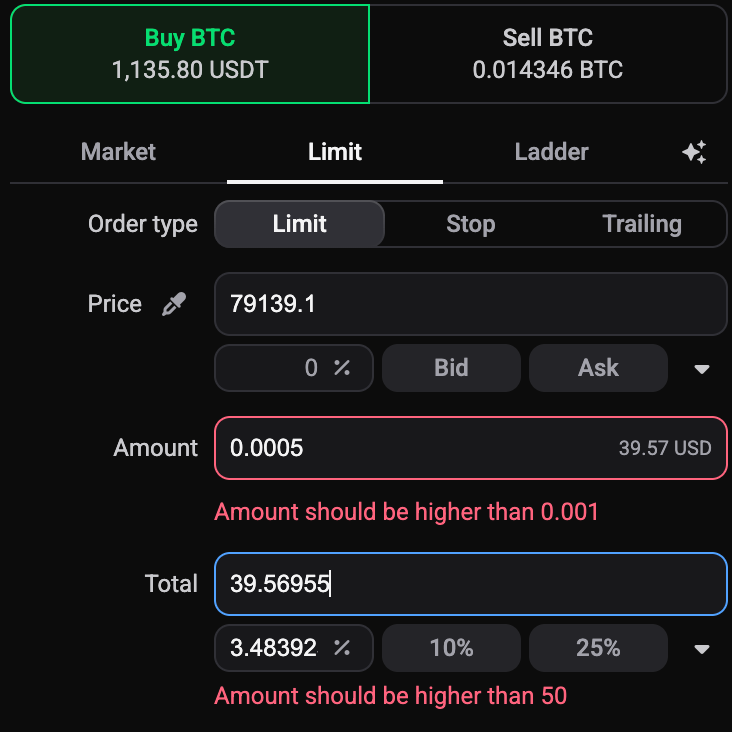
Each pair has a minimum order size set by the exchange, usually a minimum value in the quote currency (e.g. 5 USDT) or a minimum amount of the coin. You can look up the minimum for any pair in the Trading widget. Minimums vary a lot between exchanges, and futures pairs are often higher than spot.
An order most often slips under the minimum when a position is split into several pieces:
- Multiple take-profits. Your position is divided across all your take-profit targets, so each target only gets a share. With several TPs, one or more of those slices can land below the minimum even though the whole position is large enough.
- Multiple entries or DCA levels. The same happens when your entry is spread across several orders.
- Fees. An order sized just above the minimum can drop below it once fees are taken out, so leave a little headroom.
 🔍 Click the image to see a larger version
When it surfaces
 🔍 Click the image to see a larger version
For an entry that’s too small, Altrady catches it before you place the order: you get a message and Place Order stays disabled until you fix it. A too-small take-profit may not be flagged up front, though. Because your position is split across all your take-profits, a slice that falls under the minimum can slip through until the first entry fills and Altrady goes to place the take-profits, where that order then fails. Before you commit, it’s worth checking that your position size divided by the number of take-profits comfortably clears the pair’s minimum.
How to fix it
Give each order more room, using whichever fits your setup:
- Increase the position size or investment, so every slice clears the minimum.
- Reduce the number of take-profits (or entries), so each remaining order is worth more.
- Choose a different market. Very low-priced coins, or pairs with a high minimum, need a larger total just to place one valid order; a larger-cap pair on a major exchange often avoids the limit.
Grid and DCA bots: “Investment below minimum”
 🔍 Click the image to see a larger version
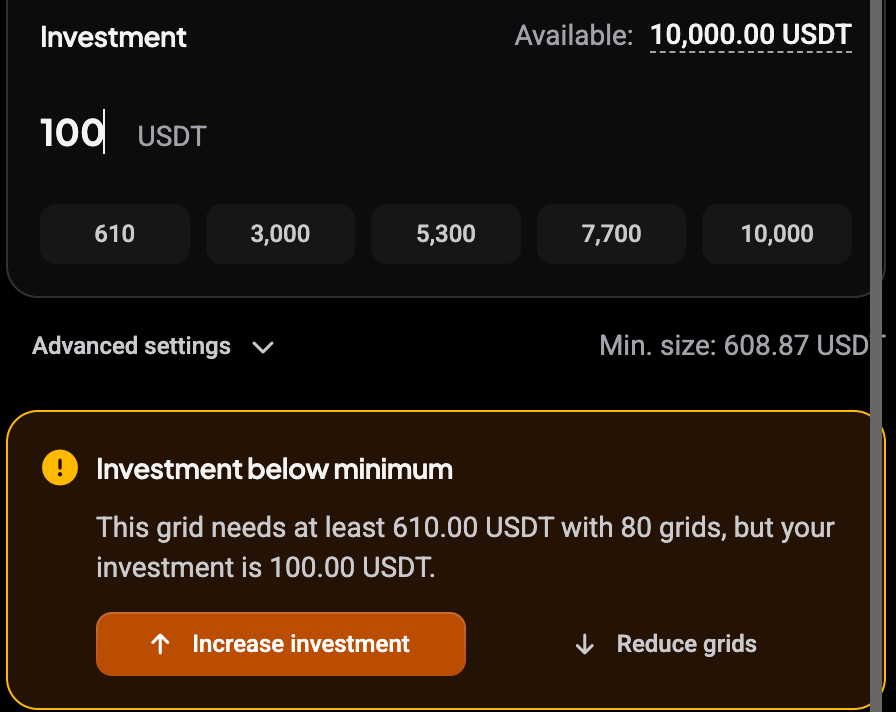
When you set up a grid or DCA bot, Altrady checks that your investment covers the number of grids or safety orders you’ve chosen. If the message points at your investment, raise it or reduce the grid or safety-order count. If it points at your balance, add funds before starting.
Bots can also hit this after they’re running: a bot doesn’t check order size in advance, so its orders, both entries and take-profits, can come back rejected as too small once they reach the exchange. See grid bot not trading or signal bot not trading.
It’s the exchange’s rule, not Altrady’s
These minimums come from the exchange’s own trading rules for each pair, and they can differ between exchanges and between spot and futures. When the exchange itself rejects an order, the exact wording comes from the exchange and varies, but the cause is the same: the order was below that market’s minimum.
Related errors
If the order clears the minimum but still won’t go through, check whether the balance is short or a price or stop-loss is on the wrong side of the market.
Still stuck?
If you’ve increased the size or reduced the number of orders and still see this, reach out through support chat with a screenshot of the exact warning, and the team can check the specific minimum for your pair.