
Signal Bot Not Trading? A Troubleshooting Checklist
If your signal bot isn’t placing trades, work through this in order: is the bot actually active, has a signal arrived yet, was a signal blocked by a filter, did an order fail, and is the exchange API key still good. Most cases are one of these.
Scope of this guide
This covers bot-side issues for any signal bot, on Altrady’s Crypto Base Scanner signals or your own webhook source: bot status, filters, failed orders, balances and API keys.
If your bot uses TradingView or another webhook source and the problem is with the signal itself or the JSON it sends, use the dedicated guide instead: Troubleshooting TradingView Webhook Signals Not Triggering Orders.
Is the bot active?
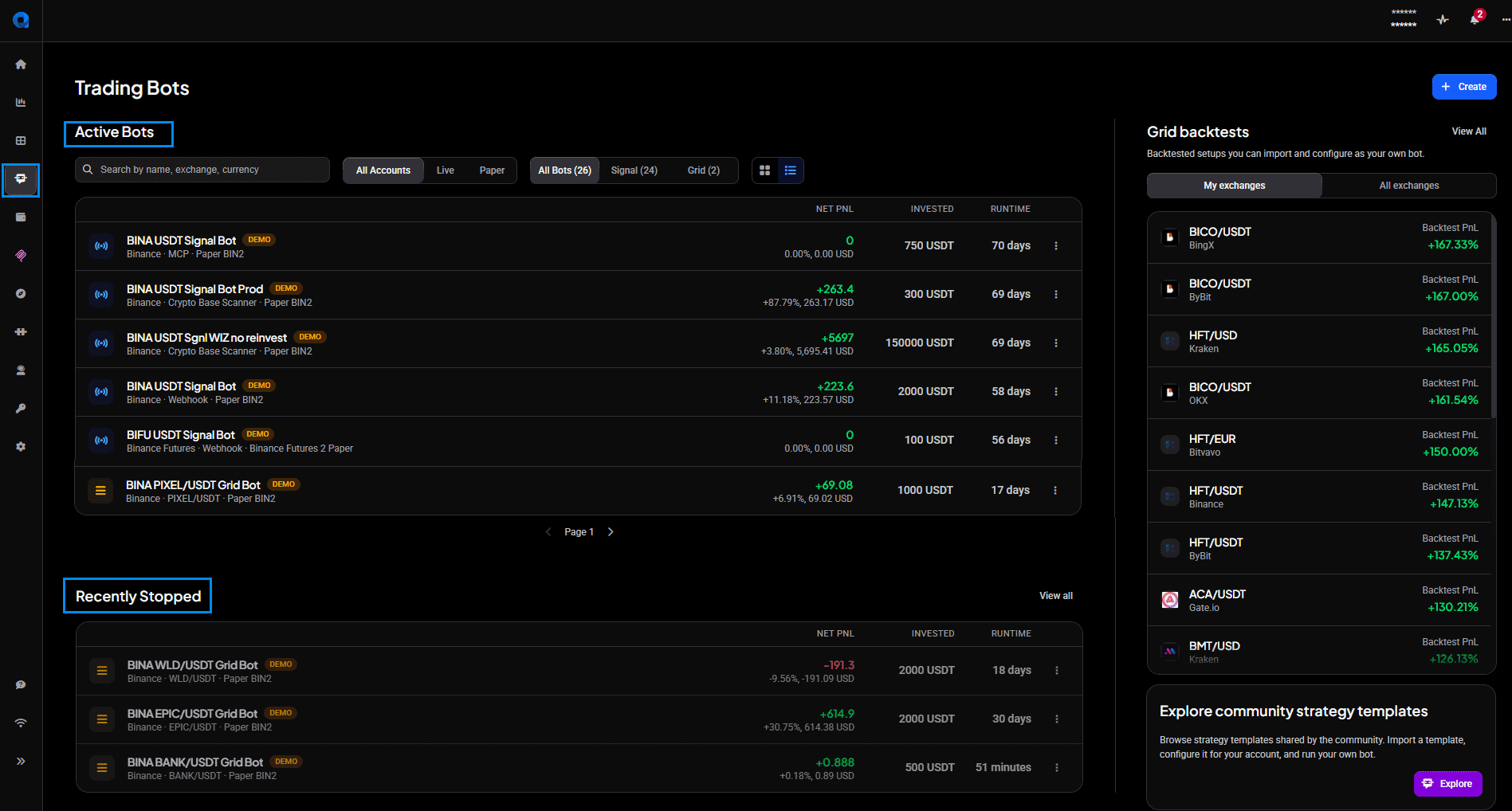
Open the Bots tab and confirm the specific bot you’re looking at shows as Active. If you run several, it’s easy to watch one while a different bot is the one that’s running, and this one is paused or stopped. Change between card view and list view at the top.
 🔍 Click the image to see a larger version
## No signal has arrived yet
🔍 Click the image to see a larger version
## No signal has arrived yet
If you just created the bot, give it time. A new Crypto Base Scanner bot can take a few hours, or even a couple of days, to receive its first signal. That’s normal, not a fault.
How often signals arrive depends on the market, not on a fixed schedule. When BTC moves sharply, more signals appear on BTC markets; when BTC drops hard, they shift toward stable-pair markets and back again as things settle; when ETH runs, ETH-market signals pick up. On a quiet day you might see only a handful across all markets. That’s the market being quiet, not the bot being broken.
A signal arrived but no trade opened
Often a signal did arrive and one of your own filters turned it away. This is what the bot’s Error log is for: it records signals that were not accepted, with the reason. A common line is:
Filters did not match: Max per market
That means the signal reached the bot but a filter or a position limit stopped it opening a trade. Check:
- Your whitelist and blacklist (see Signal bot whitelists and blacklists: how matching works)
- The volume, price and success-rate filters
- Max positions, and positions per market
If those limits are already where you want them, this is the bot working as designed, holding you back from more exposure than you asked for.
One thing to know about the Error log: it’s only for signals turned away by filters. It does not record processing failures like an order failing for insufficient balance. So if the Error log is empty but the bot still isn’t trading, the problem is further down this list, not there.
An order failed
When you place an order by hand in the Trading widget, Altrady won’t submit it unless the balance is there. A bot doesn’t work that way: it sends the order to the exchange, and if the currency it needs isn’t available, the order comes back failed. So a shortage shows up as a failed order rather than as a bot doing nothing quietly.
On a live account you’re told. A failed order sends a push notification and an email. The exact wording comes from the exchange and varies, so go by the fact that an order failed rather than trying to match a particular message.
You can also see it without a notification, which matters on demo accounts where you may not get one. A signal bot that hit this shows:
- an open position that’s empty, in the bot’s Overview;
- on the trading-terminal chart, a dark green order for each entry that failed (entries that were placed successfully are light green);
- in My Orders > Open, the order marked Status: Failed.
To get the failed orders placed:
- Top up the account so the currency the order needs is available.
- Open the failed order in the Trading widget and edit it.
- Click Place order. Every failed order is attempted again.
If it keeps happening, the account is short of the currency the bot needs. Common reasons: funds are tied up in other positions or bots sharing the account (a reason to give each bot its own account or subaccount), or, on exchanges that charge buy fees in the base currency, the bot has used up the base it holds. See How do trading fees work?.
One less common cause: on exchanges that keep spot and futures in separate wallets, the funds can be in the wrong one. Altrady can’t move balances between wallets for you; that’s done on the exchange. If you’ve already been trading this account successfully, though, this usually isn’t it.
The entry didn’t fill in time
An entry order can be set to expire if it isn’t filled within a set time. When that happens the entry is cancelled and no position opens, which can look like the bot ignoring a signal. If you’re using limit entries in a fast market, a short expiry is worth checking. This is set on the Entry tab when you configure the bot.
Exchange API key problems
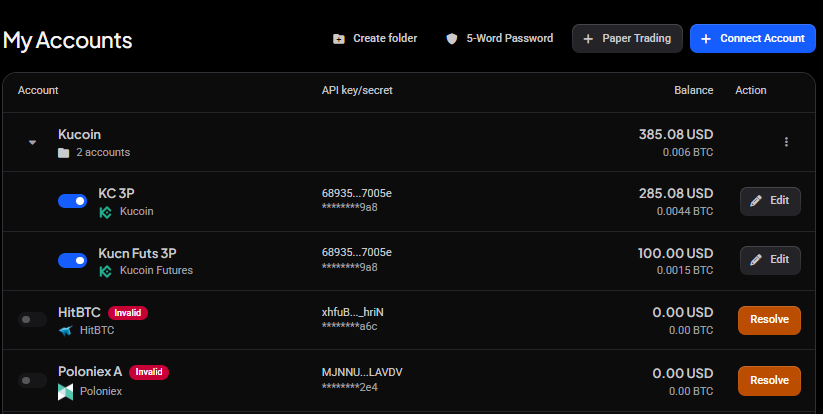
A revoked, expired or misconfigured exchange API key can stop the bot entirely and make both new orders and exit orders fail. If the bot has simply gone silent, with no signals, no filter rejections and no balance problem to explain it, check the API key.
To fix it: re-create the key on the exchange with trading permissions enabled, and reconnect it to the account in Altrady.
 🔍 Click the image to see a larger version
## Still stuck? What to send support
🔍 Click the image to see a larger version
## Still stuck? What to send support
If none of the above resolves it, send us:
- The bot’s name
- The market and exchange
- A screenshot of the bot’s Error log, and of the failed order in My Orders if that’s what you’re seeing
That lets support pinpoint it without a back-and-forth. You can reach our support team anytime through the chat bubble in the bottom-right corner of our Help Center at help.altrady.com.