
Grid Bot Not Trading or Placing Orders? Troubleshooting Guide
If your grid bot isn’t placing orders, it’s almost always one of these: price moved outside the grid range, the bot stopped itself after repeated errors, the exchange API key got disabled, there isn’t enough balance in the right currency, the bot is trading fine but the report display is stuck, or the bot is simply waiting for its next level to be hit. Work through the checks below in order.
Quick checklist when a grid bot isn’t trading
 🔍 Click the image to see a larger version
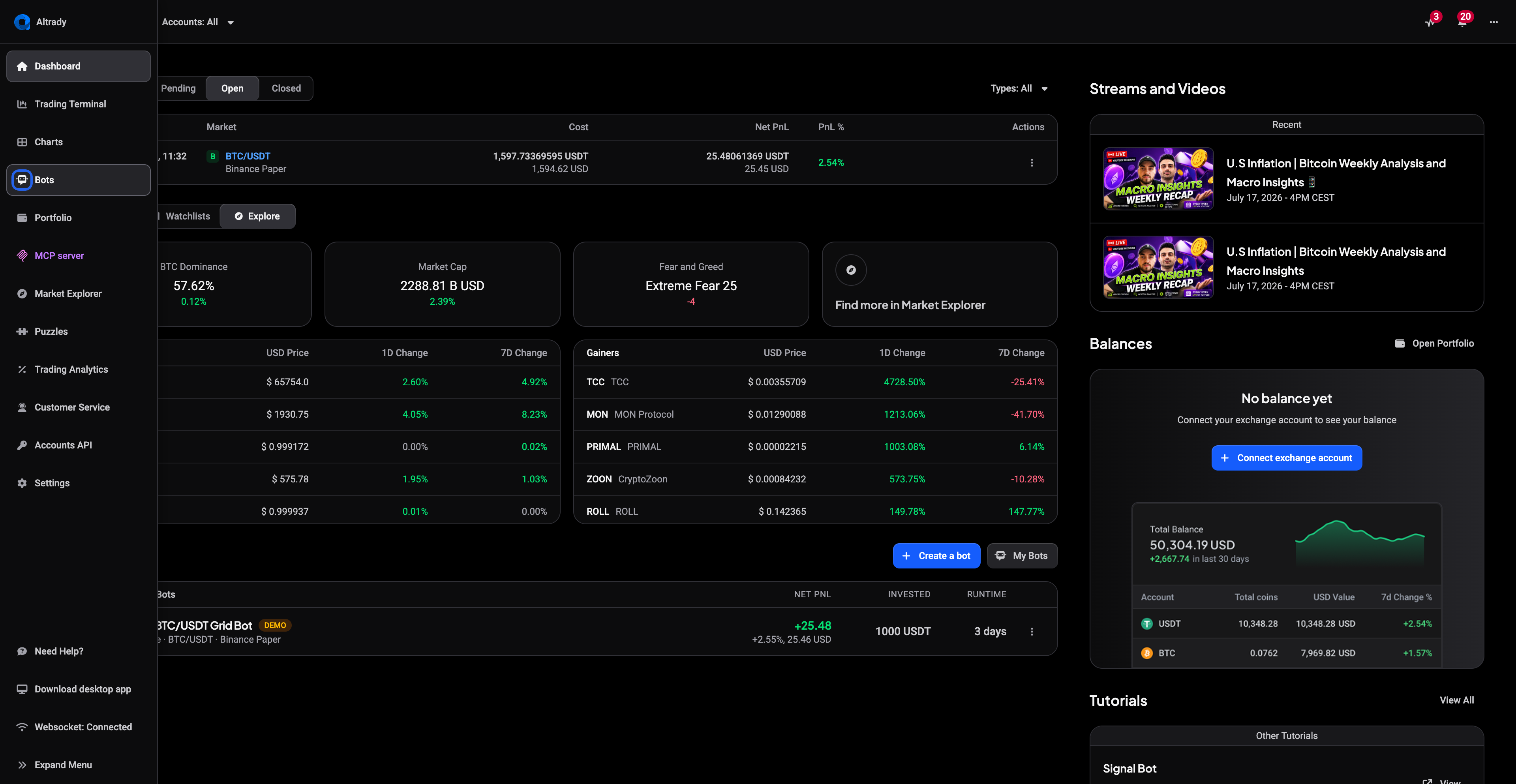
- Open the Bots tab and confirm the bot still shows as active.
- Check that the current market price sits inside your configured grid range.
- Confirm the exchange API key for that account is still enabled and connected.
- Check that you have enough balance, in the right currency, on that exchange account.
Price is outside your grid range
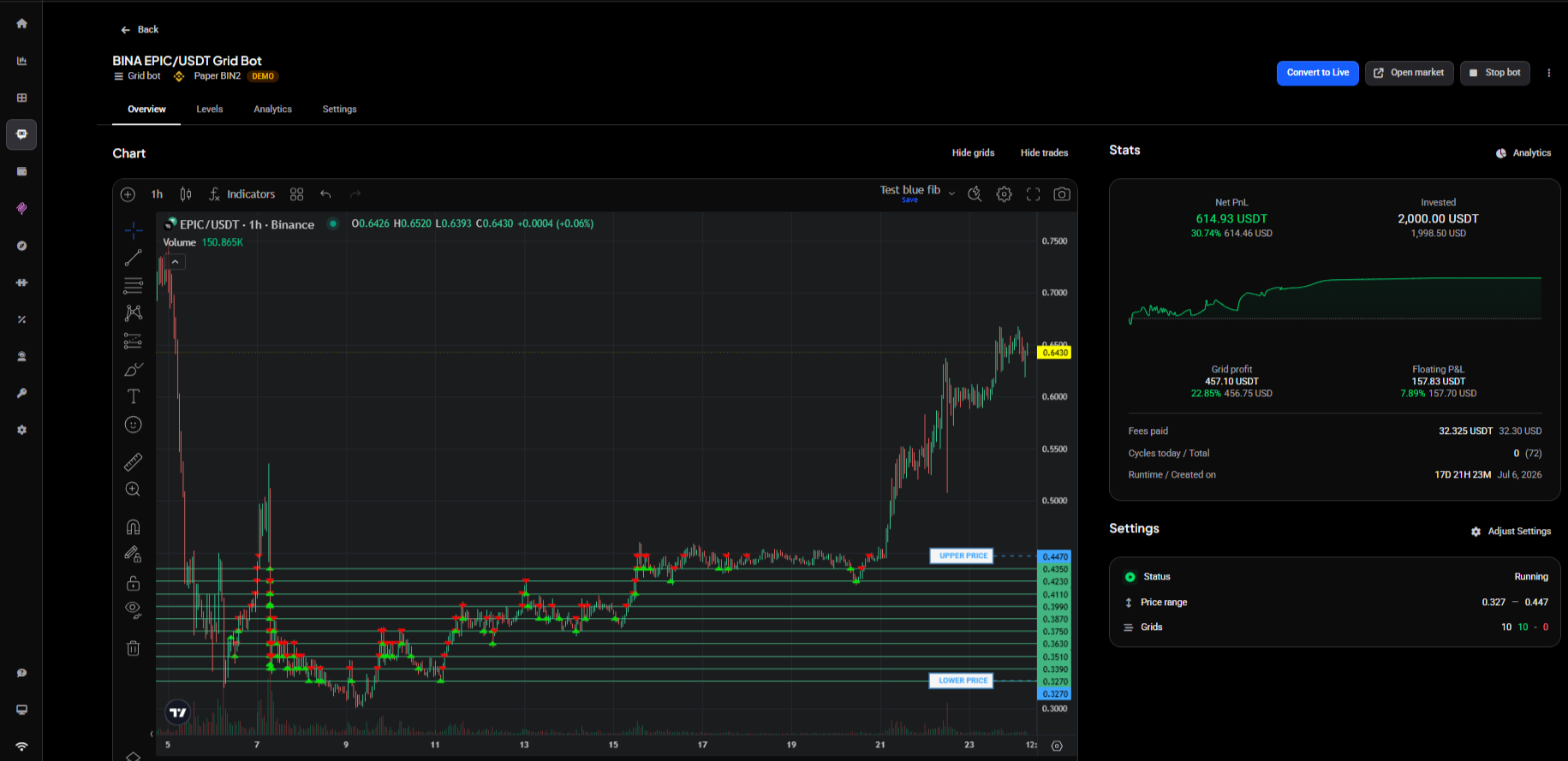
A grid bot only places new orders while the market price is inside the range you set. The quickest way to check is the bot’s Overview chart: if the current price sits above the UPPER PRICE line or below the LOWER PRICE line, price has left the range.
 🔍 Click the image to see a larger version
Notice that the bot in that example is still Running. Out of range doesn’t mean broken. What happens next depends on whether trailing is switched on.
With Trailing up or Trailing down enabled, the bot follows price into the new range by itself, so there’s nothing to fix. If it hasn’t moved, a trailing order may have failed: trailing up can’t place its new higher-priced order without enough quote currency, and trailing down can’t place one that would fall below the exchange’s minimum size. See How does grid bot trailing work?.
With trailing off, the bot has nothing to do right now and waits for price to come back. That’s expected behavior, not a bug, and it needs nothing from you.
If you’d rather trade the market where it is now, edit the bot to a new range, or stop it and start a fresh grid. See How to edit or stop a grid bot.
The bot stopped on its own
A bot that keeps hitting the same error doesn’t retry forever. After 100 errors in a row, Altrady stops it. So a bot you didn’t stop yourself can still show as stopped.
You won’t have received 100 notifications, because Altrady doesn’t send the same message repeatedly. That means a quiet inbox isn’t evidence that the problem cleared, and a single error notice you skimmed past days ago may be the one that eventually stopped the bot.
The usual causes are the same ones listed here: a disabled API key, a balance that ran short, or repeated trailing failures. Fix the underlying cause before starting the bot again, or it will simply run up another hundred.
Exchange API key disabled or connection lost
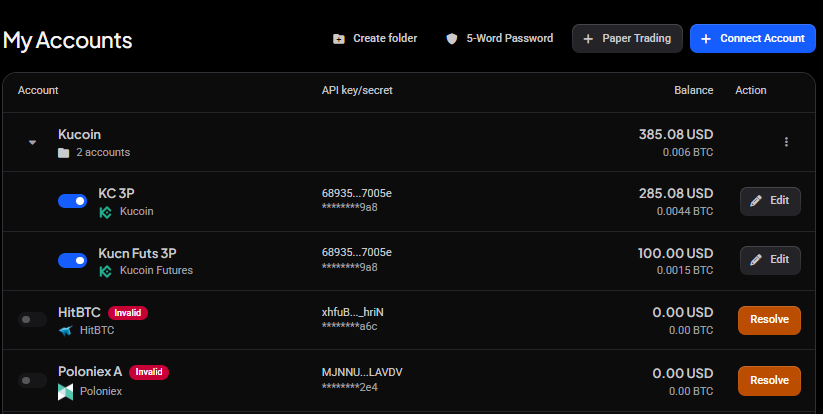
If the API key for your exchange gets turned off or expires, the bot silently stops syncing. It won’t show an error, it just stops placing and reporting orders.
 🔍 Click the image to see a larger version
To fix this:
- Go to your exchange and confirm the API key is still active and has trading permissions.
- Re-enable or recreate the key if it was disabled.
- Reconnect the exchange account in Altrady so the bot can sync again.
Not enough balance in the right currency
 🔍 Click the image to see a larger version
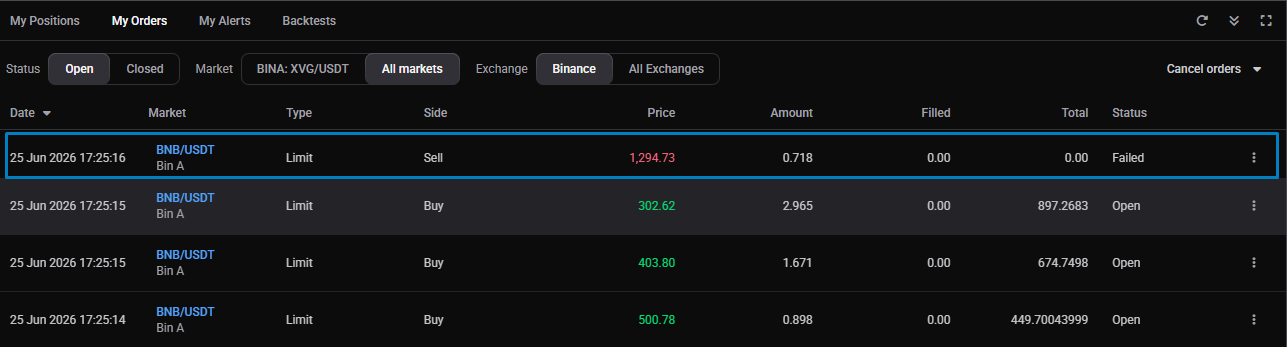
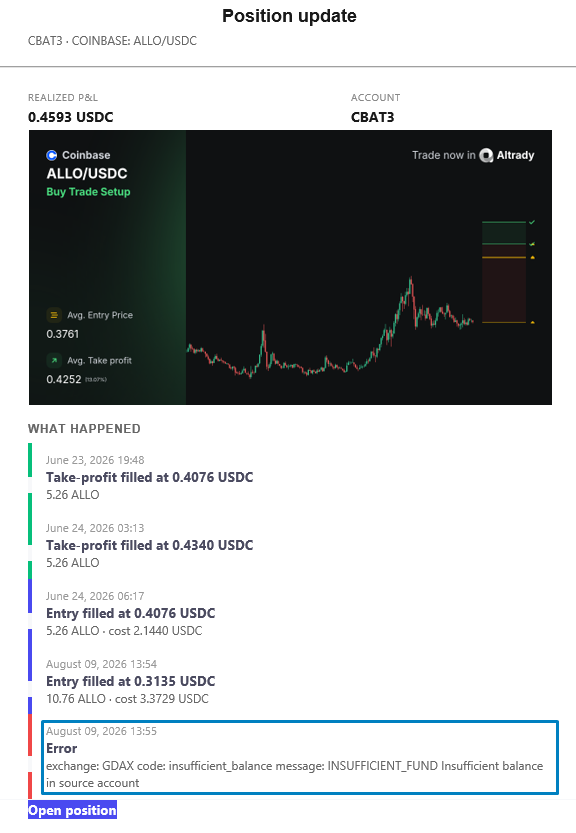
A grid bot needs the right currency on hand for each order it places: quote currency to place its buys, base currency to place its sells. Some exchanges also use base currency for fees, which can use up the available balance. If the currency an order needs isn’t there, that order can’t go to the exchange. This turns up in two places:
- At the start. A bot funded with the quote currency does an initial market buy to acquire the base it needs. If the quote balance won’t cover that buy, the bot can’t get going.
- While running. If quote runs low, new buy orders stop; if base runs low, sell orders stop. The most common way base runs short is the fee buffer: on exchanges that charge buy fees in base currency, the bot buys a buffer at the start, and once that’s used up it can’t place sells until more base currency is bought. The bot warns you when this is about to happen, and can top itself up: see the next section. See How do trading fees work?.
The fix is to make sure the account holds enough of the currency the bot needs, then let it carry on. Two things are worth checking so it doesn’t keep happening:
- Which funding option the bot was launched with. Under Fund with, a bot can be funded with just the quote currency (for example USDT) or with quote + base (for example USDT + BTC); this changes how much of each currency the bot needs before it can trade.
- Whether funds in that account are already tied up in other open positions or bots. This is the common case when a bot shares an account with your manual trading, which is why it’s worth giving each bot its own account or subaccount.
Grid bots run on spot markets only. If you’re trying to run one on a futures market, use Switch to Spot first, then set up the bot on the spot pair.
 🔍 Click the image to see a larger version
The bot warns you when funds run low
 🔍 Click the image to see a larger version
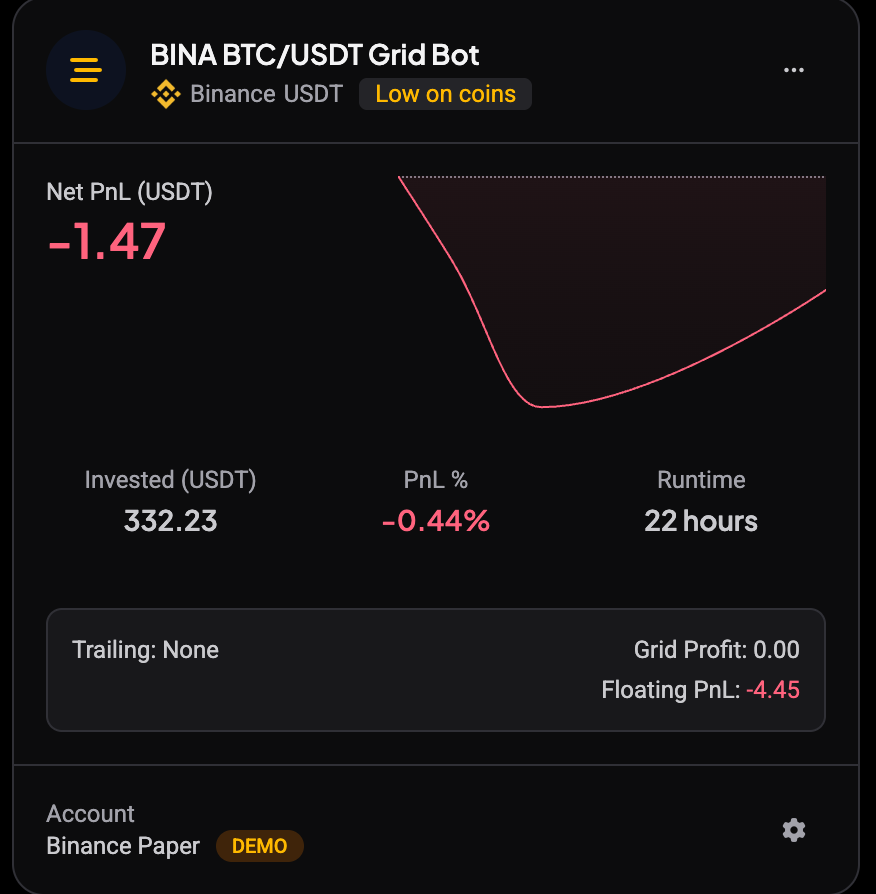
A running grid bot tells you before a shortage stops its orders. When it runs low, the bot’s card on the Bots page gets a warning chip, the bot’s page shows a Bot is running low on funds box under the tabs, and you get a push notification and an email. There are two kinds of warning, and each has its own fix.
 🔍 Click the image to see a larger version
Low on coins: fees have eaten the sell side
On exchanges that take the trading fee out of the coin you buy, every filled buy leaves the bot with slightly less than its matching sell order needs. The bot keeps a small reserve for this, and when that reserve is nearly gone the chip reads Low on coins and the box says how much to top up, in the quote currency, so the sell orders can fill in full.
Two ways to fix it:
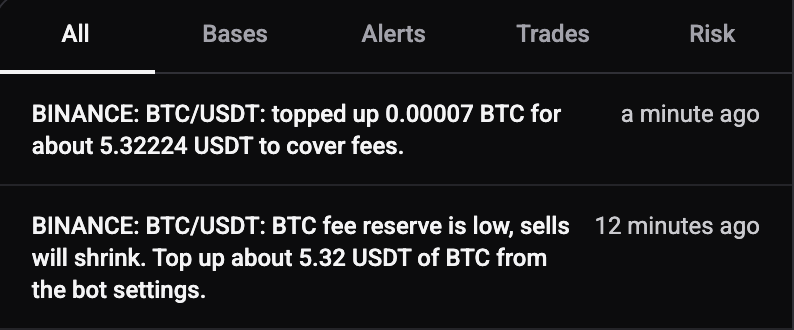
- Top up now. Click the button in the warning box. The bot buys a small amount of the coin at market price, and the warning clears once the fill has synced, usually within a minute.
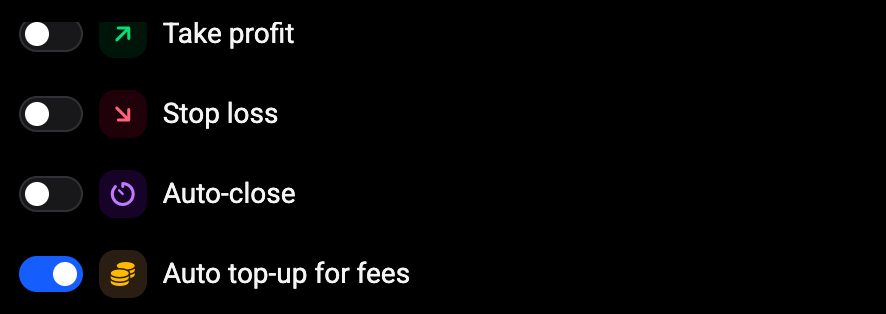
- Auto top-up for fees. Open the bot’s Settings tab and switch on Auto top-up for fees, below Take profit, Stop loss and Auto-close. From then on the bot buys the small extra amount itself whenever it runs low, instead of only warning you, and sends you a notification and an email each time it does. You can also switch it on when you create a bot.
 🔍 Click the image to see a larger version
 🔍 Click the image to see a larger version
Low on quote: trailing up needs free balance
 🔍 Click the image to see a larger version
Trailing up moves the grid higher, and every step needs free quote currency (for example USDT) for the new buy orders. When there is not enough, the chip reads Low on USDT (or whatever the quote currency is) and the box says roughly how much more the bot needs.
Two ways to fix it:
- Deposit the quote currency to that exchange account.
- Click Sell a coin for USDT in the warning box. The Free up quote balance window lists the other coins on the same account with their free balance and value, prefills the amount to raise with the shortfall plus a small margin, and shows what the sale comes to at the current price. Click Sell at market to place it. Coins used by your other running grid bots are left out of the list, so a sale here never breaks a sibling bot. If nothing on the account can be sold, the window says so, and a deposit is the way to go.
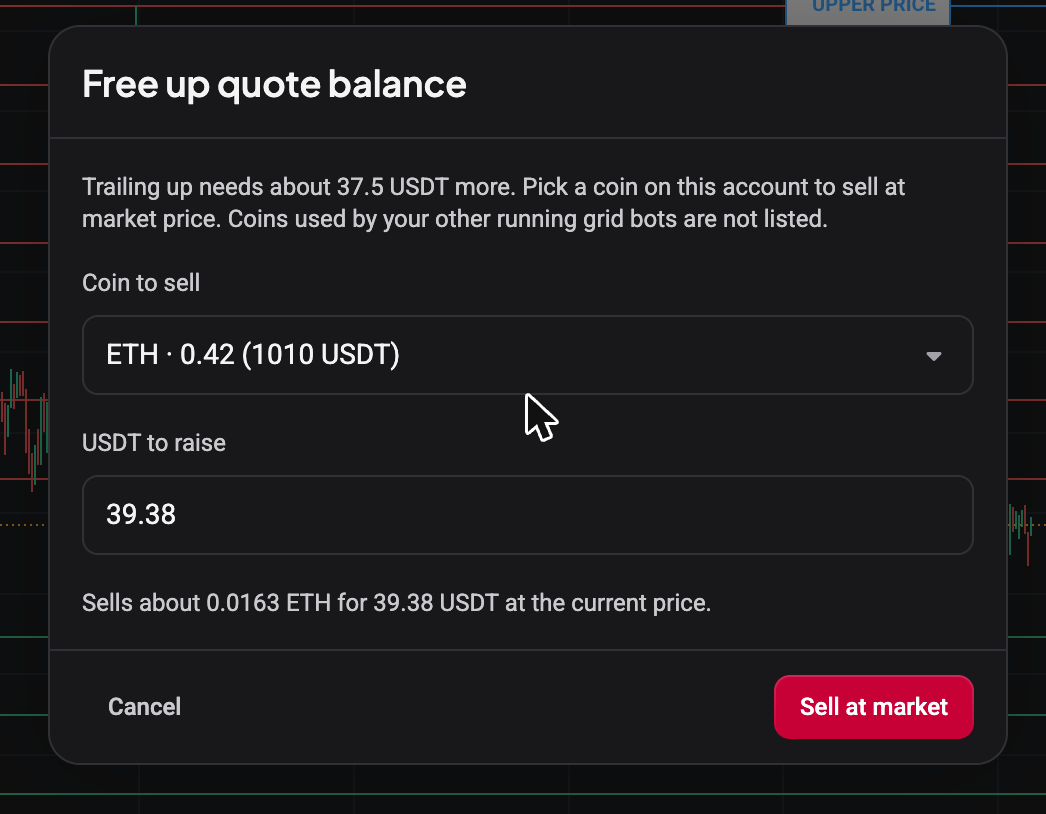 🔍 Click the image to see a larger version
Trailing down needs no extra funds, so it never triggers this warning. The warning only exists while the bot is running: stopping the bot clears it, and the top-up and sell actions are only available on a running bot.
Orders execute but stats, trades, or chart icons are missing
Sometimes the bot is actually trading, but the report doesn’t reflect it yet. That’s a display or sync issue, not a trading problem. You might see:
- Totals showing 0 and no trades listed, even though orders are being filled.
- No buy or sell icons on the chart and no numbers in the bot’s Analytics tab, while the trading log still shows the actions taken.
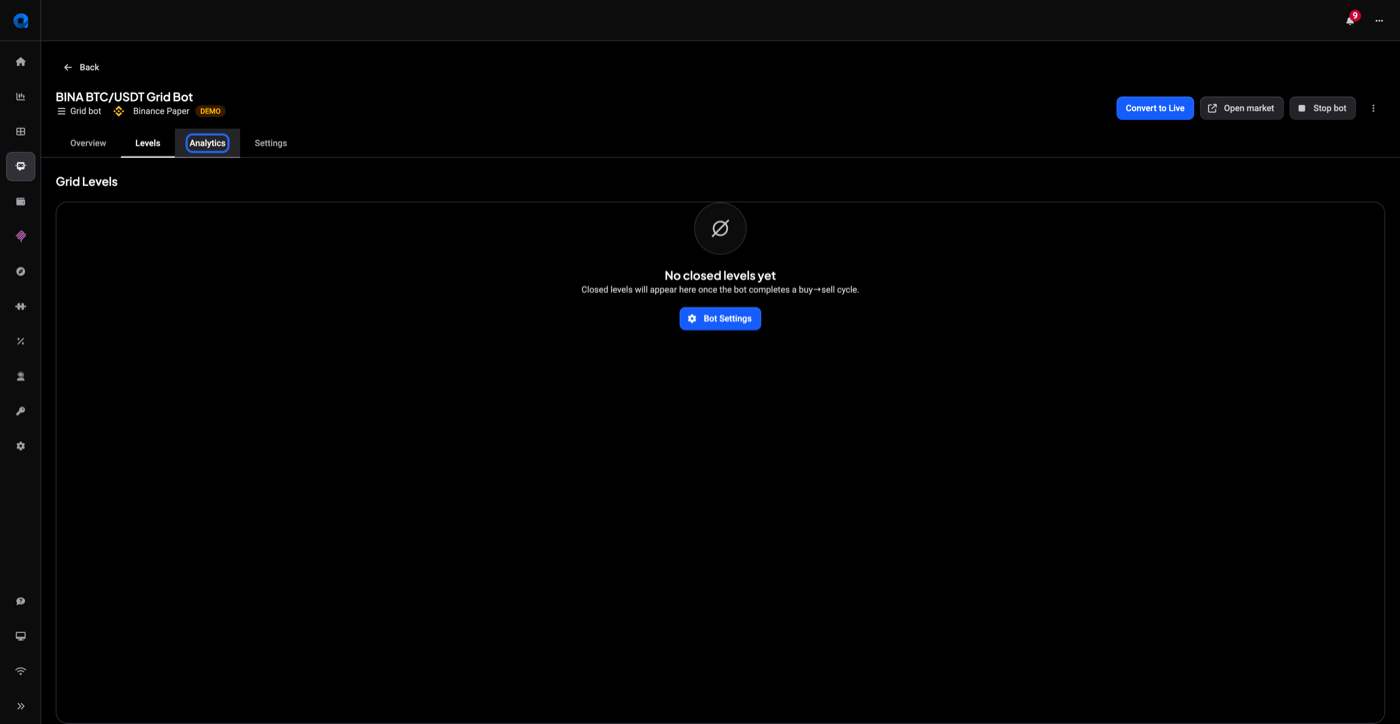 🔍 Click the image to see a larger version
If you see this, don’t stop the bot: it may still be trading correctly underneath. Instead, take a screenshot of the report you’re seeing and send it to support along with the bot name and exchange, so the sync can be checked.
Only a few orders, or big gaps between fills
A grid with wide levels, or one running on a low-volatility or thin market, will naturally fill less often. That’s the grid configuration working as set up, not a fault. A bot sitting on an open position and waiting for the next level to hit is healthy; a grid bot isn’t a constant market-making machine.
If you’re seeing large, unexplained gaps between buy and sell fills, check the bot’s trading log first. It records every action the bot took, even ones not yet reflected in the summary stats.
Still stuck?
If none of the above explains what you’re seeing, send us:
- The bot’s name and the exchange or pair it’s running on.
- A screenshot of the bot’s report or Analytics tab.
- A screenshot of the open orders on the exchange, if you have exchange access handy.
That’s usually enough to tell whether it’s a sync display issue or something that needs a closer look. You can reach our support team anytime through the chat bubble in the bottom-right corner of our Help Center at help.altrady.com.