
Why does my position show the wrong status (open vs closed)?
 🔍 Click the image to see a larger version
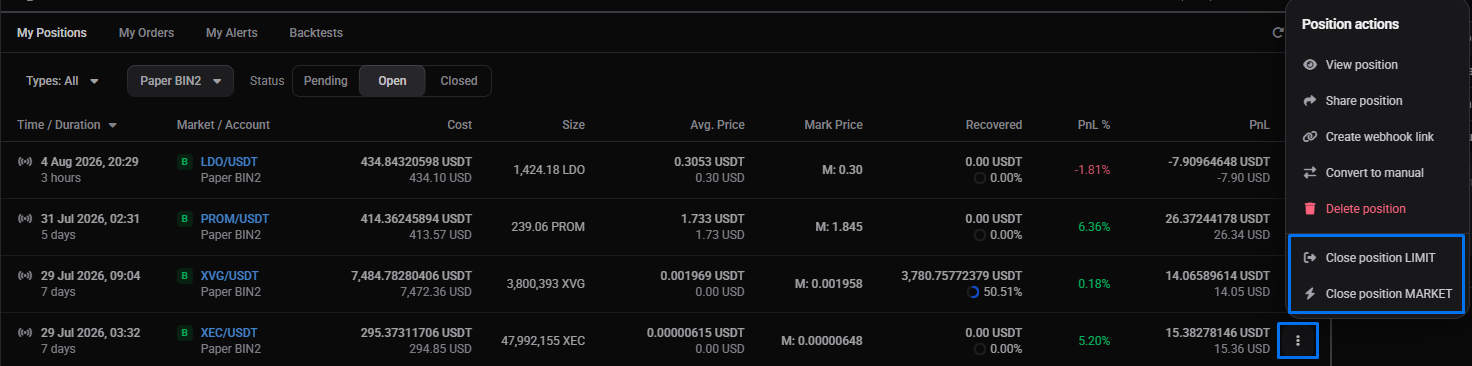
Altrady works out whether a position is open or closed from the trades and orders it receives from your exchange. So a wrong status is usually one of two things: something hasn’t synced yet, or, for a position that closed when it shouldn’t have, an error that stopped a smart position from continuing. Whenever a trade or order might be missing, resync first.
🔍 Click the image to see a larger version
Altrady works out whether a position is open or closed from the trades and orders it receives from your exchange. So a wrong status is usually one of two things: something hasn’t synced yet, or, for a position that closed when it shouldn’t have, an error that stopped a smart position from continuing. Whenever a trade or order might be missing, resync first.
Resync first
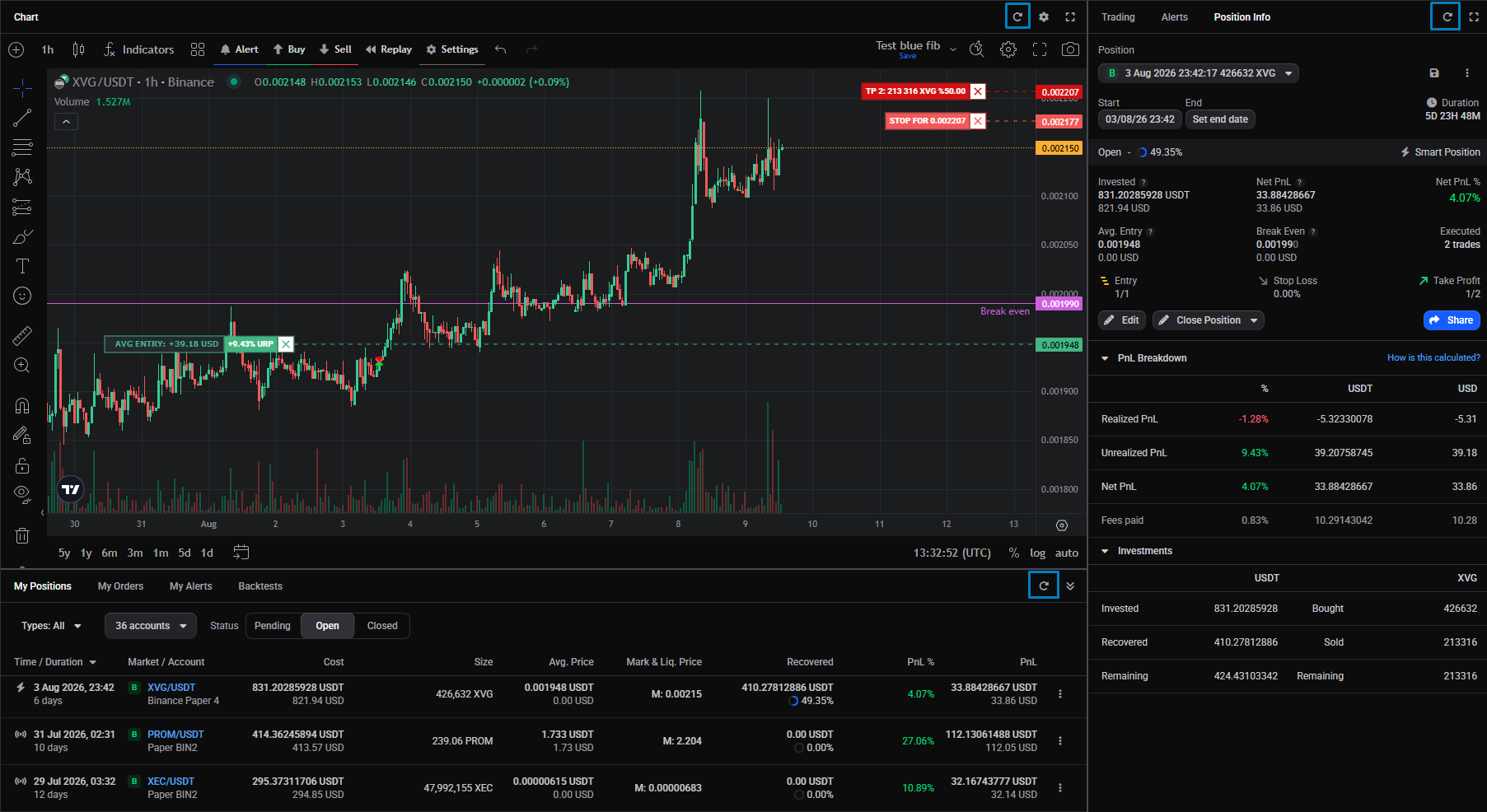
Select the position’s market and click the Resync icon (the circular arrow) to pull its latest trades and orders from the exchange. Resync works on the currently selected market, not on individual position rows. This is the first step for any status that looks wrong, and it settles the common case where an update simply hadn’t arrived yet.
 🔍 Click the image to see a larger version
## It shows Open, but should be closed
🔍 Click the image to see a larger version
## It shows Open, but should be closed
Once you’ve resynced, if it still shows Open when you expect it closed, it’s usually one of these:
- A trade or order hasn’t synced. Resync again, or give it a moment; the update may still be on its way.
- The exit left a remainder. If the position is effectively done but still shows a little size open, that’s normally a spot short or a market-order sizing issue rather than a status bug, see how do spot short positions work? and market order price protection. Clear it by adding a take-profit for the remaining amount.
- A take-profit or stop loss looks like it hit, but didn’t execute. This is rare, and happens when the price was touched briefly rather than crossed. It only affects orders Altrady manages itself: a futures stop loss with no cool-down is placed on the exchange, so it’s matched against the order book, whereas a spot stop loss is managed by Altrady, so it’s the one most likely to be caught out. The position is genuinely still open, so close it yourself.
- An order was placed outside the position. If you placed a separate order instead of editing the position, its fill isn’t part of the position, so the position never balances to closed. To fix it, delete the smart position and create a new manual position with its start date set to the first trade. All the trades are then included, and the position closes itself if the two sides balance; if they don’t, set the end date to close it.
It shows Closed, but should still be open
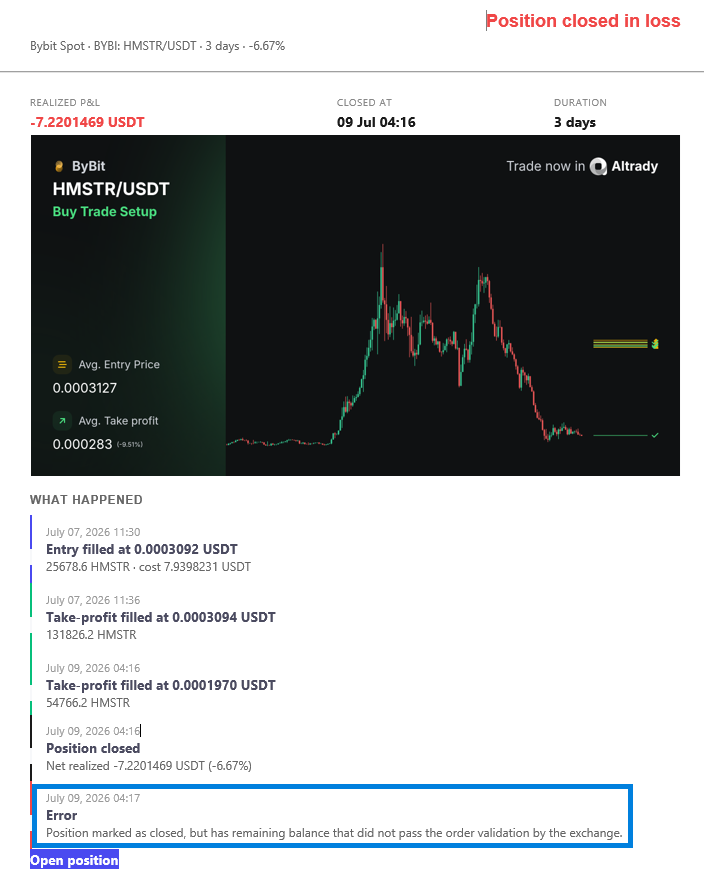
A closed position can never be reopened. This only happens when an error stopped a smart position from continuing, sometimes it recovers by itself, but some errors are final.
- Check your notifications. Every error is notified, in the app and by email, so that’s where to find out what went wrong.
 🔍 Click the image to see a larger version
2. The fix depends on the cause. If the position doesn’t balance, coins still need to be bought or sold to close it, rebuild it: delete the closed smart position, create a new manual position with the correct start date, then convert it to smart and set your take-profit and stop loss, or use Close position.
🔍 Click the image to see a larger version
2. The fix depends on the cause. If the position doesn’t balance, coins still need to be bought or sold to close it, rebuild it: delete the closed smart position, create a new manual position with the correct start date, then convert it to smart and set your take-profit and stop loss, or use Close position.
Still stuck?
For the wider set of reasons a position can look wrong, see why does my position look wrong?. If that doesn’t cover it, reach out through support chat with the market and exchange account.