
Set yourself up in 30 minutes
New to Altrady? You don’t need to learn everything at once. Work through these six steps and in about half an hour you’ll have a working setup: an account connected, a screen you understand, a watchlist, an alert, and your first trade placed safely.
1. Connect an exchange or start with paper trading
Altrady doesn’t hold your funds. Instead, it connects to the exchange account you already have (Binance, Bybit, Coinbase, and many more) using API keys. Once connected, your balances and orders show up inside Altrady automatically. Follow the step-by-step guide for your exchange in Connecting Your Exchange.
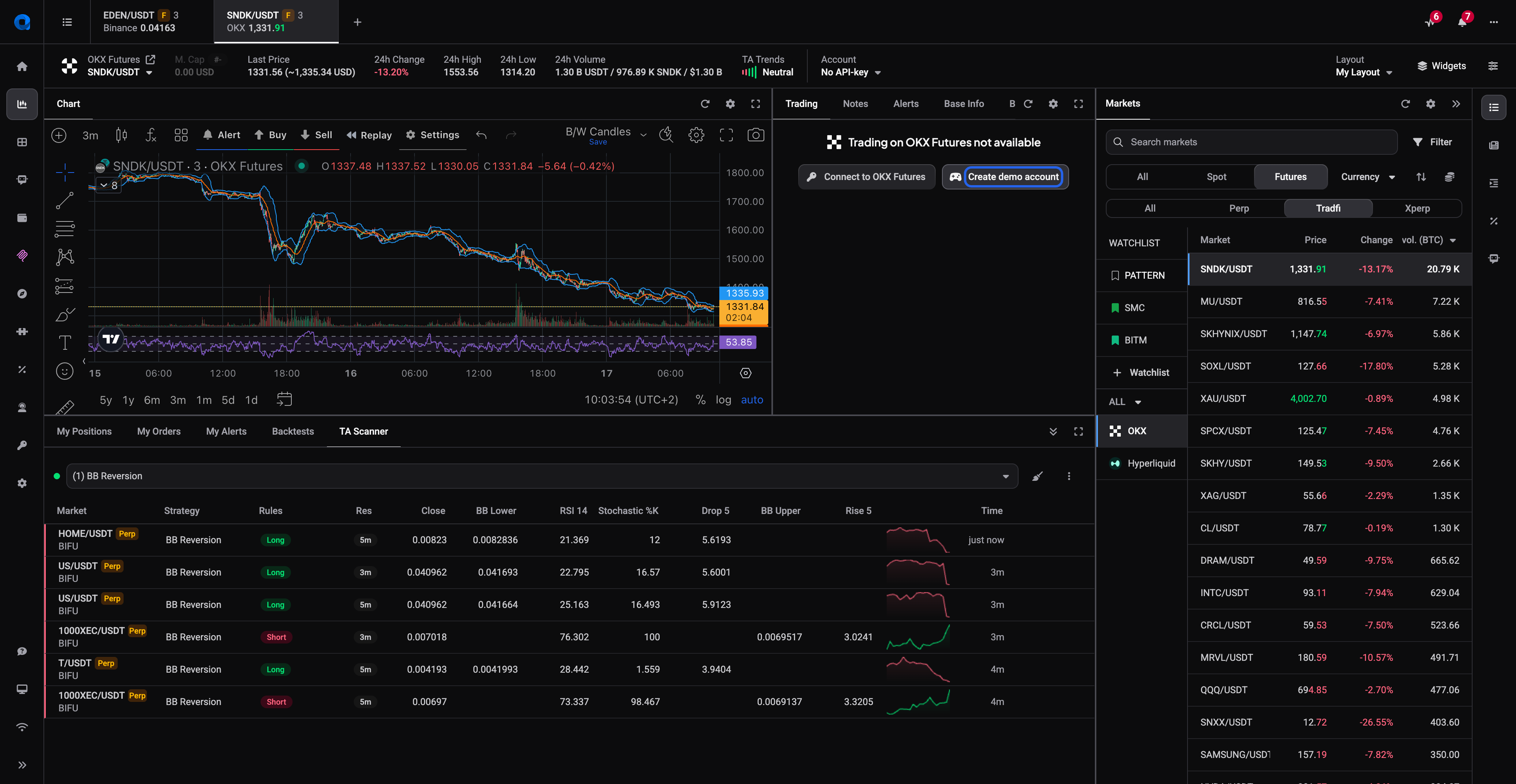
Not ready to link a real account? Skip ahead with a paper trading account: open a market on the exchange you want to practice on and click Create demo account in the Trading widget (or add one under Settings > Exchange Account API keys). A paper account mimics a real exchange with practice funds, so you can try everything in this checklist without risking a cent. Spot paper accounts are available on every plan, including FREE. See Practice with paper trading for details.
 🔍 Click the image to see a larger version
2. Set your base currency and preferences
Take two minutes in Settings to make Altrady feel like yours. Pick the currency you want your balances and profits displayed in, choose a light or dark theme, and decide which notifications you want to receive. You can change any of this later, but getting your display currency right now means every number you see from here on actually makes sense to you.
3. Open your first market tab and look around
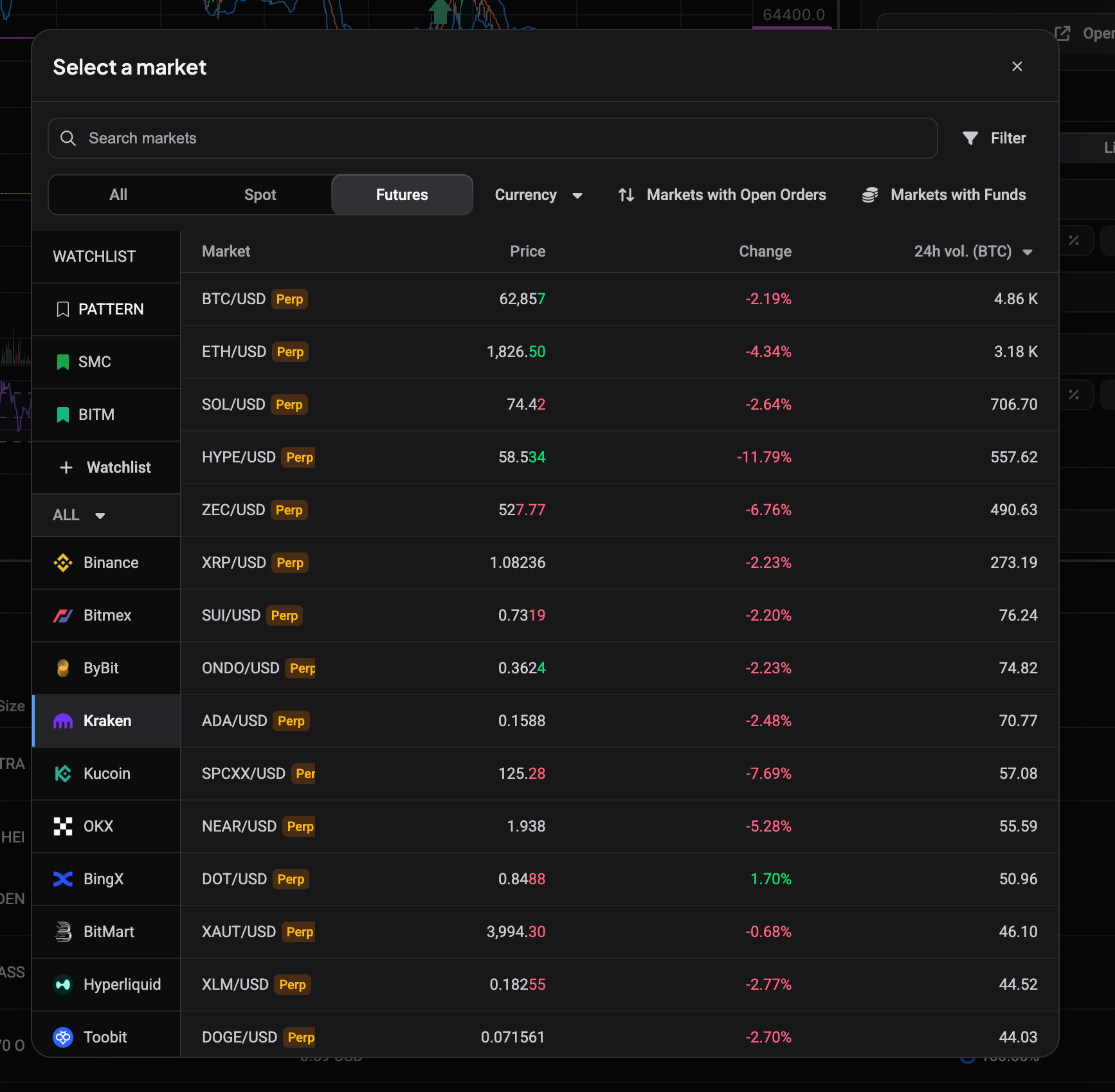
Open the Trading Terminal from the left-side menu and click the New tab (+) button (or + Add tab in the middle of the screen). Pick an exchange and a market pair (for example, BTC/USDT) and a full trading screen appears: chart, order book, and trading widgets. Each tab is one market on one exchange, and you can open several to switch between them quickly. Explore what everything does in Your Trading Screen.
 🔍 Click the image to see a larger version
4. Add a few markets to a watchlist
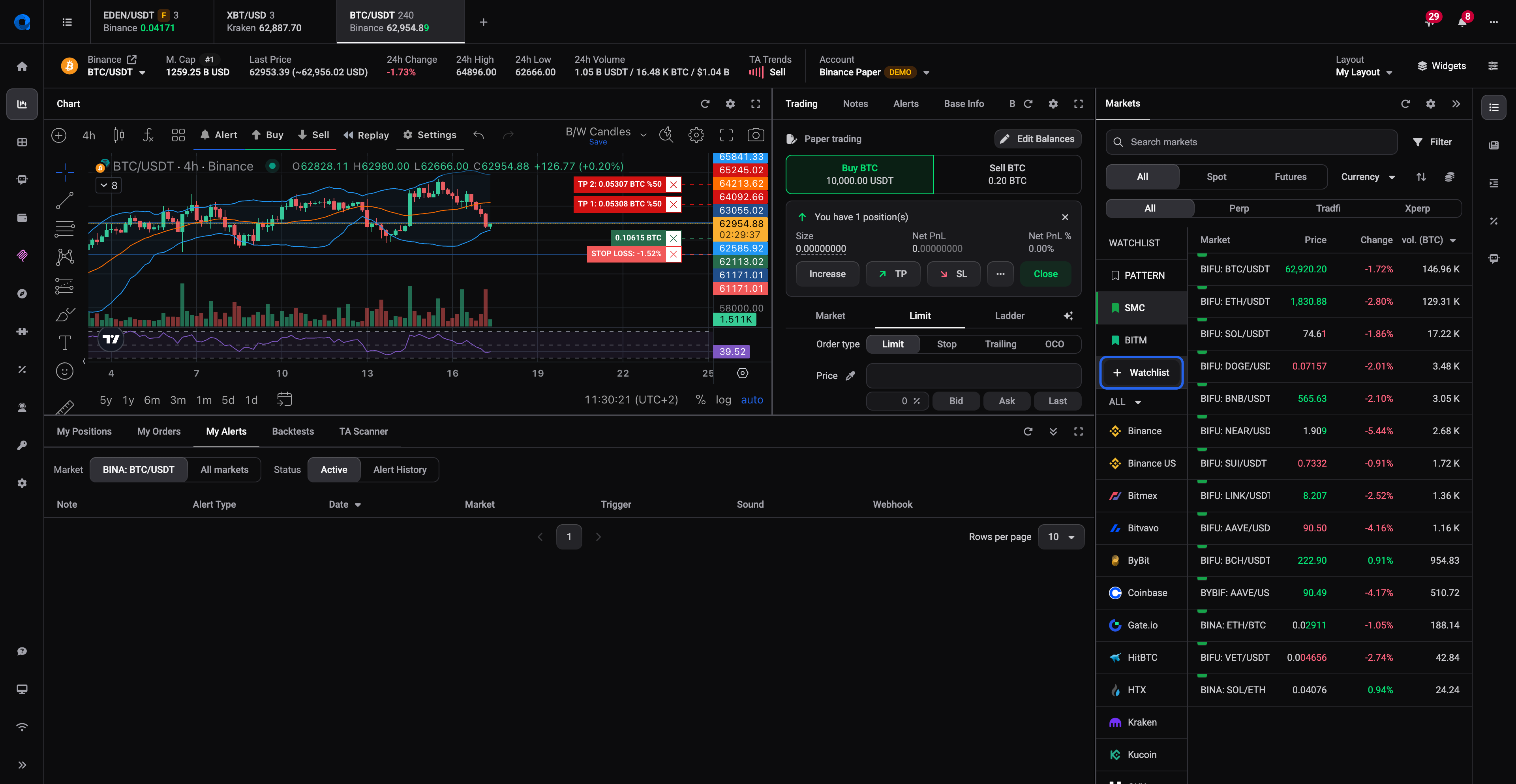
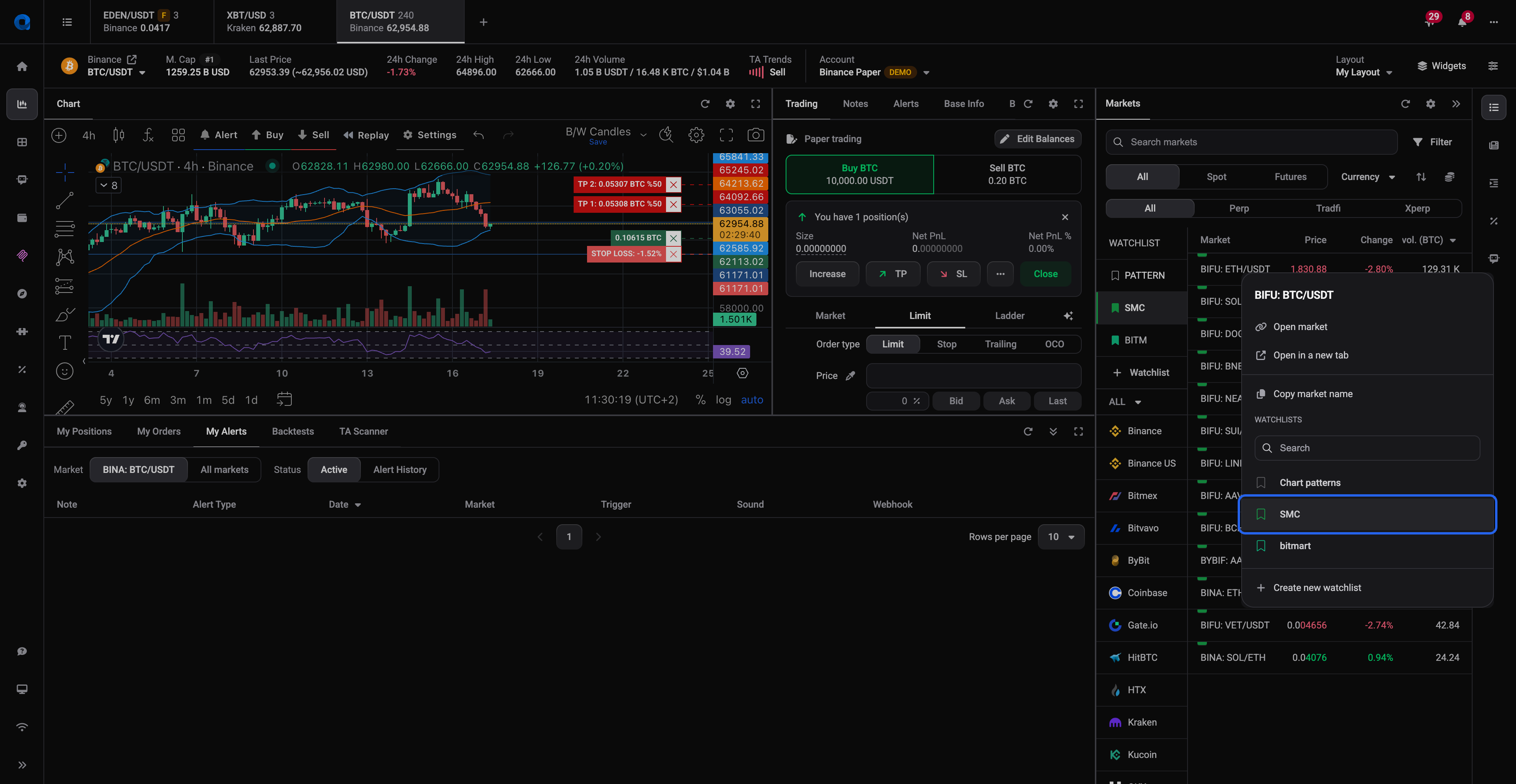
Rather than opening a tab for every coin you care about, put them on a watchlist. Add three to five markets you actually follow and your watchlist becomes your personal shortlist, so you check a handful of charts instead of scrolling through hundreds. When you’re ready to discover new markets worth watching, the tools in Finding Trade Ideas can help.
 🔍 Click the image to see a larger version
 🔍 Click the image to see a larger version
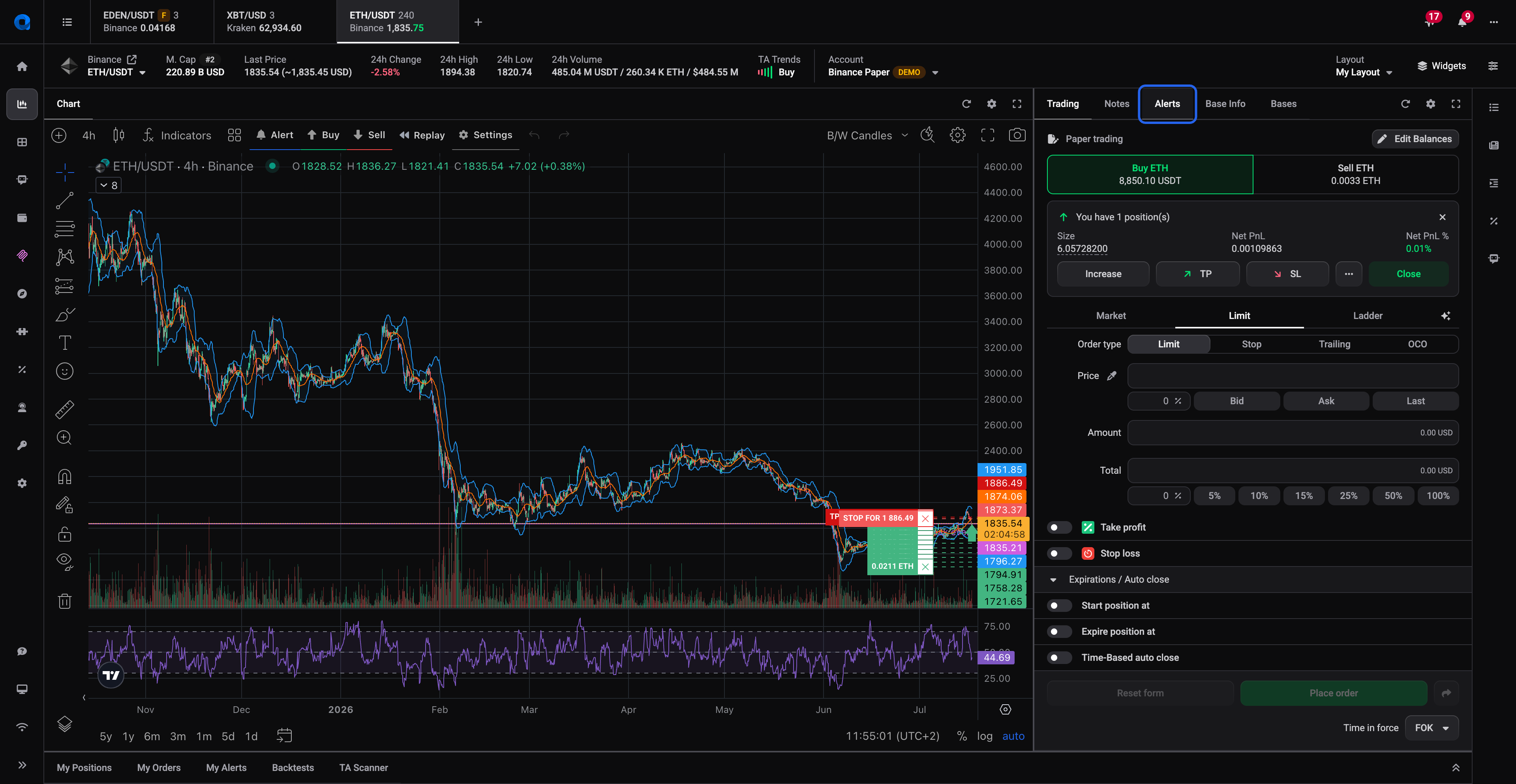
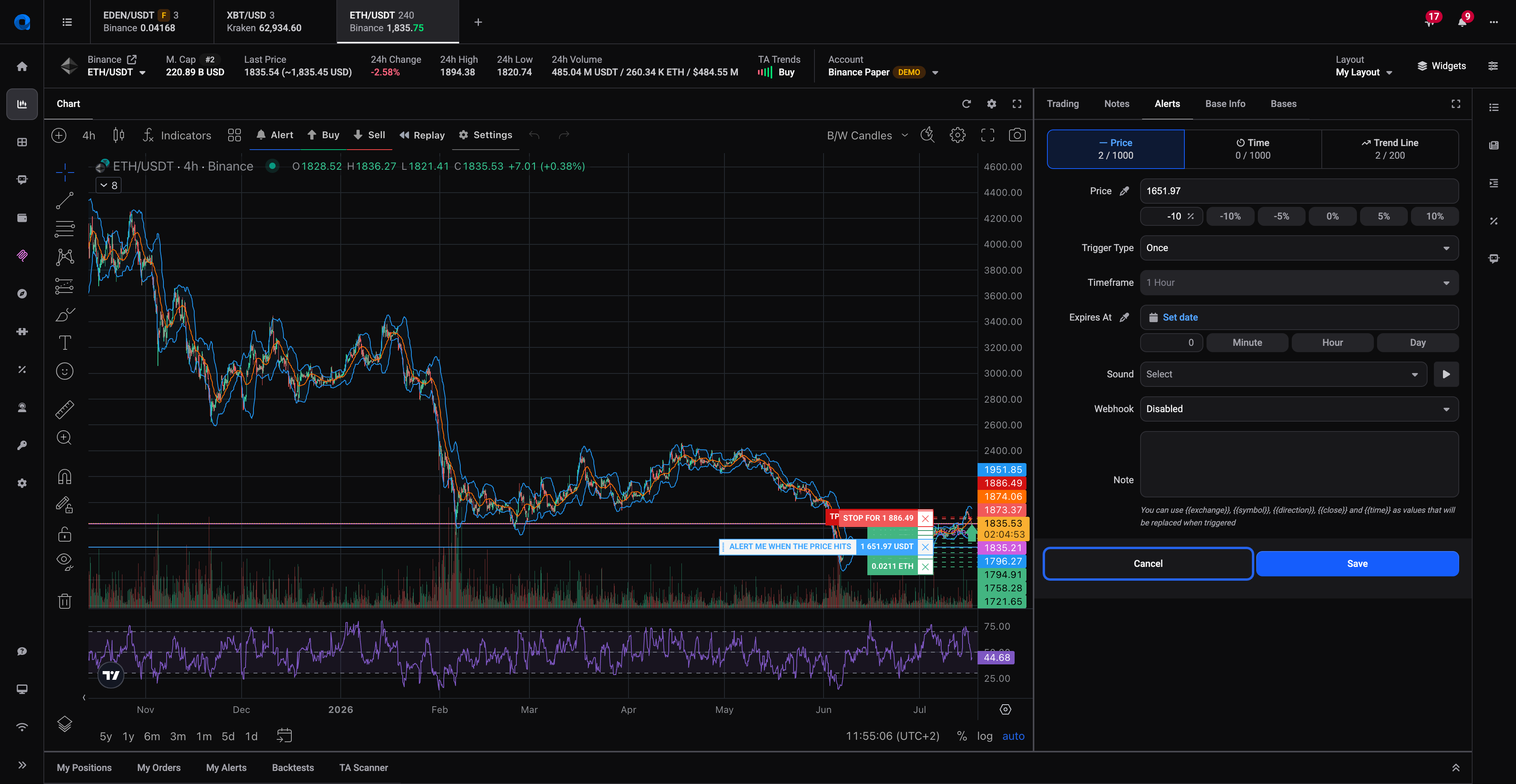
5. Set one price alert
Pick one market from your watchlist and set a price alert at a level you care about. For example, just below the current price or at a support level you’ve spotted. Now Altrady watches the market so you don’t have to sit in front of the chart. When the price gets there, you’ll get notified. Learn about the different alert types in Alerts & Notifications.
 🔍 Click the image to see a larger version
 🔍 Click the image to see a larger version
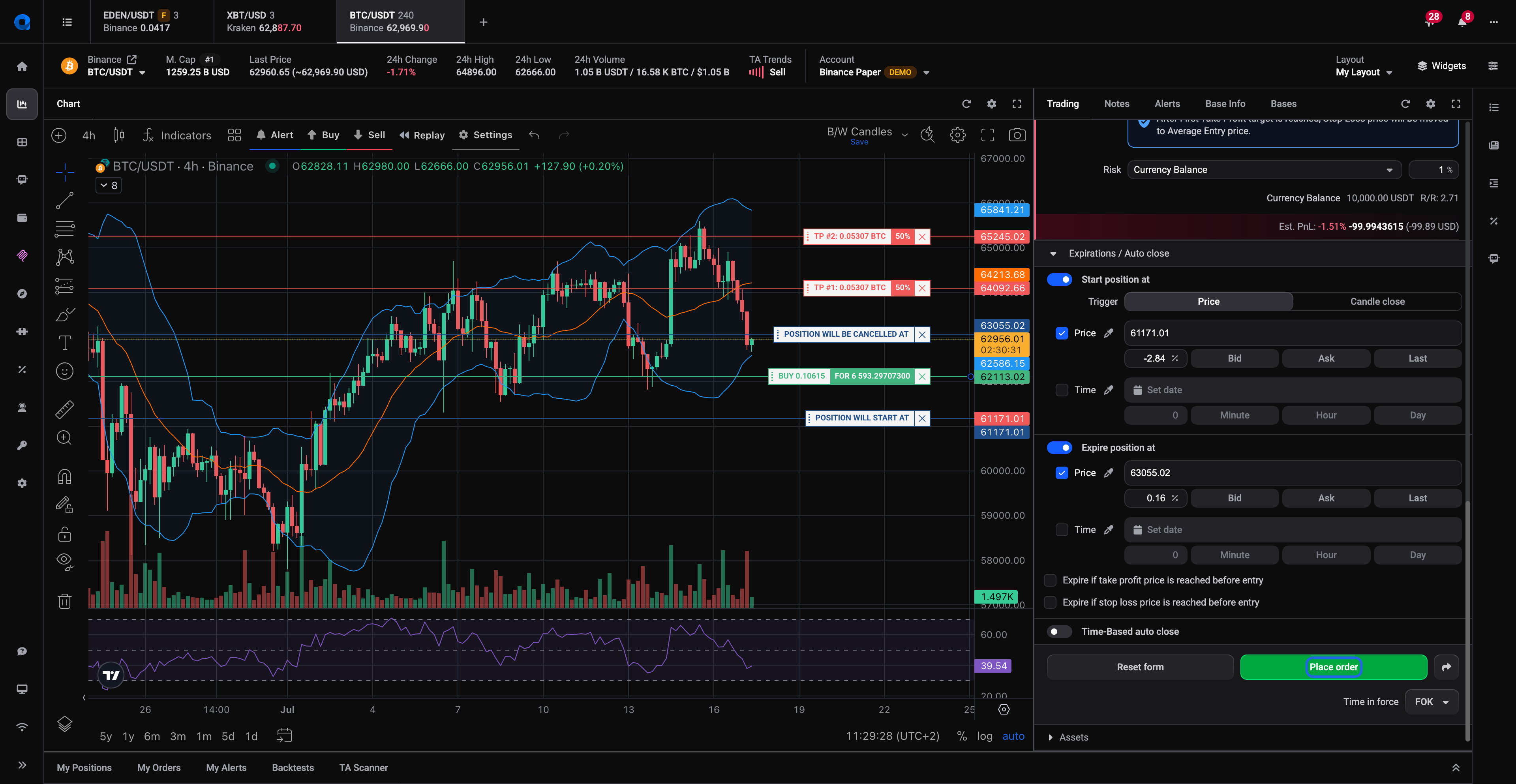
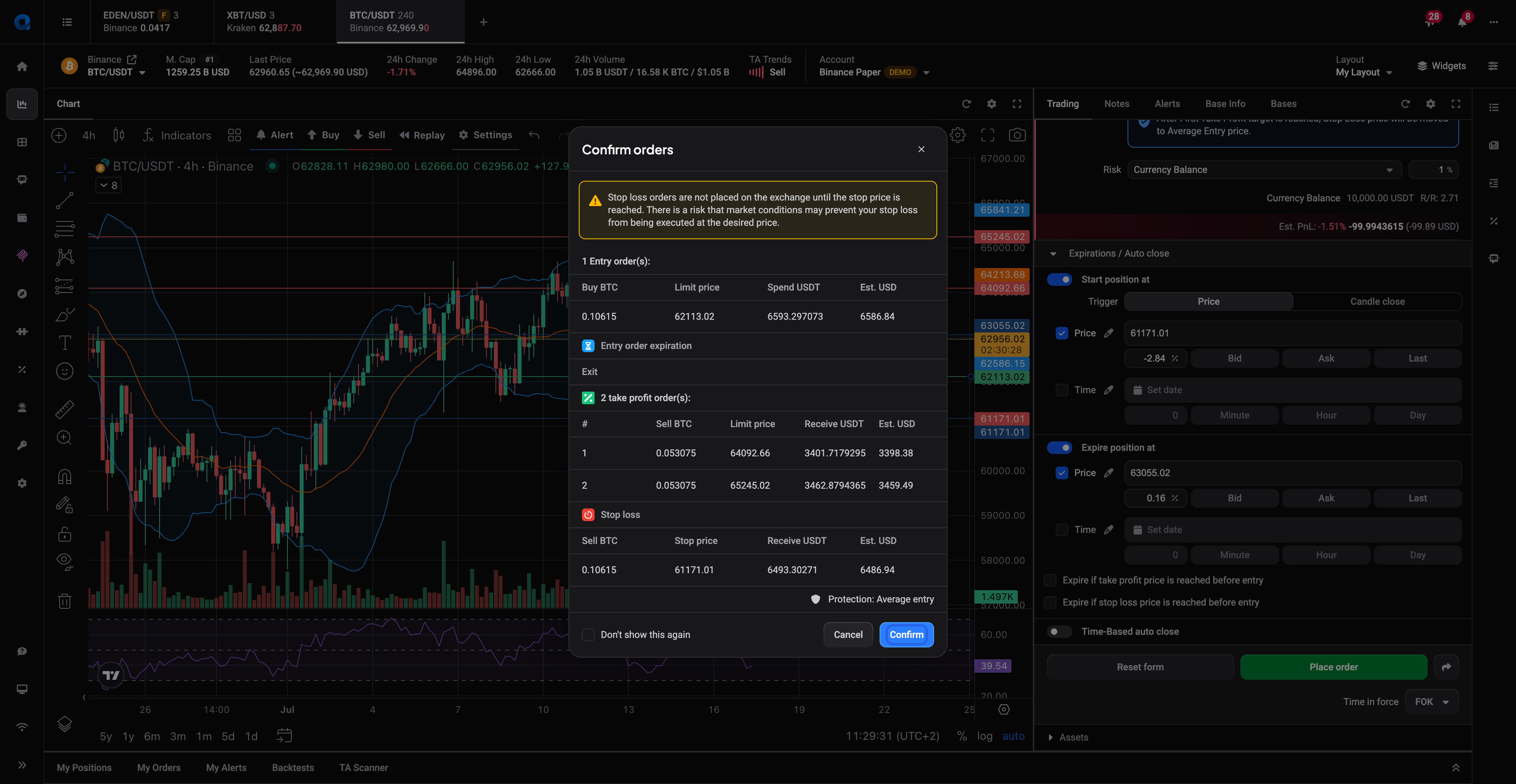
6. Place one small trade with a stop-loss
Finish by placing one small trade (or a paper trade, if you set up a paper account in step 1). The important habit to build from day one: always attach a stop-loss, the price at which you exit automatically if the trade goes against you. Altrady’s smart orders let you set your entry, stop-loss, and take-profit in a single order. Keep the size tiny as the goal is to learn the flow, not to make money on trade number one. The full walkthrough is in Placing Trades.
 🔍 Click the image to see a larger version
 🔍 Click the image to see a larger version
That’s it — you’re set up
You now have everything a working trading setup needs. From here, two good next stops:
- Tracking Your Results - see how your trades perform over time.
- Automated Trading Bots - let Altrady execute a strategy for you, once you’re comfortable with manual trading.
Stuck on any step? Head to Something Not Working or reach out to support, we’re always happy to help.