
Viewing your closed positions and orders
When a position closes, or an order fills or is cancelled, it doesn’t disappear: Altrady keeps it so you can look back at it. This article covers where your closed positions and closed orders live and how to read them. For measuring how you’re doing over many trades, see the trade history and analytics articles.
Closed positions
In the Simple and Advanced layouts, your positions are in the My Positions tab in the bottom drawer. Switch the status filter above the list from Open to Closed to see your closed positions. Each one shows its Cost, Size, average price, mark price, Recovered, and PnL %, so you can see how it finished at a glance. Your closed positions also appear on the Dashboard.
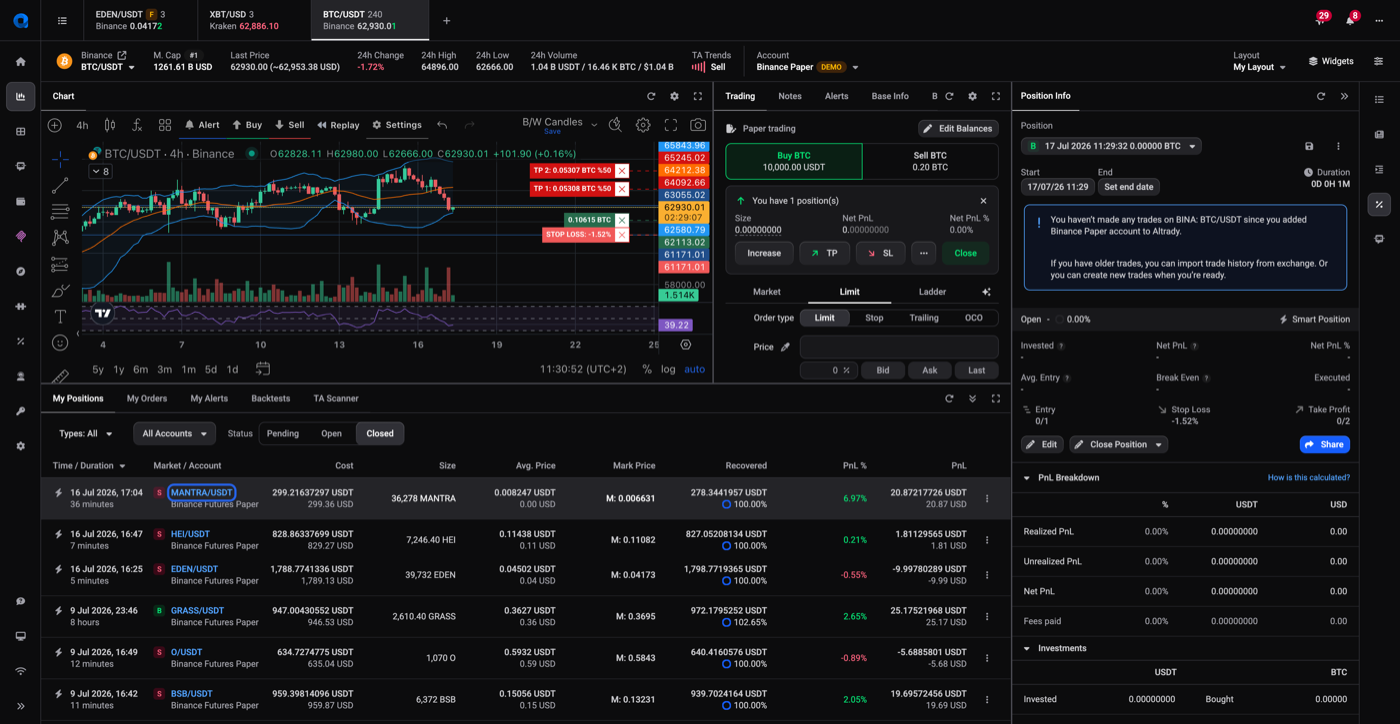 🔍 Click the image to see a larger version
A closed position can’t be reopened. If you want to change the details of a position (e.g. the start date), delete the closed position and create a new one, see creating a position from existing orders. If a position shows as closed but is still live on your exchange, see why does my position show the wrong status?.
Closed orders
In the same bottom drawer, open My Orders and switch to the Closed tab to see orders that have filled or been cancelled. Each row shows the date and time, market, type (market or limit), side (buy or sell), price, amount, Filled, Total, and Status; a closed order also shows its average trade price and the date of its last fill. Right-click the column headers to choose which columns to show. Use the All Markets and All Exchanges tabs to widen the view beyond the current market or exchange.
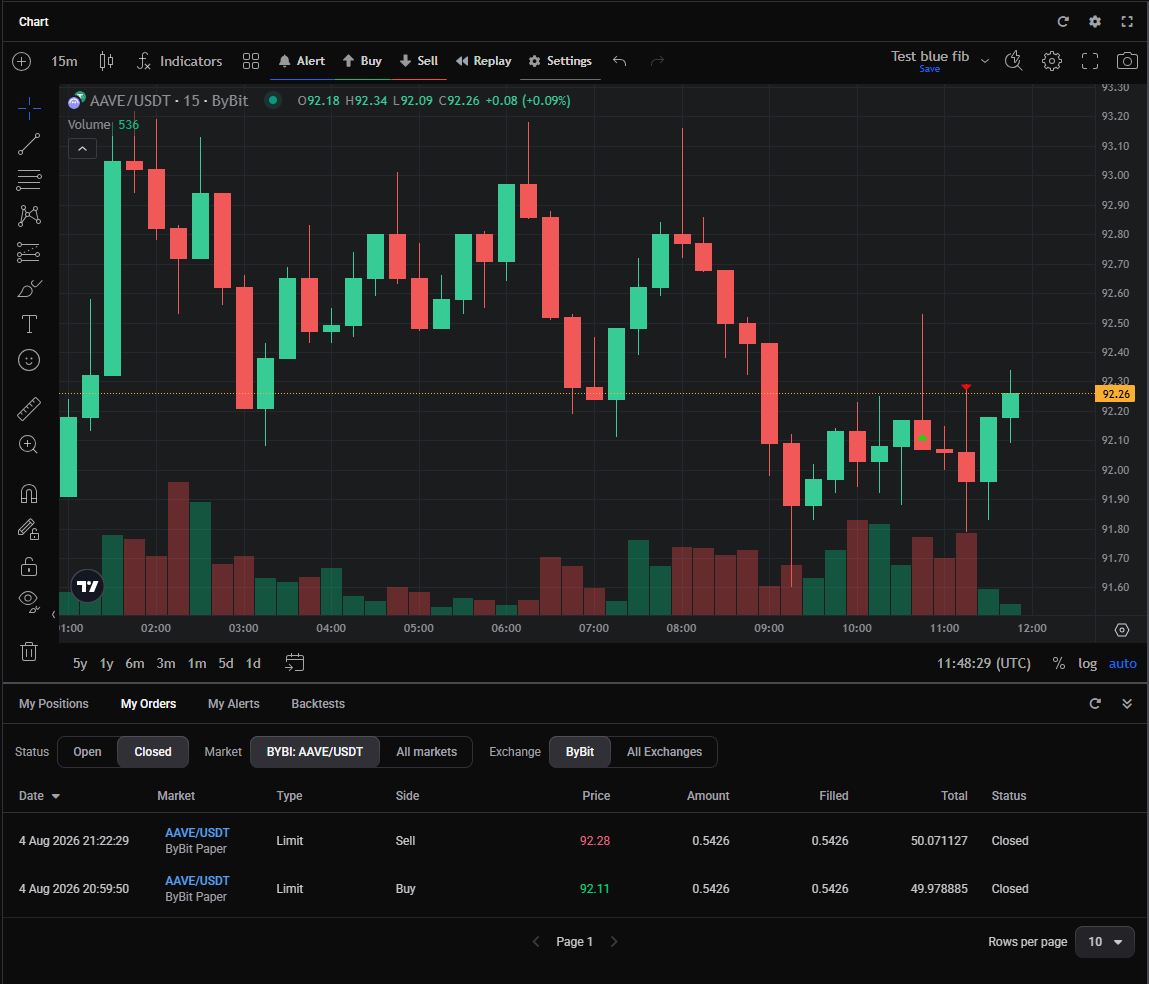 🔍 Click the image to see a larger version
Reviewing your results in depth
The closed views are for looking back at individual positions and orders. To measure your performance across many trades, your win rate, profit and loss over time, and per-market breakdowns, use the trade history and analytics tools in Tracking Your Results.
Still stuck?
If a closed position or order looks wrong, start with why does my position look wrong?, which covers the usual causes and how to fix them. If it still looks wrong after that, reach out through support chat with the market and the account.