
Why is my external wallet balance missing or outdated?
If a tracked wallet shows no balance or a number that looks wrong, it is almost always one of five things: the wrong chain was picked for the address, the wallet holds a token on a chain that is not auto-scanned, the balance really was zero on the last check, the address is set to be ignored, or the first update just has not finished yet. Here is how to work through each one.
Check the chain matches where the funds actually are
 🔍 Click the image to see a larger version
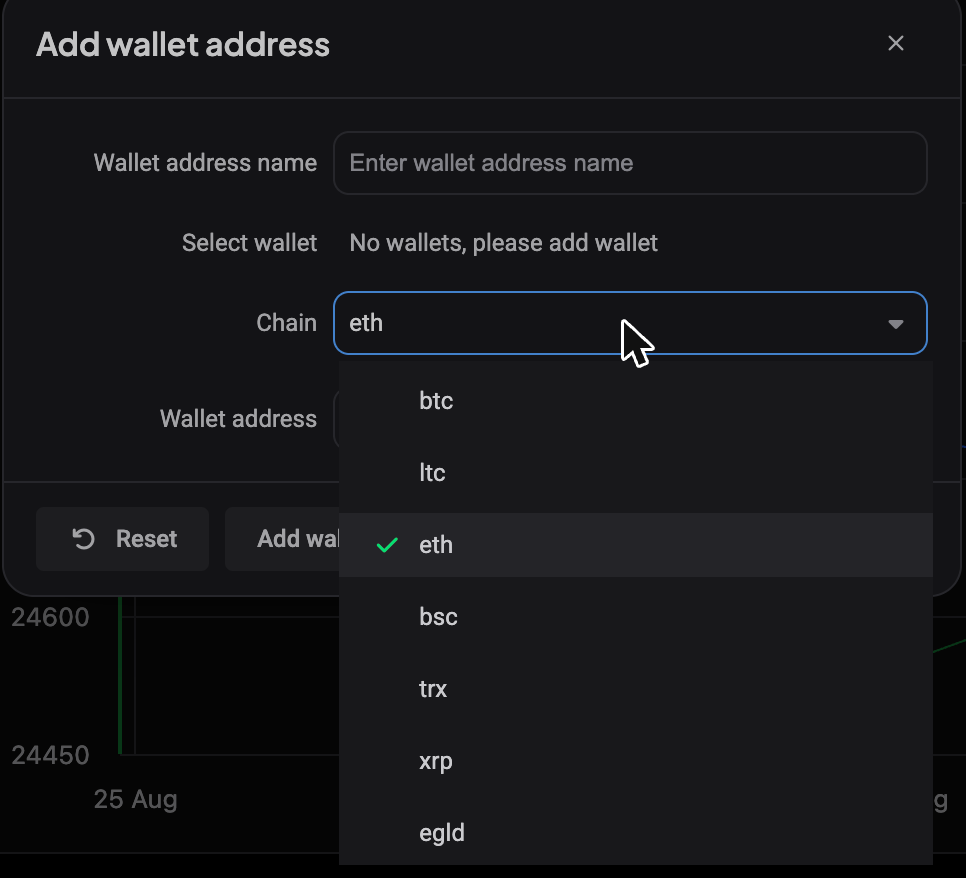
Altrady tracks external wallets by Chain and Wallet address together, not by address alone. When you add an address (from + Add on the Portfolio page, then Wallet address), you pick its Chain from a list, and only these chains are supported: btc, ltc, eth, bsc, trx, xrp, egld.
If your funds sit on a network outside this list, Altrady has no way to scan it. Open the wallet address and confirm the Chain matches the network the coins were actually sent on. A common mix-up is picking eth for an address that only ever received funds on bsc (or the other way around): the address format can look identical, but the balance lives on a different chain.
Tokens only auto-detect on ETH and BSC
Native coins are picked up automatically on their own chain. Tokens sitting on top of a chain, like an ERC20 or BEP20 token, are only auto-detected when the address is on the eth or bsc chain.
If you added an address on trx, xrp, or another non-token chain expecting a token balance to appear, that is why it is missing: those chains only track the native asset, not tokens issued on them. This is not a bug, it is a scanning limitation of those networks.
A zero balance shows as nothing, not as zero
Altrady does not store a balance entry for a day when the scanned balance came back at zero. So a wallet that has never held funds, or one that was fully emptied on the day it was last checked, can look completely blank instead of showing “0”. If the wallet is new and you just sent funds to it, give it a little time and refresh: once a nonzero balance is detected, it starts showing up.
The address might be set to “Ignore in balance”
 🔍 Click the image to see a larger version
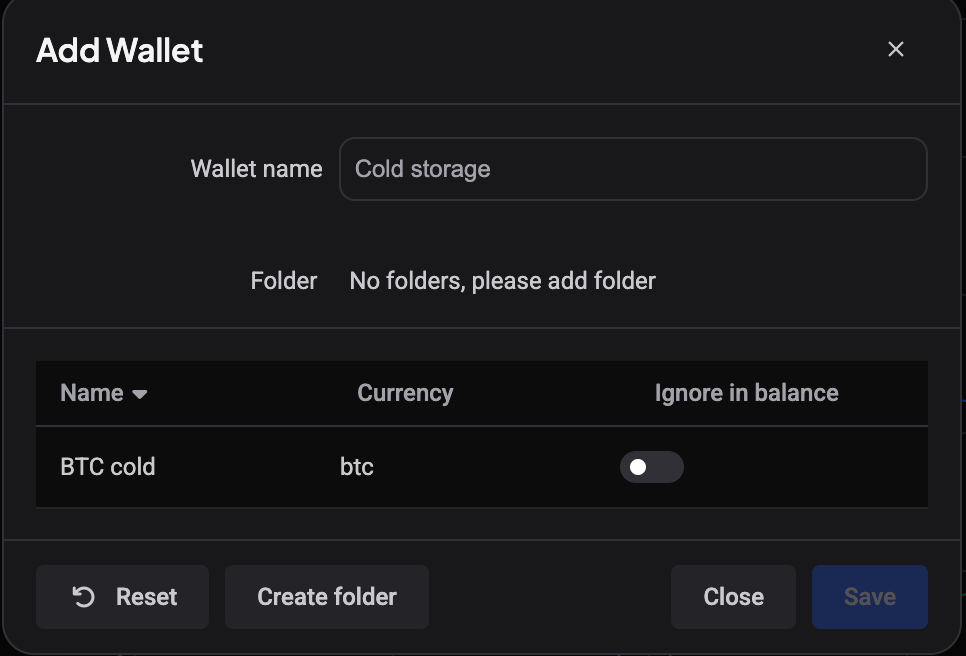
A wallet address can be set to be left out of your totals while still being tracked, so you can keep an old or cold-storage address visible for reference without it skewing your numbers. If a specific address seems to be missing from your overall totals, open it and check whether it is set to be ignored, then turn that off to bring it back in.
Balances refresh after a short delay
Adding or editing a wallet address triggers a balance update in the background rather than instantly. It is normal to see no balance, or an old one, for a short while right after you add or change an address. Give it a few minutes and check again before assuming something is wrong.
Typo, or something deeper?
- Double-check the address first if the wallet has never shown any balance, especially if you typed it in manually. A single mistyped character points to a different address on the chain, one that legitimately has nothing on it. Copy and paste the address directly from your wallet or block explorer rather than retyping it.
- Contact support if you have confirmed the chain is correct, the address matches your wallet exactly, tokens are not the issue, the address is not set to be ignored, and the balance still has not appeared after some time. At that point it is worth having someone look at the specific address.
For the basics on setting one up, see Add and track an external wallet. To see how wallet totals roll into your overall numbers, see Understanding your Portfolio overview.
Still stuck?
If you have been through these checks and the balance still is not right, reach out to Altrady support through the in-app chat with the wallet address and chain you are using. That is the fastest way to get it looked into.