
How do I add and track an external wallet in Altrady?
Yes. Altrady can show balances for a hardware wallet, a self-custody wallet, or any address you don’t trade from directly. You add it as a Wallet, then attach one or more addresses to it, and Altrady looks up balances for that address on the chain: no API key or private key involved.
Open the Add menu
Go to Portfolio and click the Add button (the plus icon) above the accounts list. The dropdown gives you three options: Wallet address, Wallet, and Folder. For a brand-new external wallet, start with Wallet.
Create the wallet
 🔍 Click the image to see a larger version
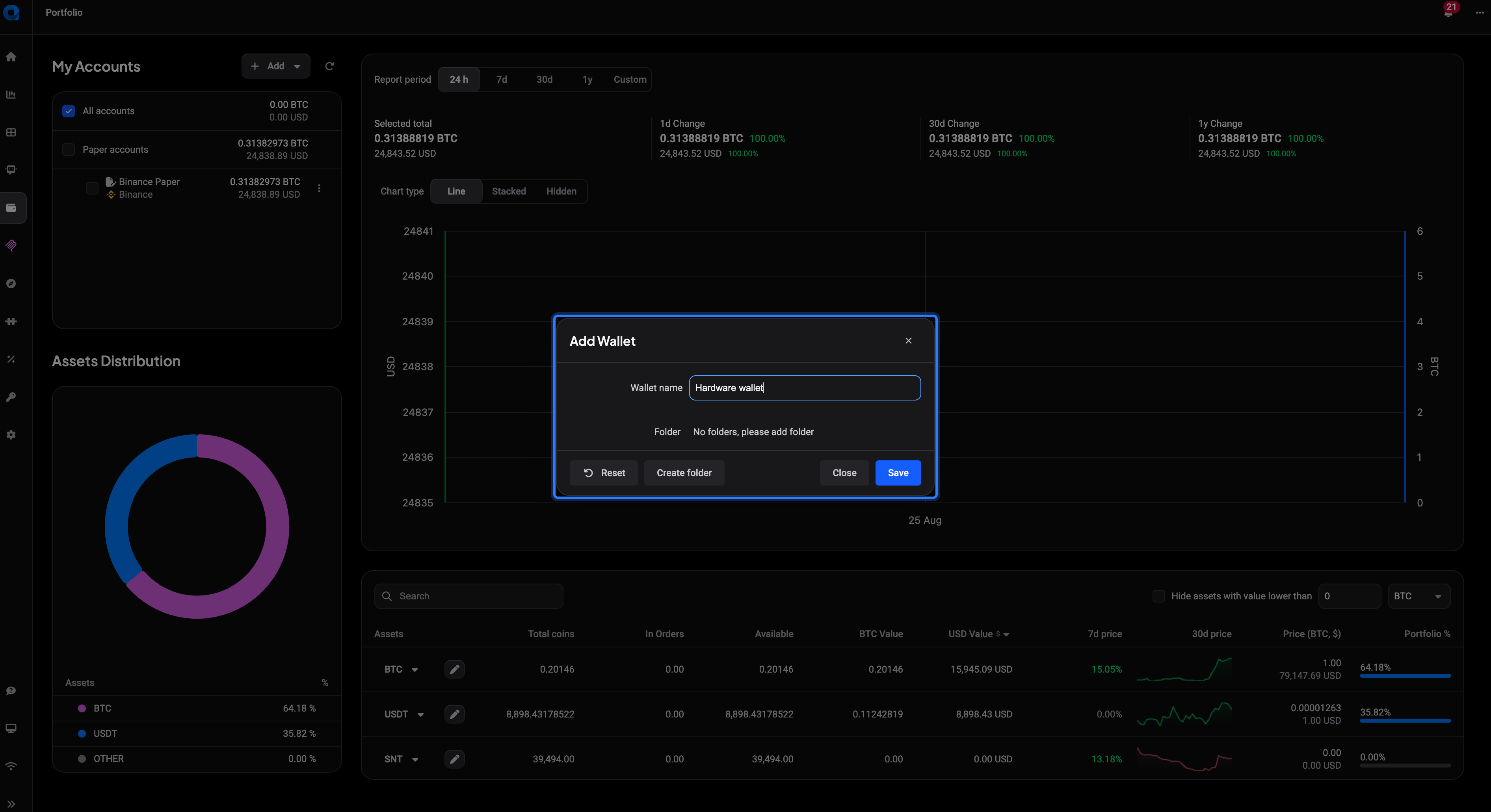
Click Wallet to open the Add Wallet window. Give it a Wallet name you’ll recognize later (something like “Ledger cold storage” works better than “Wallet 1”). If you already use folders to organize your accounts, pick one from the Folder dropdown here too: it’s the same folder your exchange accounts live in, purely for grouping. Click Save.
This step only creates the container. It doesn’t hold any balance yet, that comes from the addresses you add next.
Add a wallet address
 🔍 Click the image to see a larger version
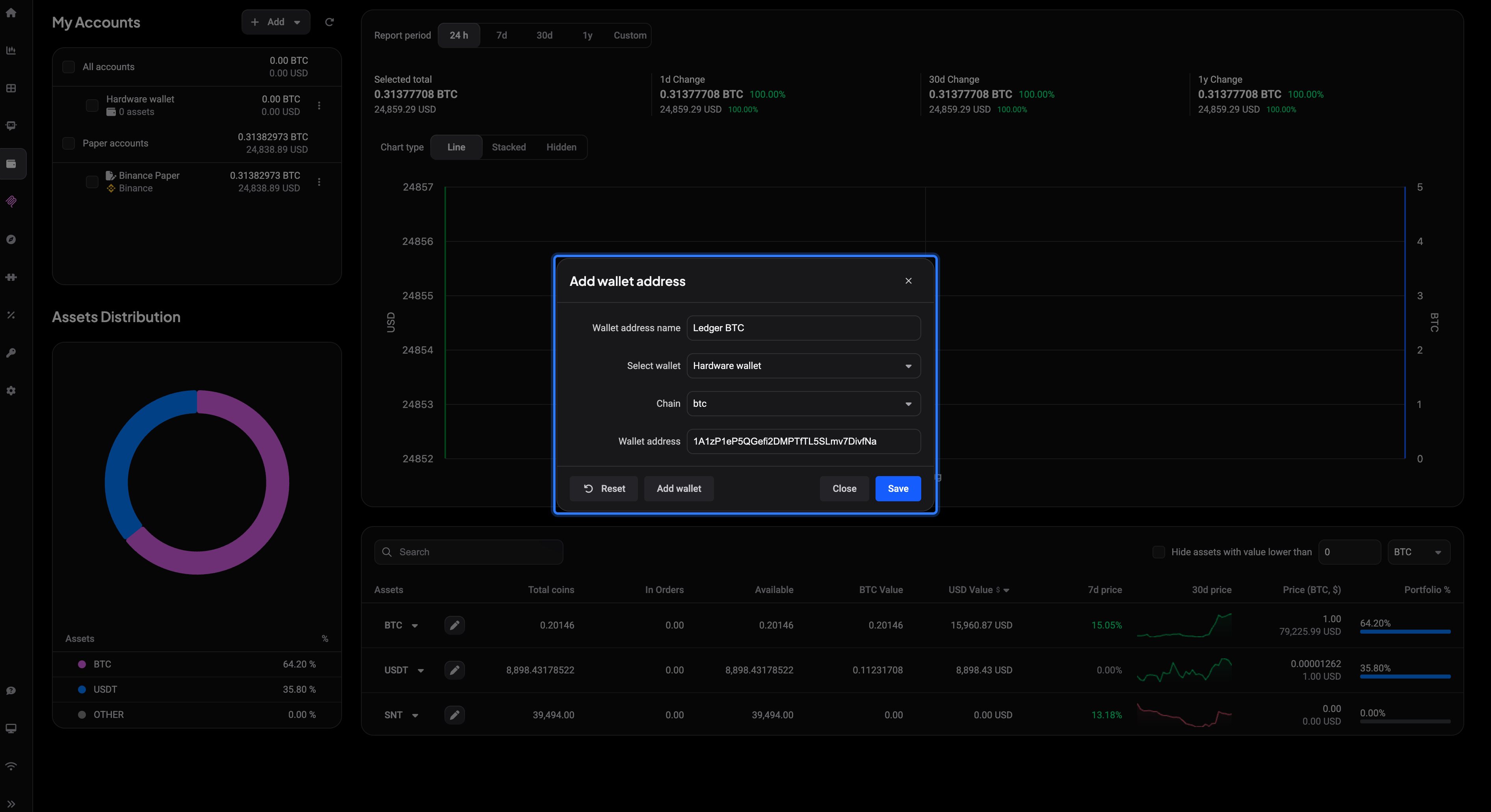
From the same Add menu, click Wallet address to open Add wallet address. Fill in:
- Wallet address name, a label for this address (optional but handy if a wallet holds several addresses).
- Select wallet, choose the wallet you just created.
- Chain, the network the address lives on.
- Wallet address, paste the public address. Never your seed phrase or private key: Altrady only ever reads balances, it can’t move funds from an address you add this way.
Click Save. You can add as many addresses as you want to the same wallet, on the same chain or different ones, and repeat for as many wallets as you like.
Which chains are supported
Altrady can track addresses on: BTC, LTC, ETH, BSC, TRX, XRP, and EGLD. On ETH and BSC specifically, Altrady also picks up ERC20 and BEP20 tokens held at that address automatically, so one Ethereum address can show ETH plus whatever tokens sit in it. On the other chains, only the native asset of that chain is tracked.
Balances take a moment to appear
Right after you save an address, Altrady queues a balance lookup in the background rather than fetching it instantly, so give it a short moment and the numbers will populate on their own. No need to reconnect anything or re-enter the address.
If an address shows nothing at all, it usually means the balance on that address is zero (or a specific coin’s balance is currently zero): a zero balance doesn’t display as a row rather than as “0”. Double-check the address and chain match what you expect, and remember the wallet total only reflects the addresses you’ve added to it.
Exclude an address from your totals
 🔍 Click the image to see a larger version
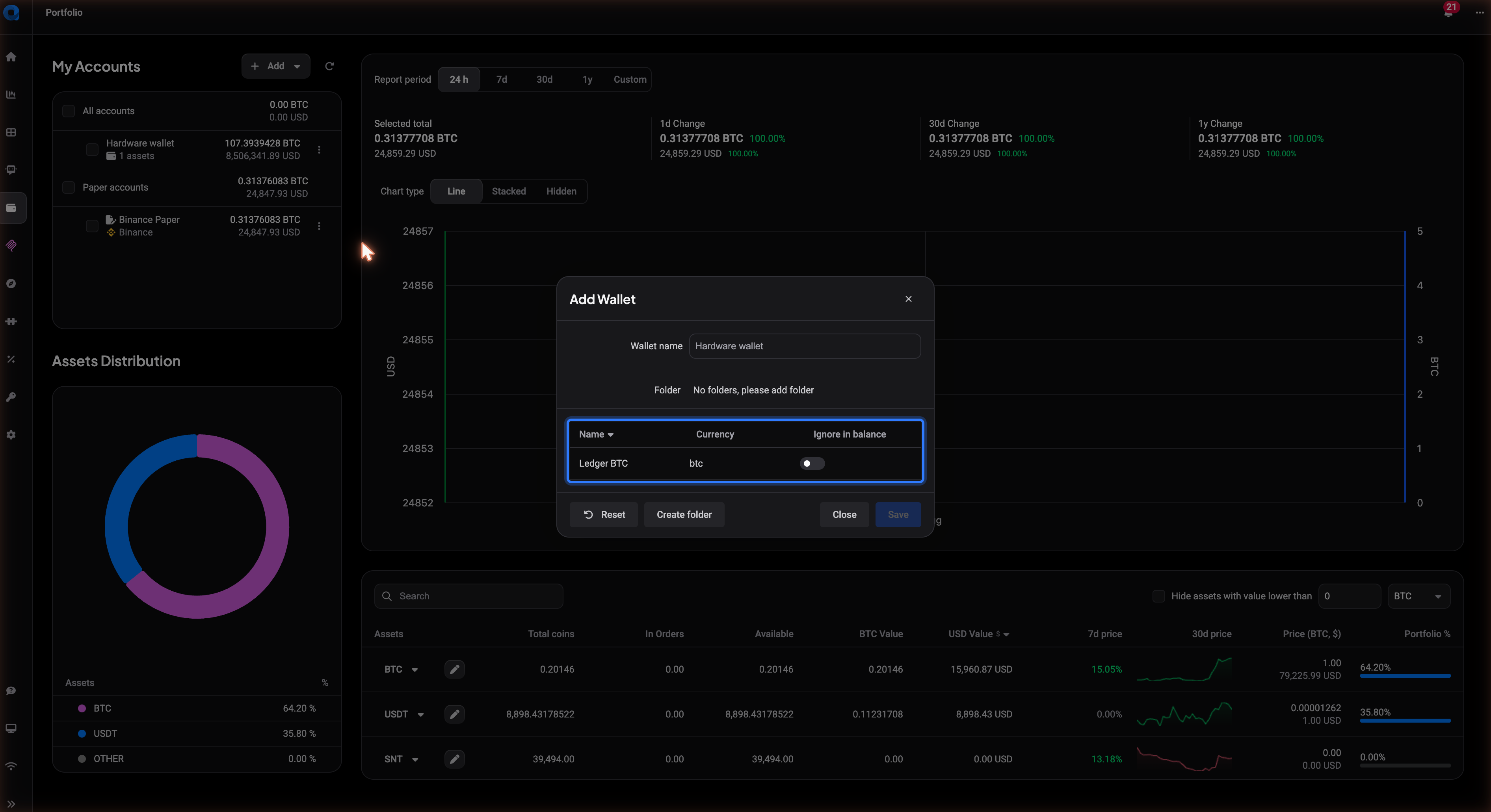
Sometimes you want an address tracked for reference but not counted in your overall portfolio value, a dust address, or a wallet you’re only watching out of curiosity. Open the wallet’s Add Wallet window again: any address already added to it appears in a table with a Name, Currency, and Ignore in balance column. Flip that toggle on for an address and its balance stops counting toward your portfolio totals immediately, without deleting the address itself. Flip it back off whenever you want it included again.
Still stuck?
If an address won’t save, shows the wrong chain, or a balance looks stuck at zero longer than expected, reach out through support chat in the app and share the wallet name, chain, and address so the team can check it directly.