
How does grid bot trailing work?
A grid bot only trades while price is inside the range you set. Trailing lets it move that range instead of sitting still: Trailing up follows price when it climbs above your upper limit, Trailing down follows it when it falls below the lower one. Both are off by default, and both live under Advanced settings in the bot form.
Where the trailing settings are
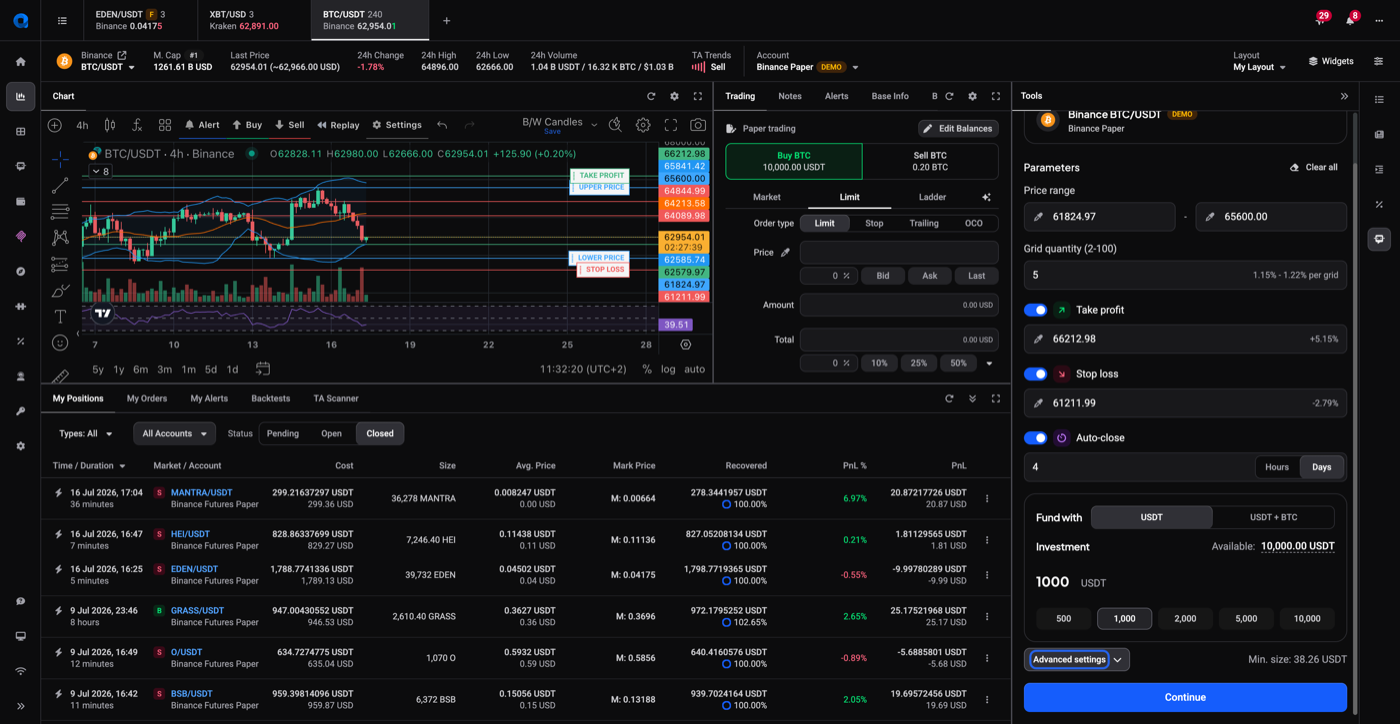
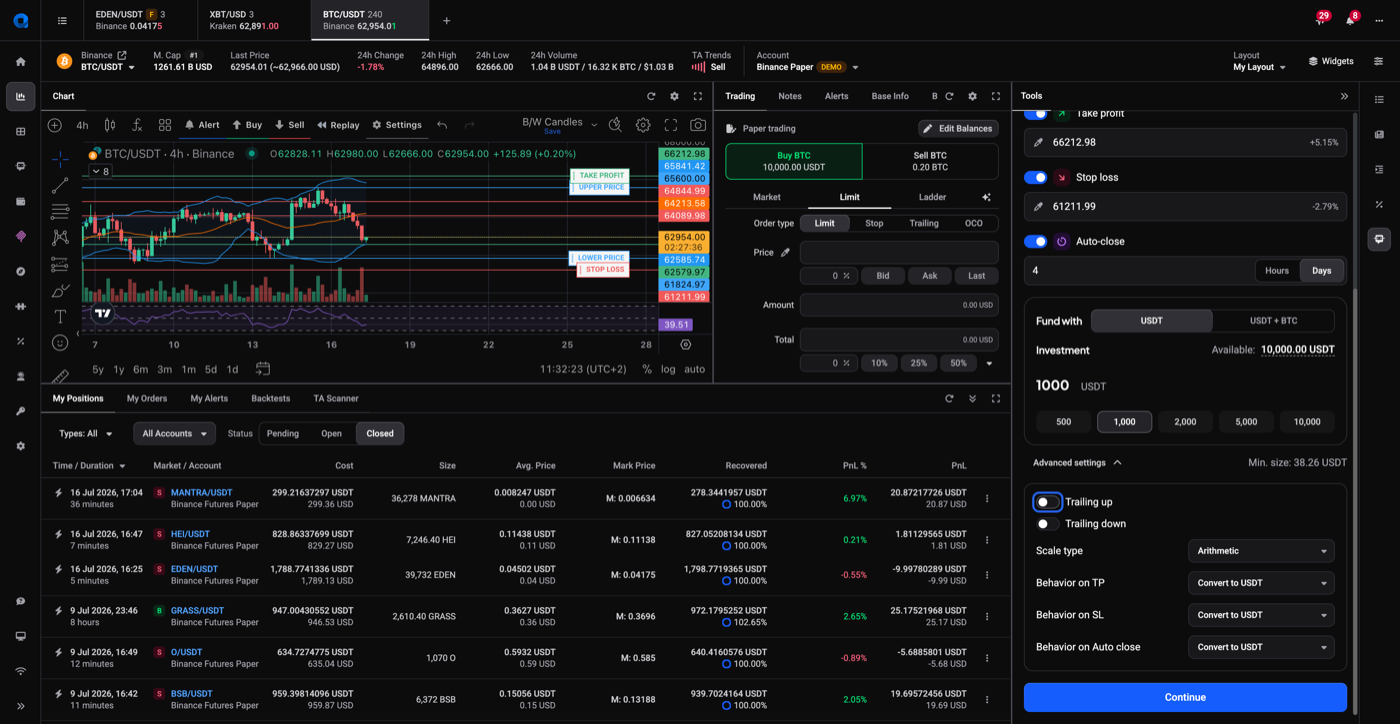
When you’re configuring a grid bot, open the Advanced settings expander below the investment field.
 🔍 Click the image to see a larger version
That reveals Trailing up and Trailing down as separate toggles, alongside Scale type and the Behavior on TP/SL/Auto-close dropdowns. You can switch on one, both, or neither.
🔍 Click the image to see a larger version
That reveals Trailing up and Trailing down as separate toggles, alongside Scale type and the Behavior on TP/SL/Auto-close dropdowns. You can switch on one, both, or neither.
 🔍 Click the image to see a larger version
## What Trailing up does
🔍 Click the image to see a larger version
## What Trailing up does
Trailing up triggers when price reaches one grid level above your upper limit. The bot cancels its lowest buy order and places a new buy at the top of the range, using the funds that frees up. The effect is that the whole grid shifts upward, keeping its levels around the current price instead of being left behind below it.
What Trailing down does
Trailing down mirrors that. When price drops below your lower limit, the bot cancels and re-places orders lower, moving the range down so its levels sit around the market again.
Trailing up can pull in extra funds
This is the part worth understanding before you switch it on. Buying at the top of a rising range costs more than the order it replaced, so trailing up needs more money than your original investment.
When that happens the bot uses its own accumulated profits first. If that isn’t enough, it draws on other available funds in the account. So a grid bot with trailing up enabled is not strictly limited to the amount you funded it with, which is a good reason to keep a bot on its own account or subaccount rather than sharing a balance with your manual trading.
Trailing down reduces order cost
Because the price decrease, the order cost decreases during trailing down. this can result in error due to minimum order size not being met.
Take profit and trailing up can conflict
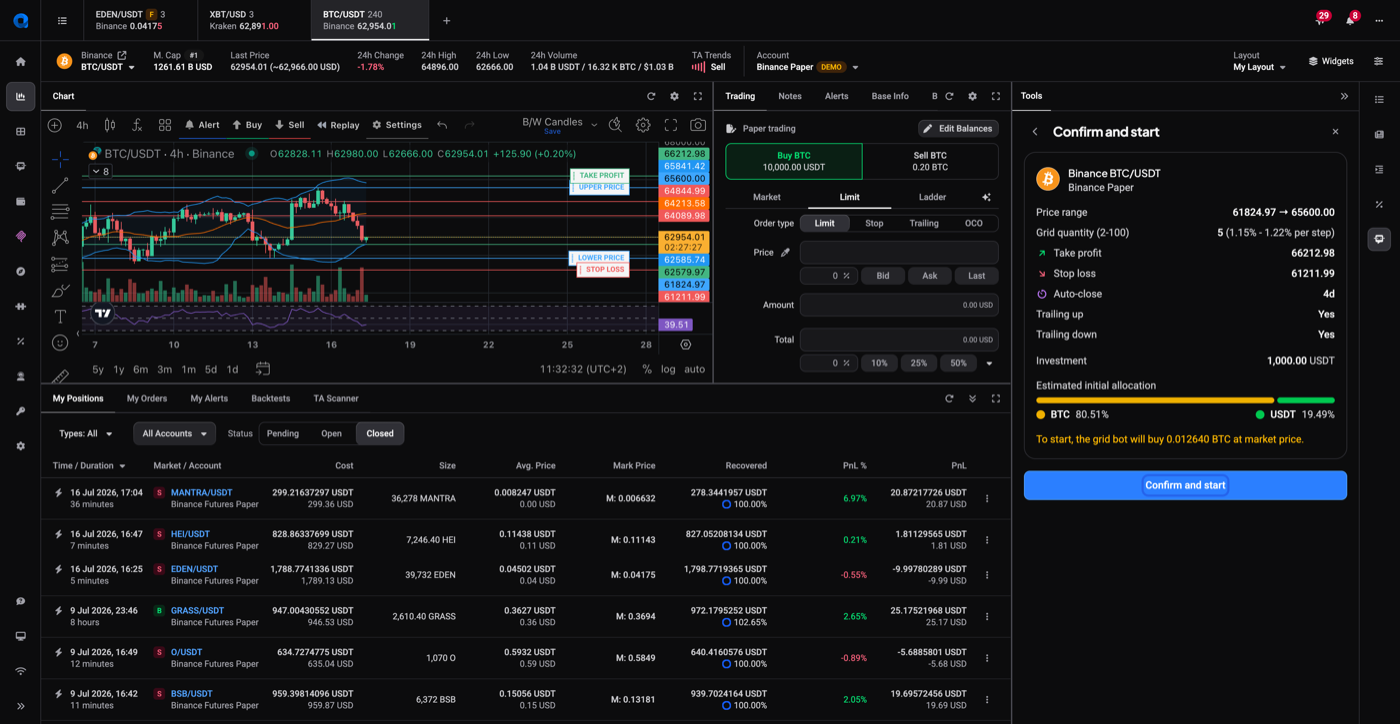
If you set a take profit that price would reach before trailing up could activate, the two settings contradict each other and Altrady won’t start the bot. You’ll see a banner on the confirm screen:
Could not start grid bot: Take Profit will be reached before Trailing Up is activated
 🔍 Click the image to see a larger version
To get past it, either move the take profit further out, or switch trailing up off. The bot starts normally once the two no longer overlap.
🔍 Click the image to see a larger version
To get past it, either move the take profit further out, or switch trailing up off. The bot starts normally once the two no longer overlap.
When trailing fails
Trailing isn’t a set-and-forget setting. It has two failure modes, and both send you a notification:
- Trailing up fails when there isn’t enough quote currency to place the new, more expensive order at the top of the range.
- Trailing down fails when the repriced order would fall below the exchange’s minimum order size.
Neither is fatal on its own. The bot retries roughly every five minutes, and the problem often clears by itself: price moves back into range, or funds free up as other orders fill. For a trailing up failure the bot shows a Low on USDT warning (in the bot’s quote currency) with a Sell a coin for USDT button that sells another coin on the account for quote at market price, or you can deposit quote currency yourself. See the funds warning section of the troubleshooting guide.
What you shouldn’t do is ignore it indefinitely. After 100 errors in a row, Altrady stops the bot. You won’t get 100 notifications, because the same message isn’t sent over and over, so a quiet inbox doesn’t mean the problem went away. Look into the first one rather than waiting to see whether more arrive.
If you’d rather not use trailing
With both toggles off, a grid bot whose price has left the range simply holds its orders and waits. That’s not a fault, and it needs nothing from you. If you’d rather trade the market where it is now, stop the bot and start a fresh grid around the current price: see How to Stop a Grid Bot and Clean Up Its Orders.
Trailing also costs money; a bot is not profitable while it’s trailing. So if you are monitoring your grid bot, it’s more efficient to move the range and restart the bot when a new range is established rather than using Trailing up or down.
Still stuck?
If trailing isn’t triggering when you expect, or a bot keeps stopping with trailing errors, reach out through support chat with the bot’s label and the market, and the team can look at its error log.