
Why am I not getting delisting alerts?
If a delisting alert did not reach you, start with the three things you can check yourself: the exchange may have been removed from your notification settings, your subscription may have lapsed, or your device may not be registered for notifications. Here is how to work through each one.
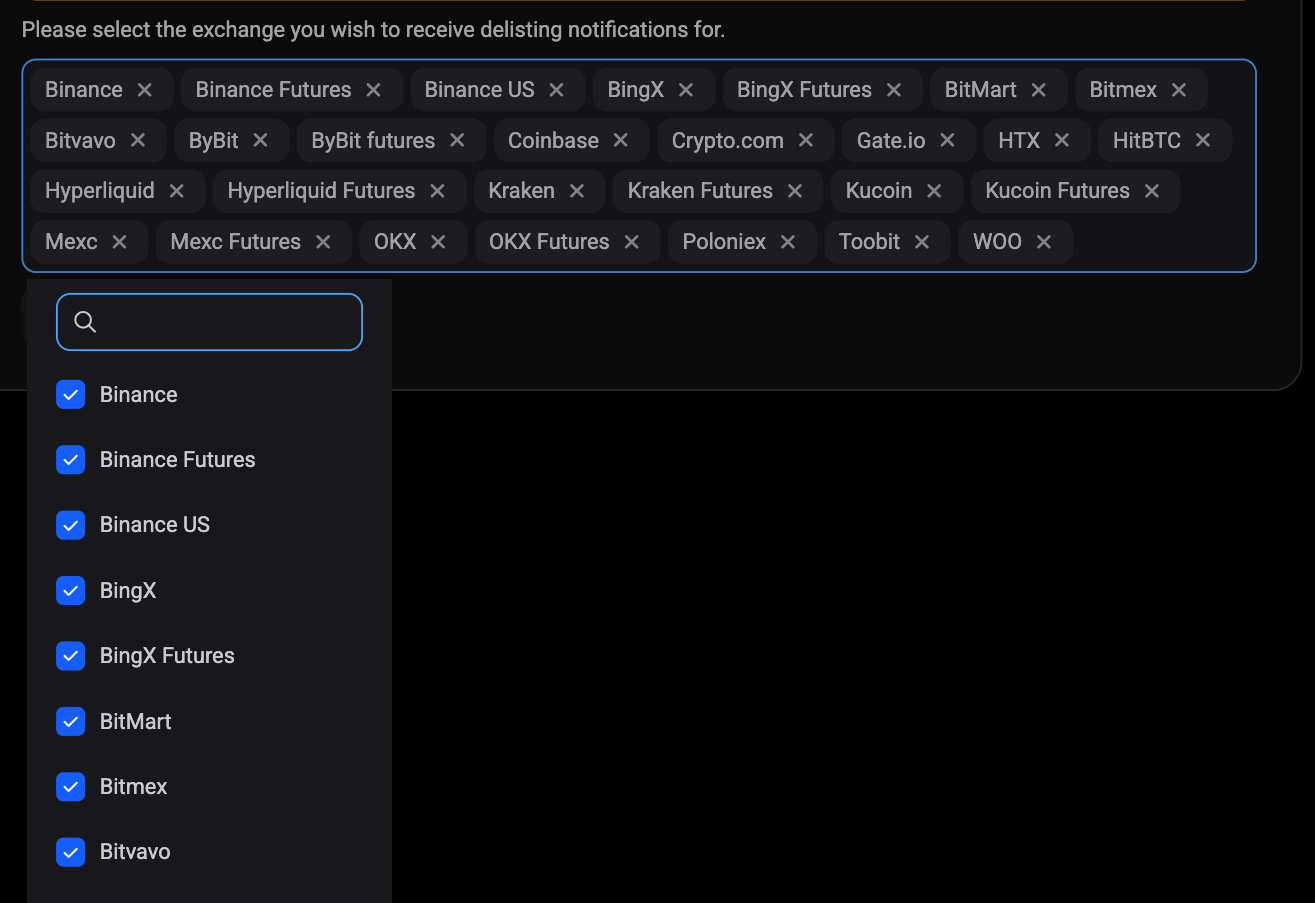
Check that the exchange is still selected
 🔍 Click the image to see a larger version
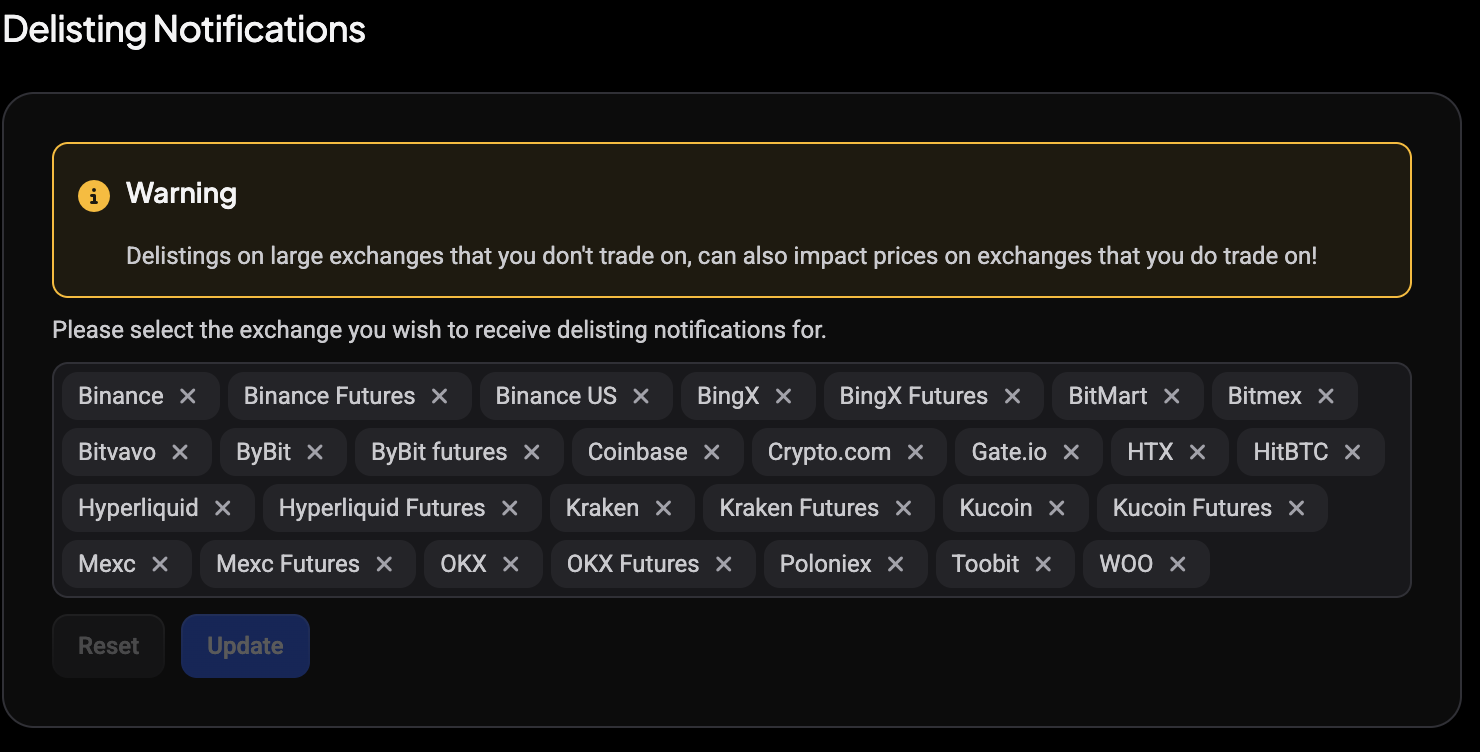
Delisting alerts work opposite to most settings: every active exchange starts selected, and an exchange only goes quiet because someone removed it.
 🔍 Click the image to see a larger version
- Open Settings from the sidebar, then click Global Notification Settings under the Notifications group.
- Find the Delisting Notifications card. On desktop it is the last card in the right-hand column, below Custom Sounds.
- Look at the chips in the exchange multi-select. Each chip is an exchange you still receive alerts for. If the exchange you were expecting an alert from has no chip, that is your answer.
- Click the control to open the selection popup, search for the exchange, tick its checkbox, then click Update.
Update is disabled until your selection differs from what is saved, so if it stays greyed out, nothing actually changed. Reset only discards unsaved edits; it never touches what is already saved. Full steps are in How do I turn on delisting alerts for an exchange?.
Check that your subscription is active
Delisting notifications only go to devices attached to an active subscription. If yours had expired, even briefly, your device was excluded from that notification completely: not the mobile push, not the desktop broadcast, and not the in-app notification row either. Nothing is queued up and delivered late once you resubscribe, so an alert missed during a lapsed period is simply gone.
If your plan lapsed and you have since renewed, alerts resume from the next delisting onwards.
Check that your device is registered
Altrady sends push notifications only to devices it has registered. Log into the Altrady mobile app at least once and allow notifications when the app asks, which is what registers the device. If pushes generally never reach your phone, work through Device not registered.
Check your phone’s notification permissions
Altrady’s job ends when the push is sent. Your phone’s operating system decides whether to show it.
- Open your phone’s system Settings.
- Find Notifications, then the Altrady app.
- Confirm notifications are allowed, and that a focus or do-not-disturb mode is not silencing the app.
This is the step most people skip, and it is worth checking even when everything on the Altrady side looks correct.
Know what these alerts do and do not cover
Two things are easy to misread as a delivery problem when they are not.
Delisting alerts are exchange-wide. Altrady does not look at your positions or your markets before sending, so every account that still has that exchange selected gets the same alert, whether or not it holds anything affected. Getting an alert for a coin you have never traded is normal.
And this article is about delivery, not accuracy. If you believe a delisting itself was recorded in error, changing these settings will not resolve it: that is a question for support.
Still stuck?
If the exchange is selected, your subscription is active, and your device receives other Altrady notifications, there may be something specific to that delisting. Reach out through the in-app support chat or from help.altrady.com with the exchange name and roughly when the delisting happened, and the team can trace what was sent to your account.