
How to create a QFL bot or a TradingView bot
The QFL Bot and the TradingView Bot both open positions from signals. A QFL bot trades Crypto Base Scanner’s base-crack signals. A TradingView bot follows the alerts from your own Pine Script strategy. Both start from the Create a bot dialog and take a few minutes to set up.
Create a QFL bot
- Open Bots, click + Create and pick QFL Bot.
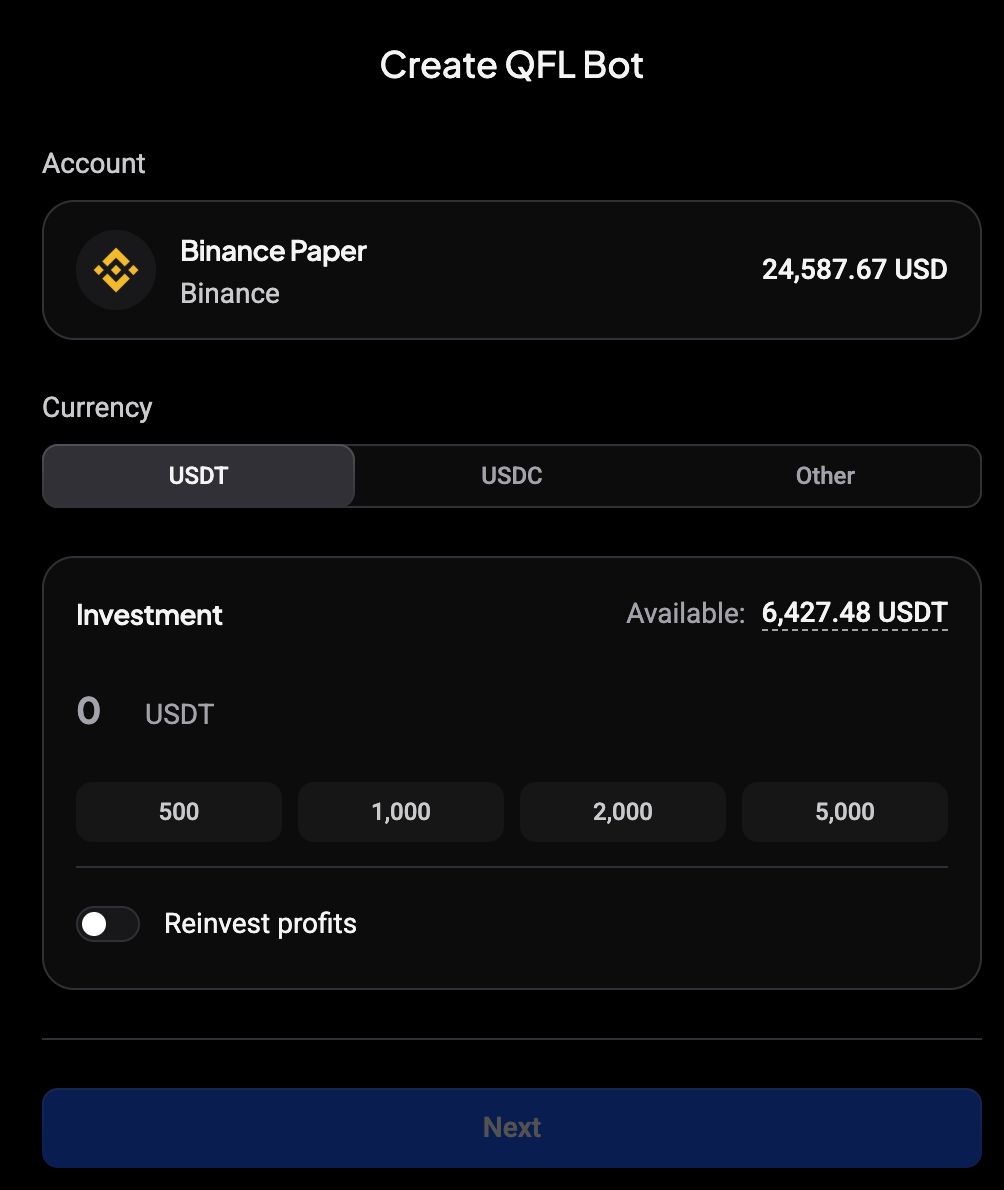
- The wizard opens on Create QFL Bot. Choose the Account, the Currency the bot trades against (USDT, USDC or Other) and the Investment.
- Click Next.
 🔍 Click the image to see a larger version
Pick a QFL risk variant
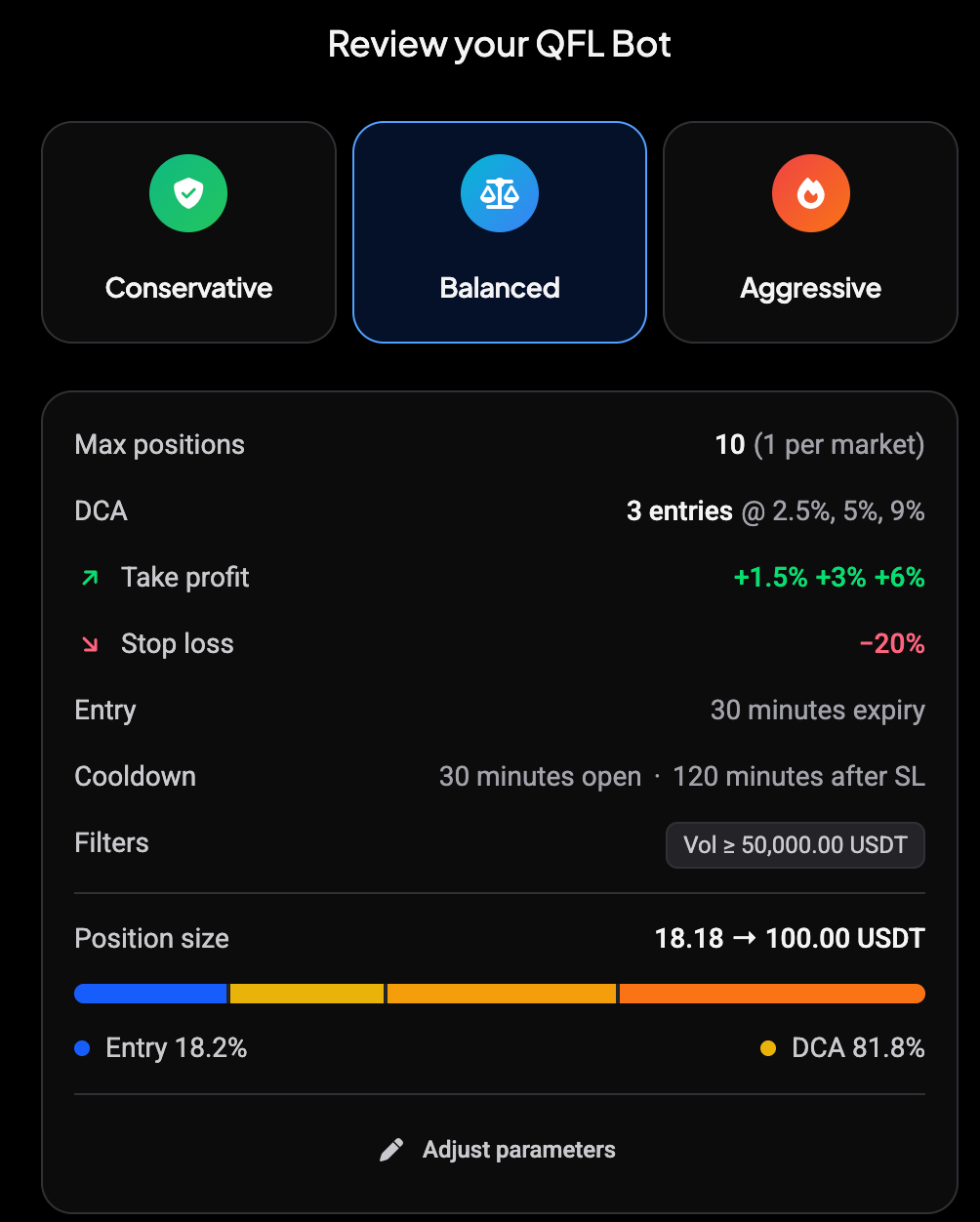
Review your QFL Bot offers three variants: Conservative, Balanced and Aggressive. Each sets the max positions, DCA entries, take profit targets, stop loss, entry expiry, cooldowns and volume filter. The summary card updates when you switch.
 🔍 Click the image to see a larger version
Click Adjust parameters to change any setting, then start the bot. It trades Crypto Base Scanner signals automatically from then on.
Create a TradingView bot
- Open Bots, click + Create and pick TradingView Bot.
- The wizard opens on Create TradingView Bot. Choose the Account, Currency and Investment, then click Next.
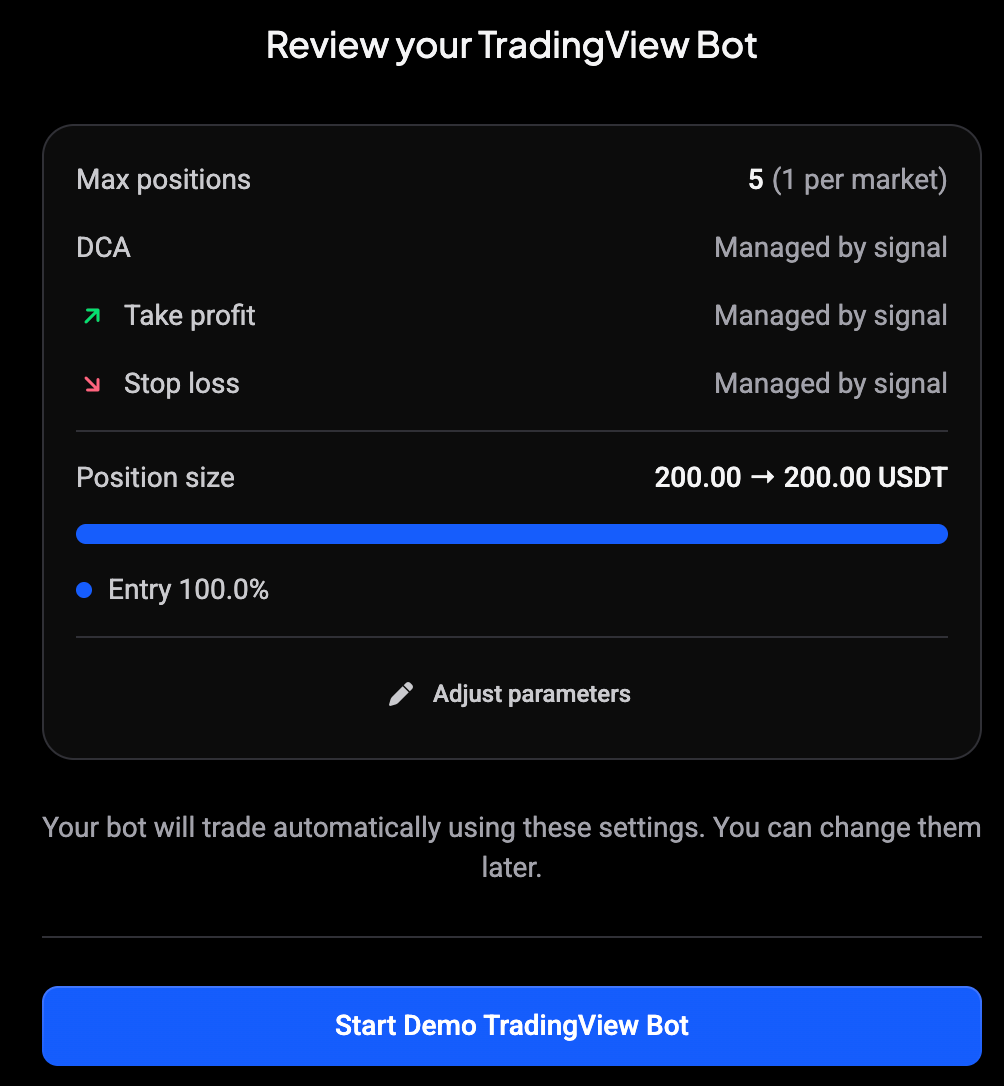
- Review your TradingView Bot shows the max positions and position size. DCA, take profit and stop loss read Managed by signal: your alerts decide them.
- Click Start Live TradingView Bot, or Start Demo TradingView Bot on a demo account.
 🔍 Click the image to see a larger version
Copy the alert payload
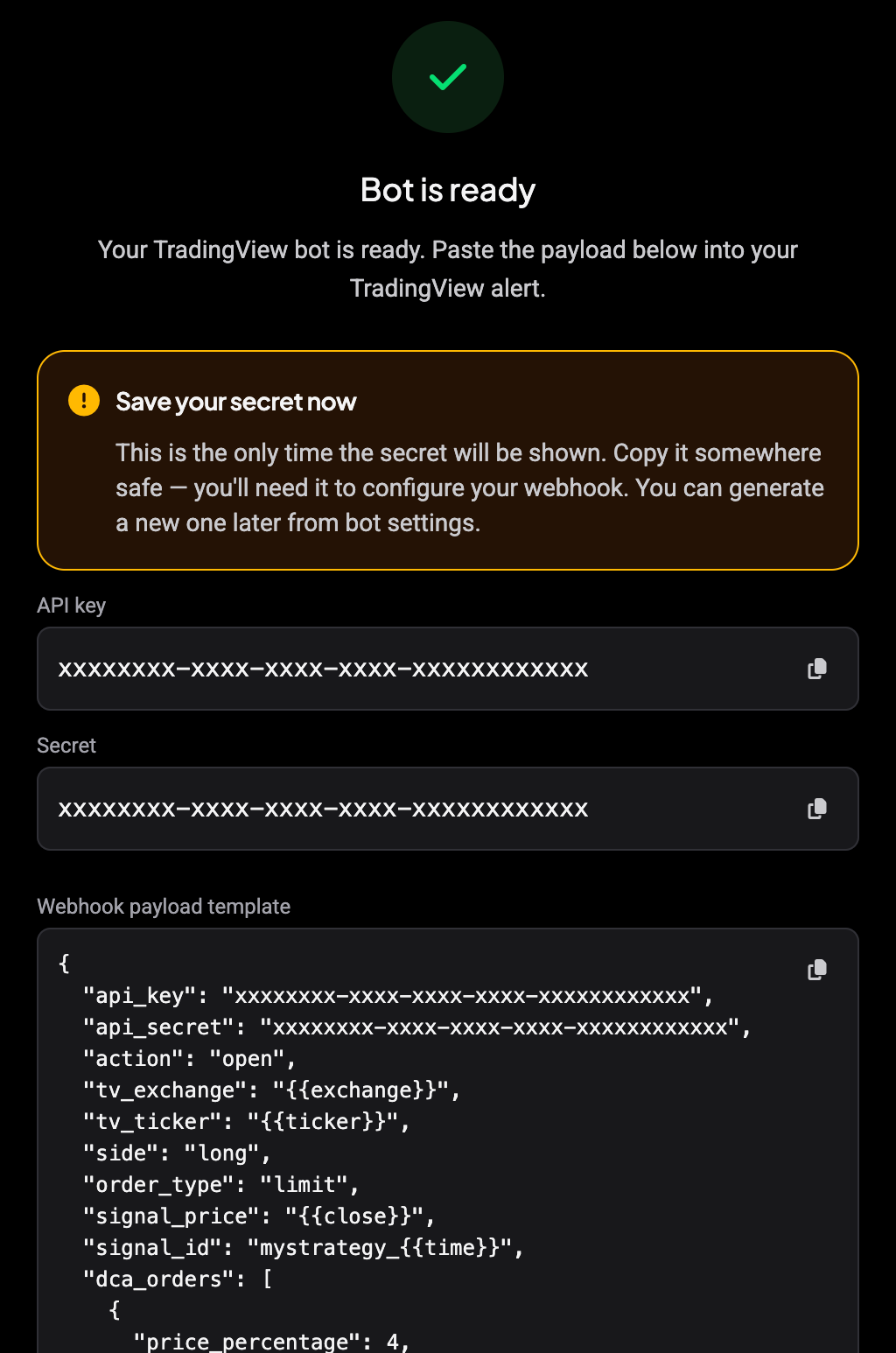
The success step shows what TradingView needs:
- API key and Secret: copy both now. The secret is only shown once; you can generate a new one later from the bot settings.
- Webhook payload template: the JSON to paste into your TradingView alert message. It already contains your key, secret and TradingView placeholders such as the exchange, ticker and close price.
 🔍 Click the image to see a larger version
Don’t worry if you lose the secret: generate a new one in the bot settings and update your alert.
For the webhook URL, creating the alert in TradingView and every payload field, see How to Connect TradingView Alerts to Altrady with Webhooks and the Webhook Signal Reference.
Still stuck?
If your QFL bot doesn’t open positions or TradingView alerts don’t reach your bot, reach out via support chat.