
Why didn't I get credit for my referral?
Referral credit shows up only after two things happen: the person you referred signed up through your actual referral link, and they completed a paid purchase. If either step is missing, your Referrals page shows the signup but no reward yet, and this article walks you through checking which one it is.
Check your Referrals page first
 🔍 Click the image to see a larger version
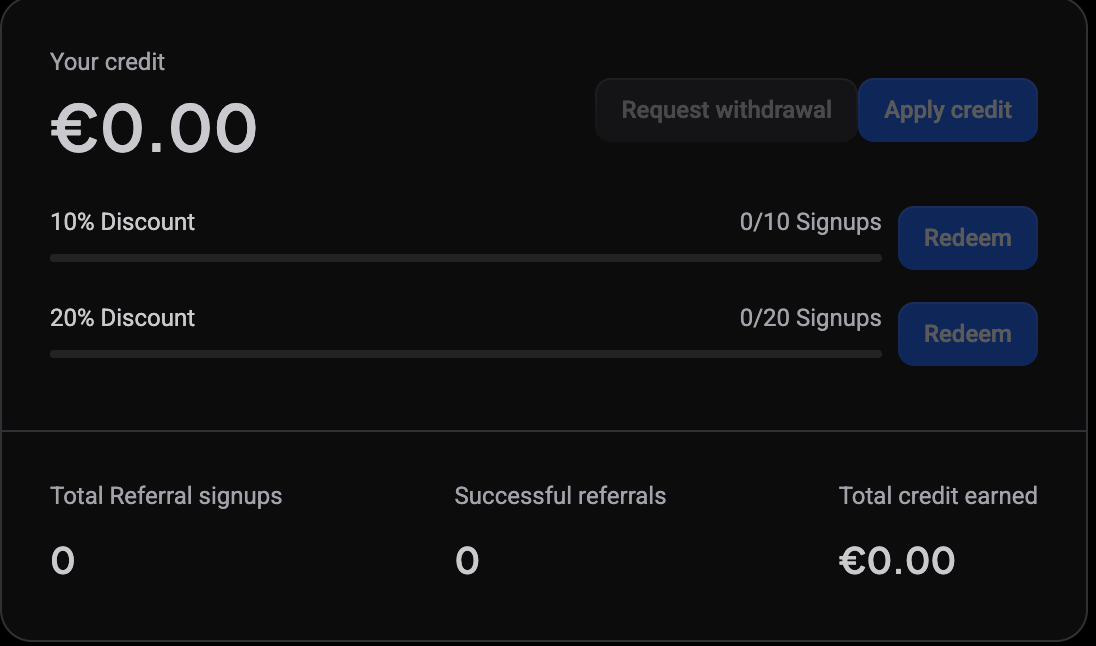
Open Settings and select Referral program in the sidebar. On the Referrals page, look at the three numbers at the bottom of your credit card:
- Total Referral signups: how many people registered using your link, whether or not they ever paid.
- Successful referrals: how many qualifying paid purchases those people have made. This is what earns credit.
- Total credit earned: the euro total actually added to your account.
If Total Referral signups is higher than Successful referrals, that gap is normal. It means people signed up but haven’t purchased a plan yet. No credit is due for a signup alone, even during the 5-day trial.
Why Successful referrals can be higher than your signups
The two numbers count different things: signups count people, successful referrals count purchases. When renewal credit is enabled on your account, a referred user who renews their subscription counts again each time they pay, so one person can be responsible for several successful referrals over time.
That’s why Successful referrals can end up larger than Total Referral signups. It isn’t an error, and it doesn’t mean anyone was counted twice by mistake.
They need to use the actual link, not just the code
 🔍 Click the image to see a larger version
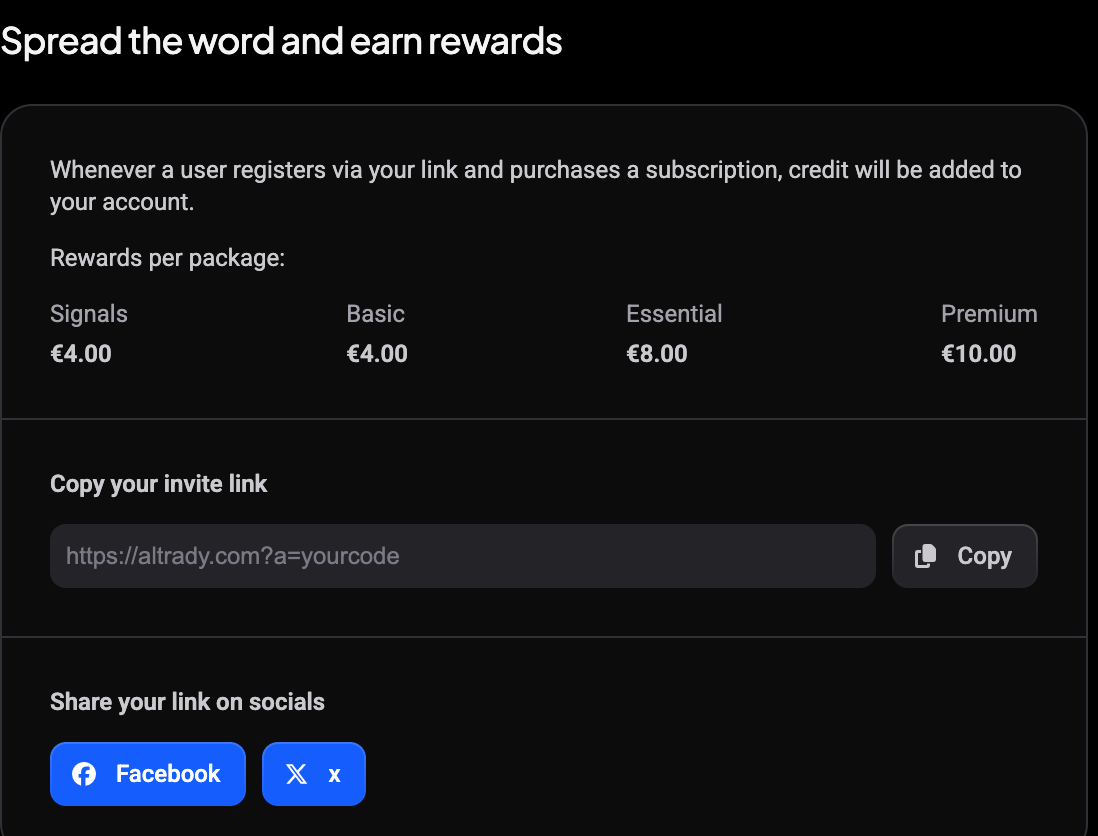
Your referral link looks like https://altrady.com?a=yourcode, and you’ll find it under Copy your invite link on the same page. Credit is tied to that link at the moment of registration, not to the code as a piece of text. If you told someone your code verbally, or they typed it in somewhere instead of clicking your link, the signup won’t be attributed to you and it won’t count toward your totals at all.
To avoid this, always share the full link (use the Copy button next to it, or the Facebook and X share buttons below) rather than reading out the code. If someone already signed up without it, there’s no way to retroactively attach that account to your referral.
Credit only posts after a paid purchase
Signing up is step one. Credit is only added once the referred account completes an actual paid subscription purchase, not during the 5-day trial and not for an account that registered but never checked out.
Rewards per package are fixed amounts that vary by the plan your referral buys, listed under Rewards per package on the same page. Altrady emails you when a referral converts and credit is added. If your referral says they paid but you haven’t received that email, wait a few minutes for the purchase to process, then check your credit total again.
Renewals only count if renewal credit is enabled
By default, only a referred account’s first purchase counts toward your credit. If that person renews their subscription later (a second month, a plan upgrade payment, an auto-renewal charge), it does not generate additional credit for you unless renewal credit has been enabled on your account.
This is the most common reason for “my referral renewed but I got nothing.” If you’re not sure whether renewal credit is enabled for your account, contact support and ask.
If you’re an approved partner, look in the Partner Dashboard instead
Approved partners earn a percentage-based commission rather than flat credit, and commission is tracked separately from the credit balance. On a partner account, Total credit earned on the Referrals page can legitimately stay at €0.00 even with a long list of successful referrals: your earnings are in the Partner Dashboard under Pending commission and Total commission earned.
If that describes your account, check there before assuming something went missing. See What is the Altrady partner program and how do I apply?.
What to do if a purchase clearly happened but credit is still missing
- Confirm on the Referrals page that Successful referrals actually increased. If it didn’t move, the purchase likely hasn’t completed on Altrady’s side yet, or it’s a renewal on an account without renewal credit enabled.
- Check whether the signup came through your link (
?a=yourcode) rather than just the code being shared. - If Successful referrals did increase but Total credit earned didn’t rise to match, and you’re not on a partner account, email [email protected] with the approximate date of the purchase and (if you have it) the referred person’s email or username. Support can look up the specific transaction and correct the credit if something went wrong.
Using the credit you have earned
 🔍 Click the image to see a larger version
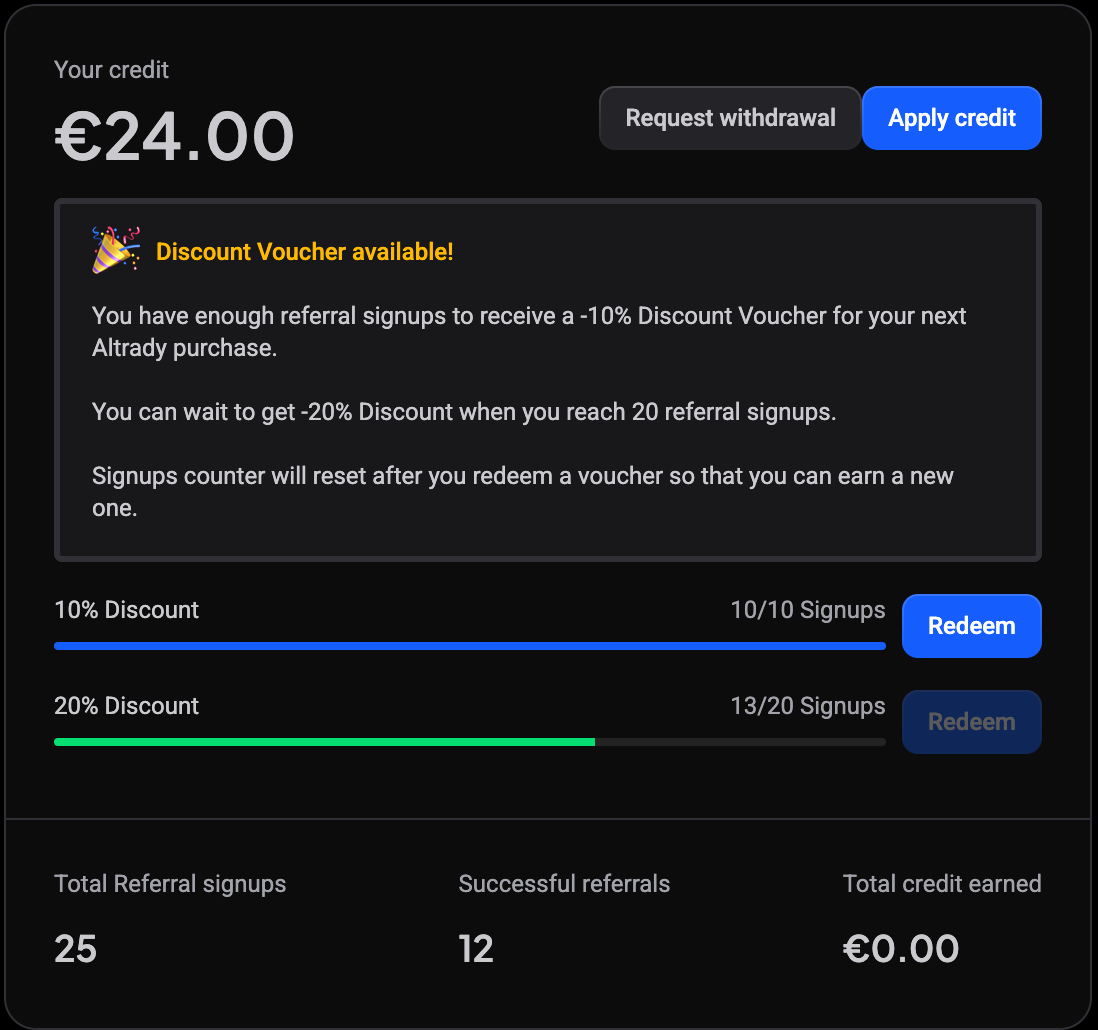
Once credit is on your account, Apply credit extends your subscription with it, and Request withdrawal transfers it to a Bitcoin wallet once your balance exceeds the €50.00 minimum.
Separately from credit, referral signups earn you discount vouchers: reach 10 signups for a 10% discount voucher and 20 for 20%, each with a Redeem button once you get there. The signups counter resets after you redeem one, so you can start earning the next.
Still stuck?
If you’ve checked the link, confirmed it was a first purchase (not a renewal), and the numbers on your Referrals page still don’t add up, reach out through support chat or email [email protected]. Include your referral code and the date you expected the credit to appear so support can trace the exact transaction.