
How do I find top gainers, losers, and market cap rankings?
Market Explorer has three ranked lists that show where the market is moving: Market Cap Ranking for every coin sorted by size, Gainers and Losers for the biggest 24-hour movers, and Categories for coins grouped by sector. They all work the same way: browse the table, then click a row to open that coin’s own page.
Open the list you need
- Click Market Explorer in the main menu.
- In the sidebar, under the General heading, you get five entries: Overview, Market Cap Ranking, Categories, Gainers and Losers.
- Click the one you want. The page title and a one-line description at the top always tell you which list you are looking at.
Overview is the market-wide snapshot with the dominance and sentiment cards. Those are explained in What do Dominance and Fear And Greed mean on the Market Explorer overview?
Market Cap Ranking: every coin, sorted by size
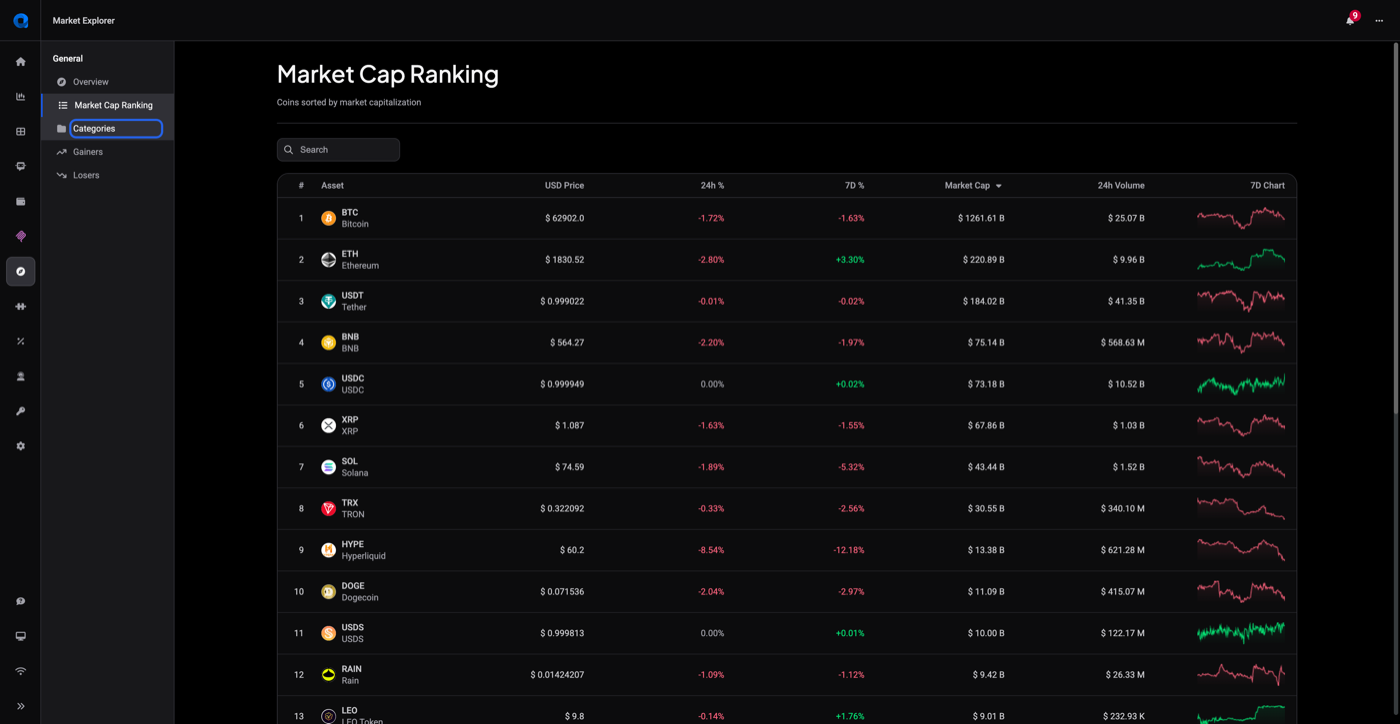
Click Market Cap Ranking for the full list of coins Altrady tracks, sorted by market capitalization with the largest first.
 🔍 Click the image to see a larger version
The table columns are:
- #: the coin’s rank
- Asset: ticker and full name
- USD Price
- 24h % and 7D %: price change over those periods, green when up and red when down
- Market Cap
- 24h Volume
- 7D Chart: a small seven-day sparkline
Click the Market Cap header to flip between largest first and smallest first.
Find one coin without scrolling
Every one of these tables has a Search box above it. Type a ticker or a coin name and the table filters as you type, so you do not have to page through the whole list to see where one coin sits.
At the bottom of each table you get the page controls: a Showing 1-25 out of … line with the total row count, the page numbers, and a Show rows selector set to 25 that you can raise to 50 or 100.
Gainers and Losers: the biggest movers
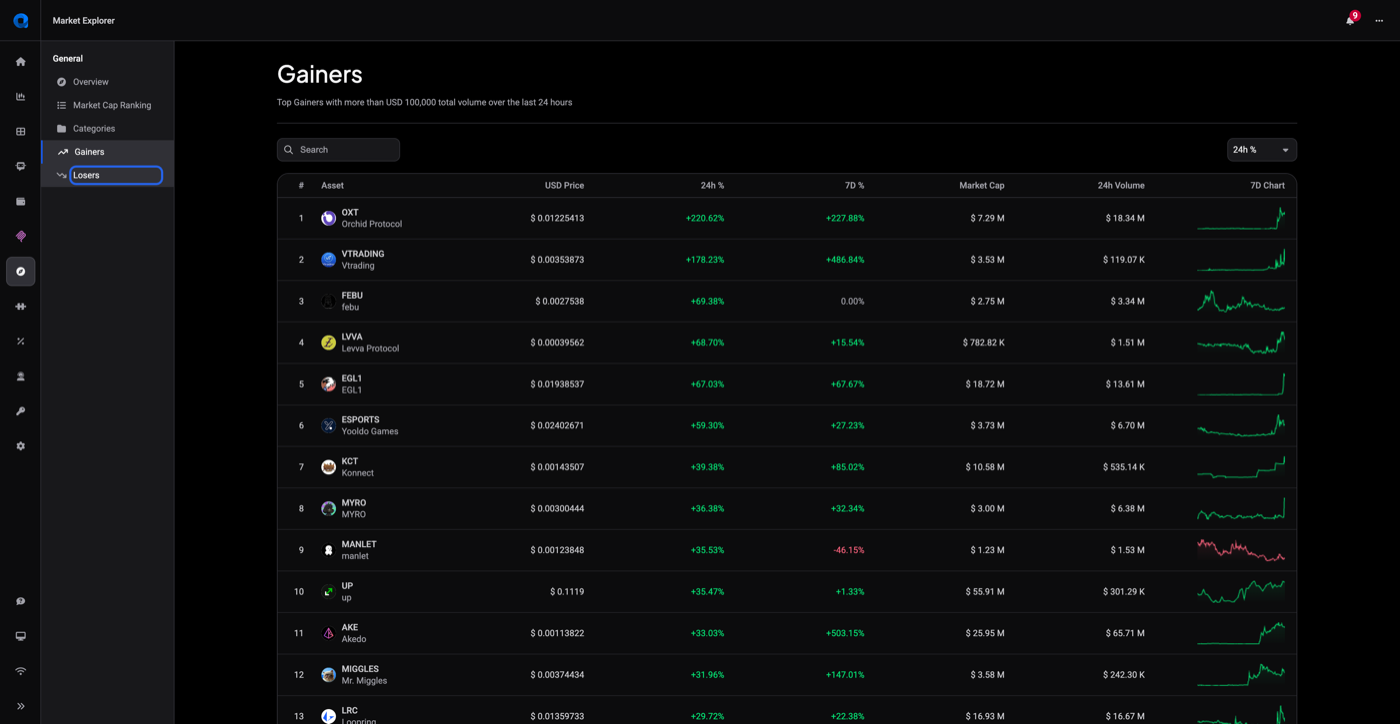
Click Gainers for the coins that rose the most, or Losers for the coins that fell the most. Both pages carry the same note under the title: only coins with more than USD 100,000 in total volume over the last 24 hours are listed.
 🔍 Click the image to see a larger version
That volume floor keeps a thinly traded coin that jumped 40% on almost no trading from filling the list. If a coin you follow is missing, it usually means its volume stayed under the threshold that day, not that anything is wrong with your account.
To rank by the week instead of the day, use the dropdown at the top right of the table. It is set to 24h % and can be switched to 7D %. The list reorders itself right away.
Categories: coins grouped by sector
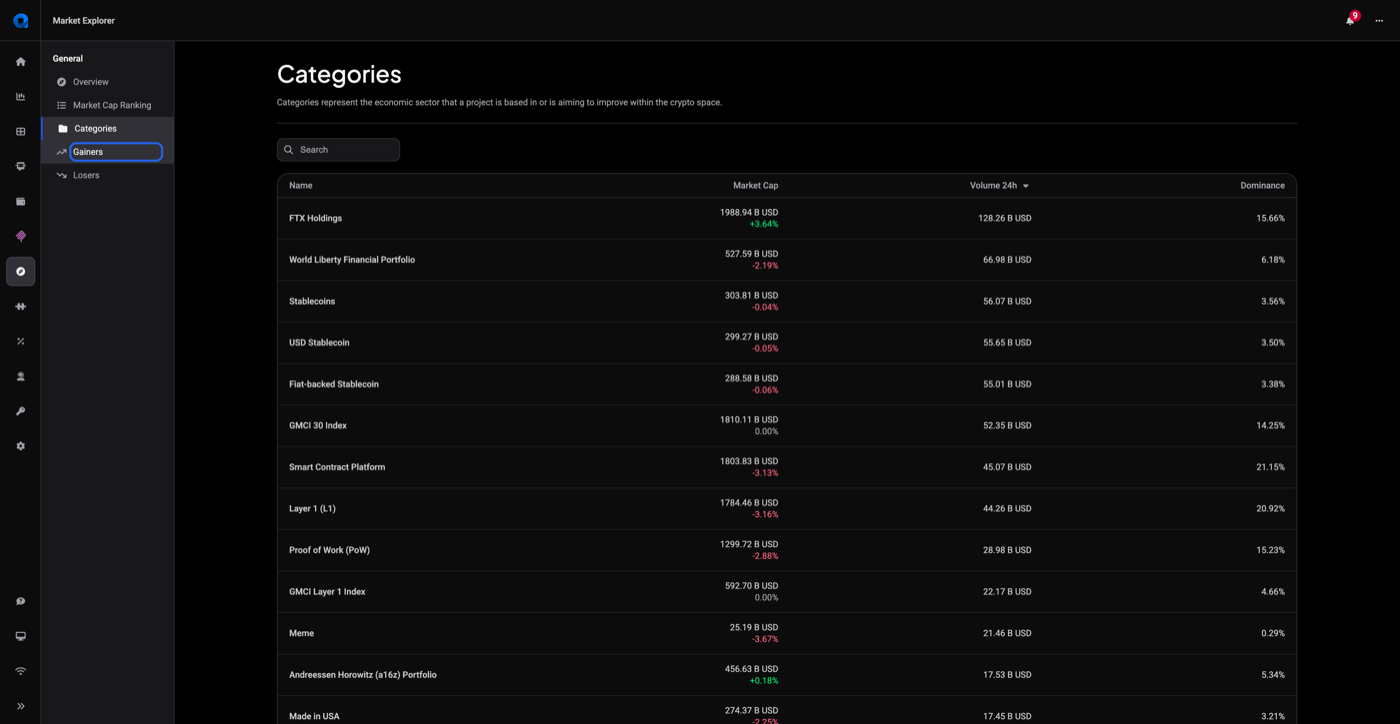
Click Categories to see coins grouped by the economic sector a project is based in or is aiming to improve within the crypto space.
 🔍 Click the image to see a larger version
Each row shows:
- Name of the category
- Market Cap, with that category’s 24-hour change underneath it
- Volume 24h
- Dominance: the category’s share of the total market
Click any column header to re-sort. Click a category row and Altrady opens that category’s own page: the category name with a back arrow, a short description of what the sector covers, and the same coin table filtered to the members of that category.
Click a row to open the coin
In every one of these tables, clicking a coin row opens that coin’s Market Explorer page, with price history, exchange listings, news and technical readouts. Walking that page is covered step by step in How do I use Market Explorer to research a coin?
These lists organize and filter coins for you based on market data. They do not tell you what to trade; which coins you look at more closely, and what you do next, stays your decision.
Still stuck?
If a list stays empty, a coin you expect is missing, or a number looks off, reach out through support chat inside Altrady and our team will take a look.