
How do I share a watchlist with others?
Yes, a watchlist can travel to someone else. Right-click the watchlist in the Markets panel, choose Share Watchlist, and you get a link to copy plus a file you can download. The person on the other end brings it in with Import. It takes about a minute.
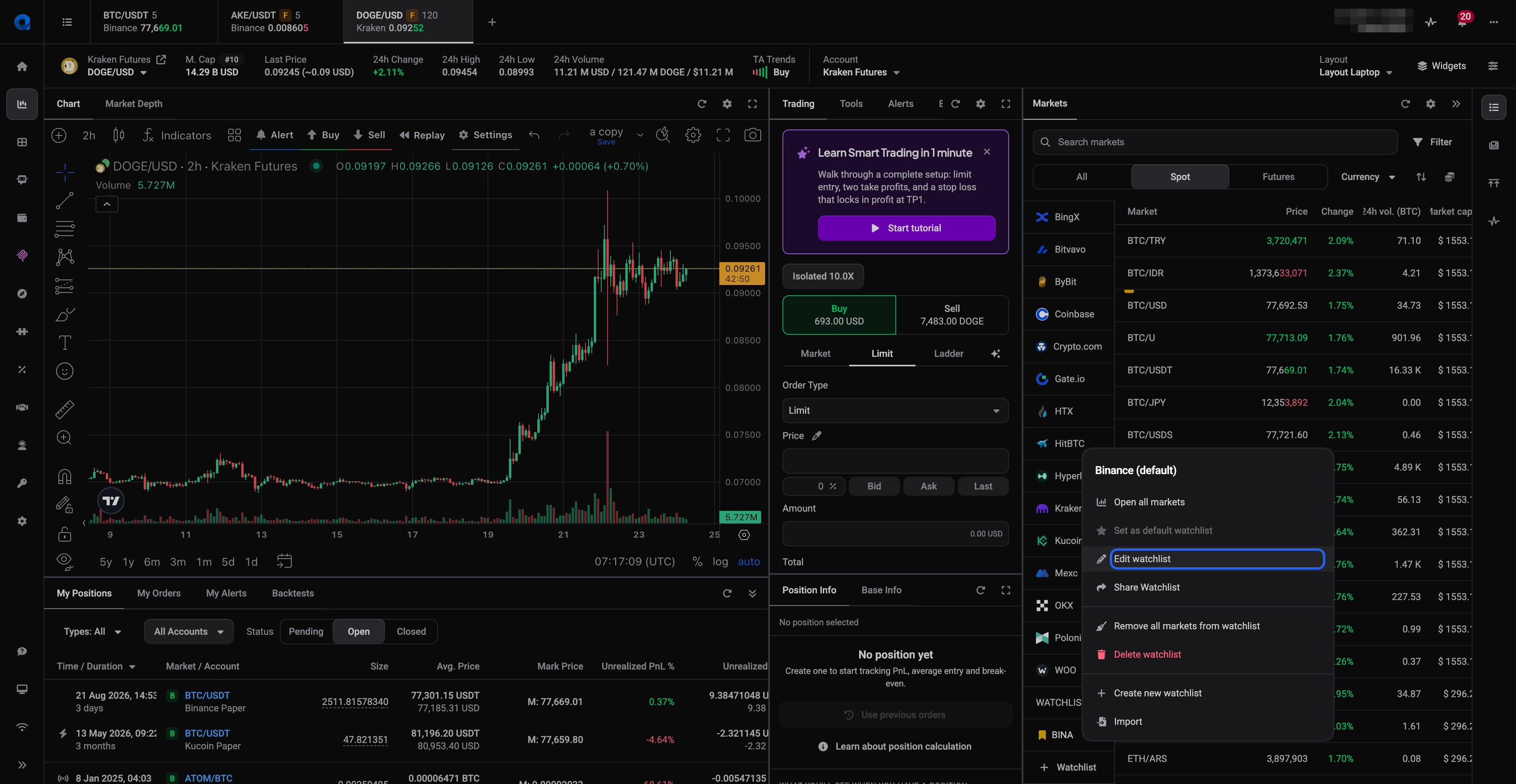
Open the Share Watchlist panel
- Open the Markets panel in the trading terminal.
- Right-click the name of the watchlist you want to share.
- Click Share Watchlist in the menu.
 🔍 Click the image to see a larger version
The same panel sits at the bottom of the Edit Watchlist modal, so if you are already renaming or recoloring a list, you can share it without closing anything.
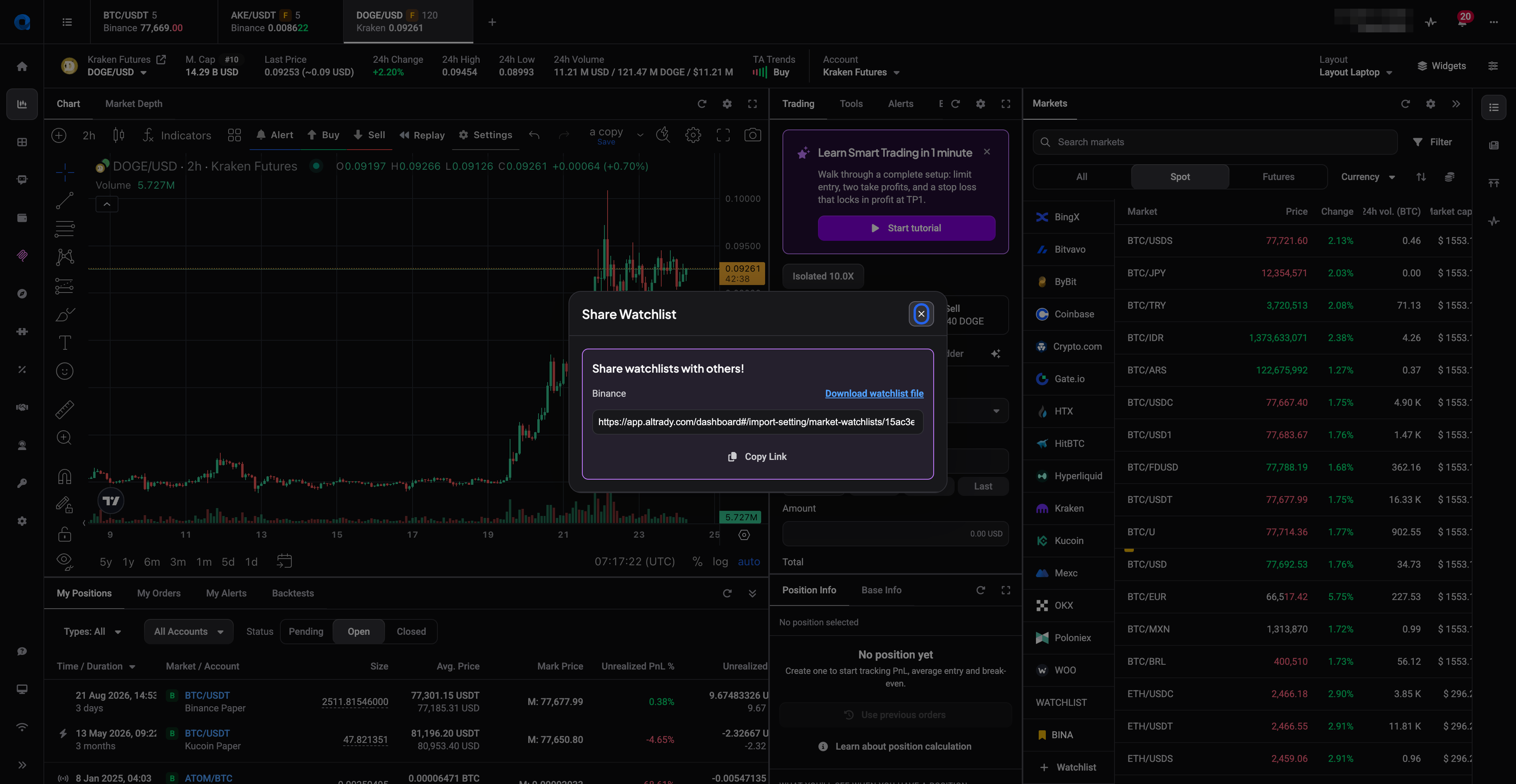
Copy the share link
The panel shows a share link for that watchlist. Click Copy Link and paste it wherever you like: chat, email, a message to a friend.
 🔍 Click the image to see a larger version
Anyone holding that link can import the list, so treat it the way you would treat any link you hand out: share it with people you meant to share it with.
Or download the list as a file
In the same panel, click Download watchlist file. Altrady saves the watchlist to your computer as a JSON file.
This is the option to pick when you would rather not pass a link around: send the file directly to one person, or keep it as your own backup before you make big changes to a list. It is also how you move a watchlist to a second Altrady account of your own.
Import a watchlist someone shared
On the receiving side:
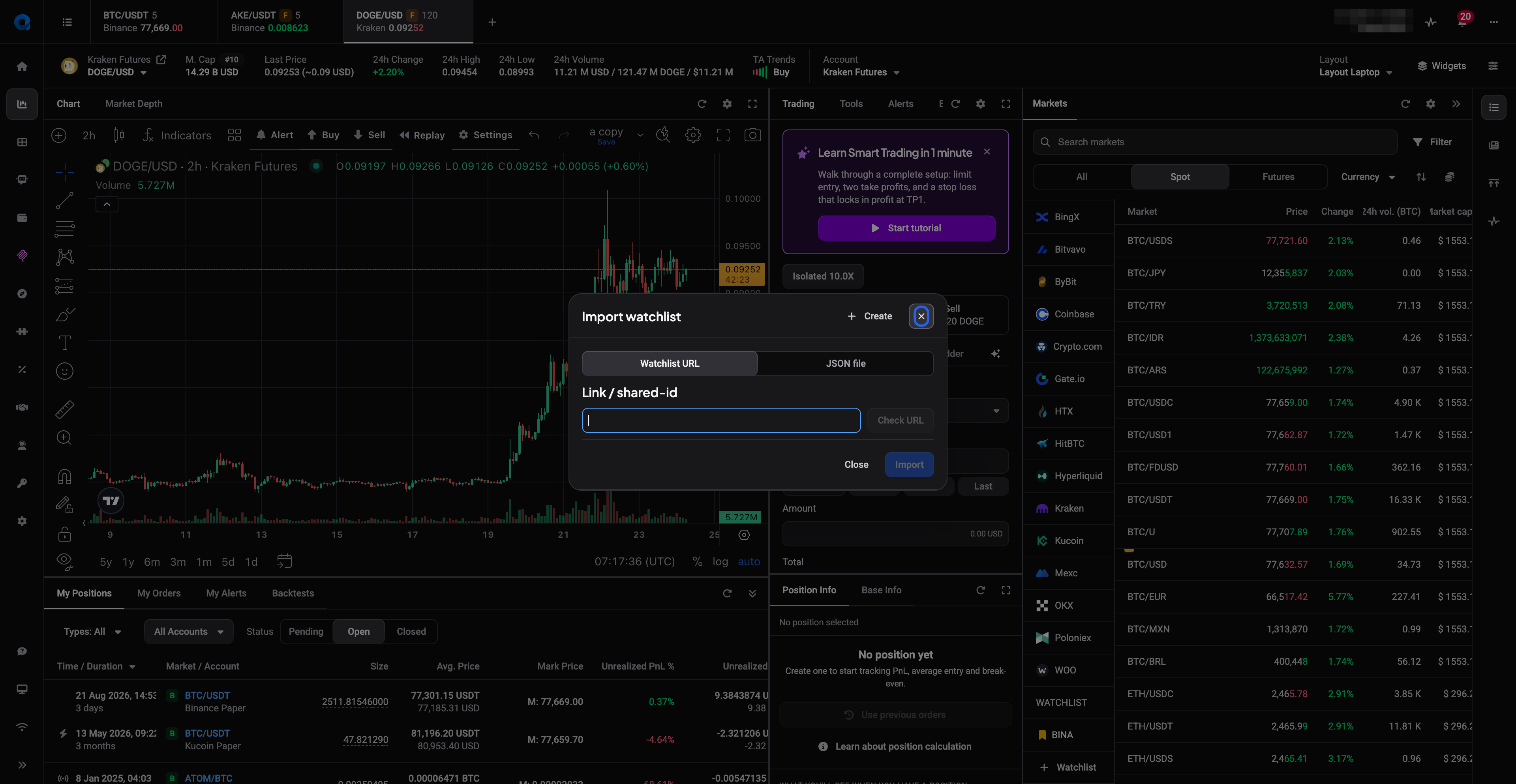
- Right-click any watchlist in the Markets panel and choose Import. (The Create Watchlist modal has an Import link in its header too.)
- On the Watchlist URL tab, paste the share link or shared-id and click Check URL. To use a downloaded file instead, switch to the JSON file tab and pick the file.
- Click Import.
 🔍 Click the image to see a larger version
The list arrives alongside your own watchlists. It is a copy: editing it afterwards changes only your version, and the person who shared it sees nothing of what you do with it.
What a shared watchlist contains
Only the markets on the list, meaning the exchanges and trading pairs you added, plus the list’s name and color. Your balances, positions, orders and API keys are never part of it. Nobody importing your watchlist learns anything about your account or your trading.
One thing worth checking before you send: if a market on your list is on an exchange the other person has not connected, they will still see the entry, they just will not have data for it until that exchange is added.
Related reading
For creating lists, adding markets, colors and ordering, see How do I create and manage watchlists?.
Still stuck?
If Share Watchlist shows no link, or an import will not go through, reach out through the support chat inside Altrady and describe what you see on screen. The team can look at your account and sort it out with you.