
How to share a trade or position
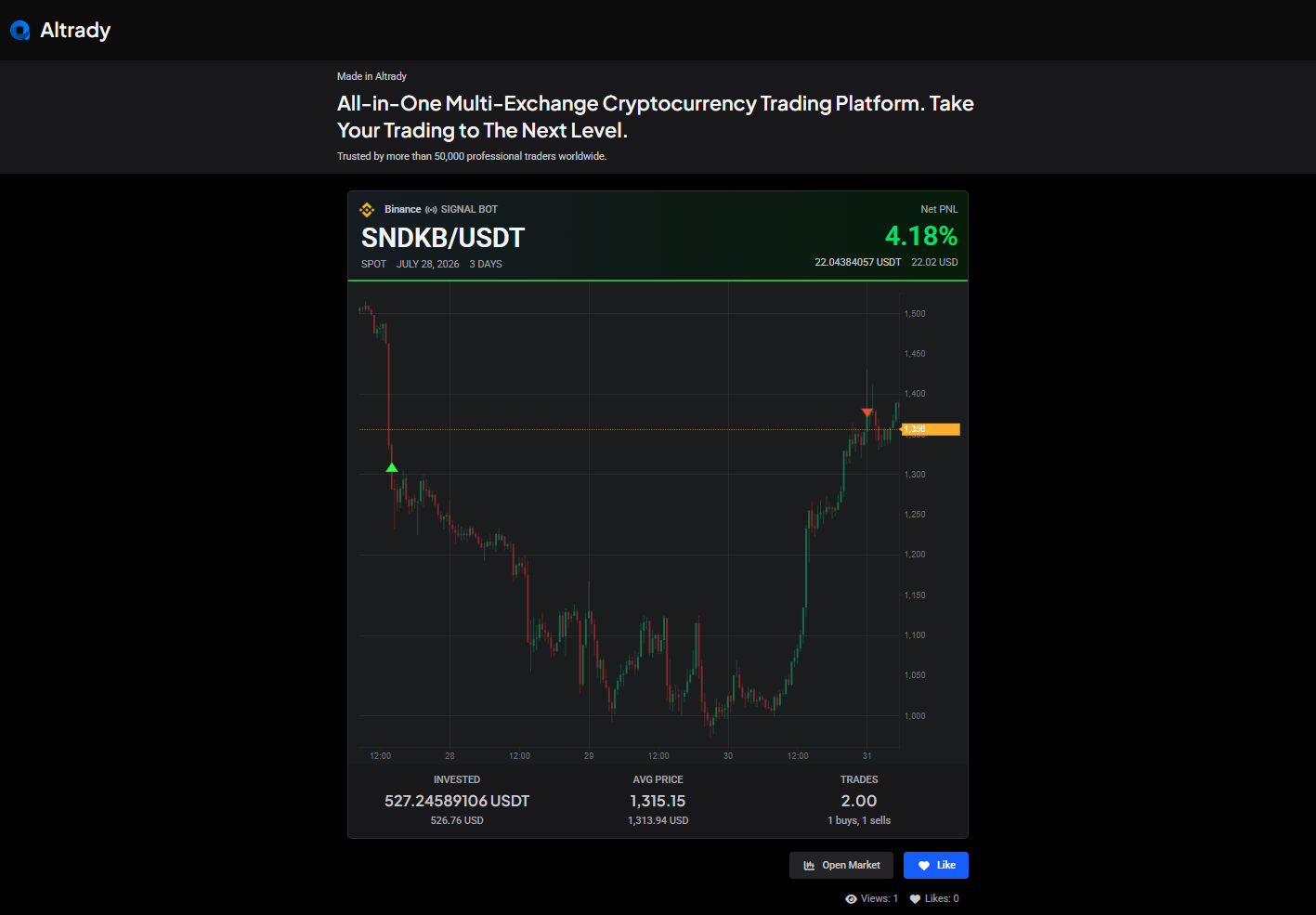
Altrady can turn any position into a shareable snapshot: a link, an image, and optional social posts. It works on open or closed positions, though it’s most often used on a closed one, to show off a trade, keep a record of it, or point others to Altrady.
 🔍 Click the image to see a larger version
Share a position
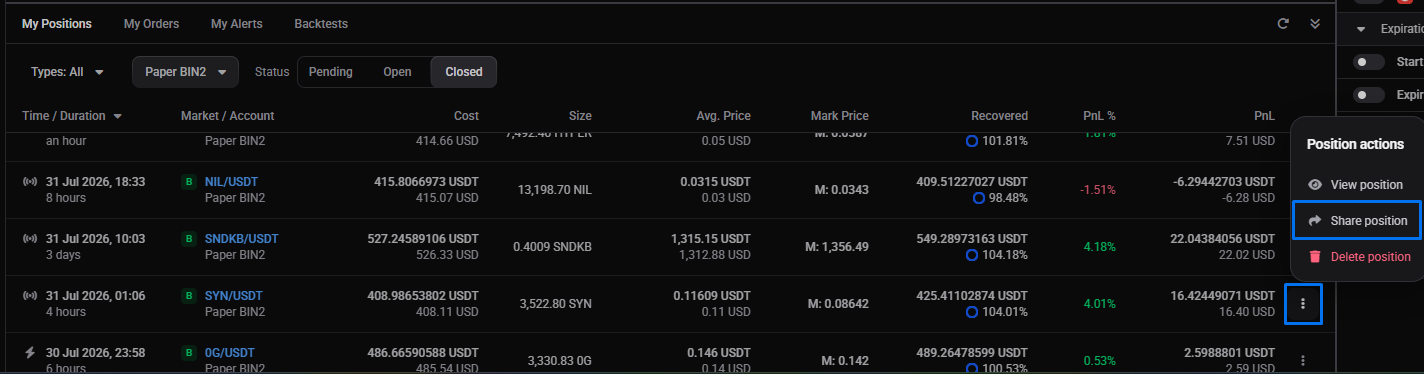
- In the My Positions widget, click the 3-dot menu on the position’s row.
- Choose Share position. A window opens with the sharing options.
 🔍 Click the image to see a larger version
What you can set
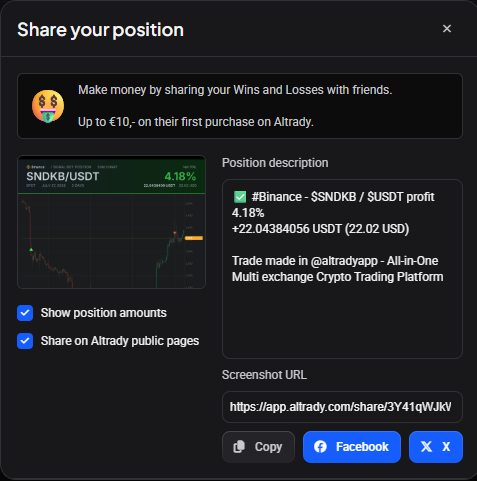
- Position description: a text field, pre-filled with a default description you can edit.
- Screenshot URL: a web link for viewing the shared position.
- Show position amounts: a toggle. Leave it off to hide your invested amount and your numeric PnL; the shared view then shows only the average entry price, the number of trades executed, the count of buy and sell trades, and the Net PnL as a percentage.
- Share on Altrady public pages: a toggle to display the position on Altrady’s public pages.
Send it
- Copy copies the web link so you can paste it anywhere.
- Facebook and X open a new post on that network with the Altrady link attached.
 🔍 Click the image to see a larger version
Still stuck?
If a share link won’t generate, or the shared view shows more than you meant it to, check the Show position amounts toggle first, and reach out through support chat if it still looks off.