
Strategy backtest: DCA and grid bot backtest results
The Strategy backtest pages list every configuration from Altrady’s daily backtest scan, for DCA bots and for grid bots. Each row shows how that configuration performed on historical data, and you can open it in the backtester or use it as a template for your own bot. Past results do not indicate future performance, and you decide every setting before a bot starts.
Open the Strategy backtest page
On the Trading Bots page, the Backtest results panel on the right shows the top rows from the daily scan. Click View All to open the full list. The switch next to the page title moves between Grid bot and DCA bot.
DCA bot backtest results
The DCA list shows each configuration’s Market, Strategy, Timeframe, Positions, Win rate, Profit factor, Drawdown and 30d PnL. Sort by clicking a column header.
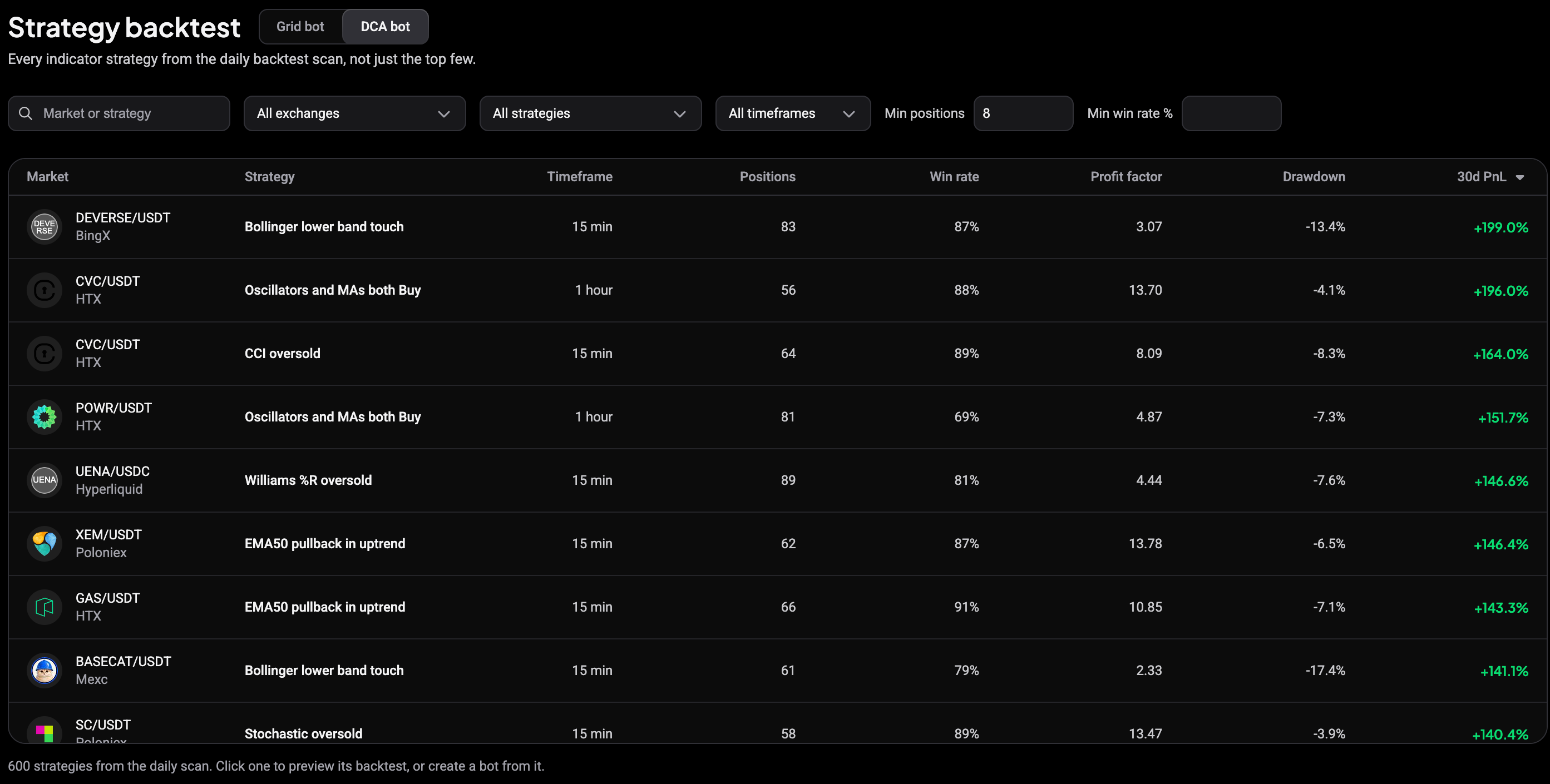 🔍 Click the image to see a larger version
Narrow the list with the filters above it: search by Market or strategy, pick an exchange, a strategy or a timeframe, and set Min positions and Min win rate %.
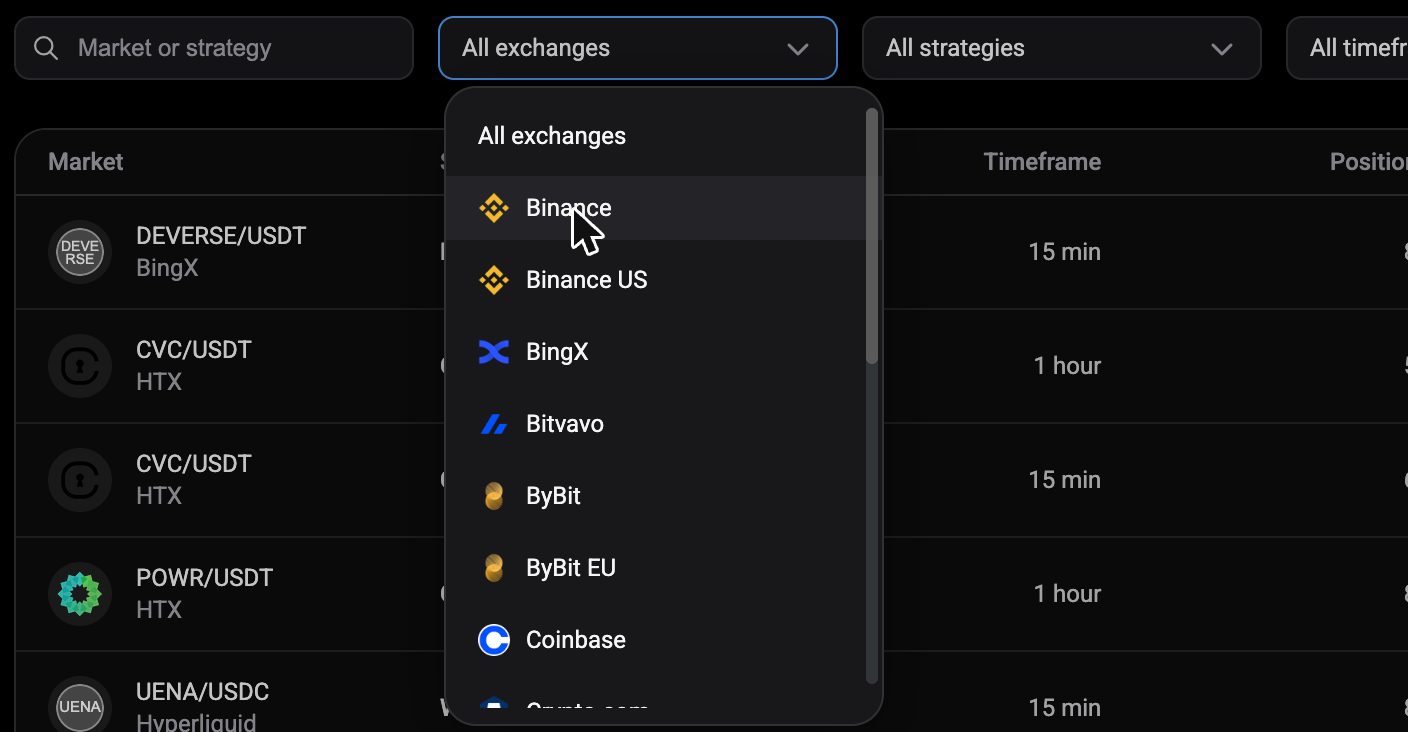 🔍 Click the image to see a larger version
Preview a DCA configuration
Click a row to open its preview:
- Equity curve: cumulative realized PnL over the closed positions, in the quote currency.
- Positions, Win rate, 30d PnL and Drawdown.
- Conditions: the entry and exit expressions, colour-coded (fields in blue, numbers in green).
- Position plan: entry type, DCA orders, take profit and stop loss.
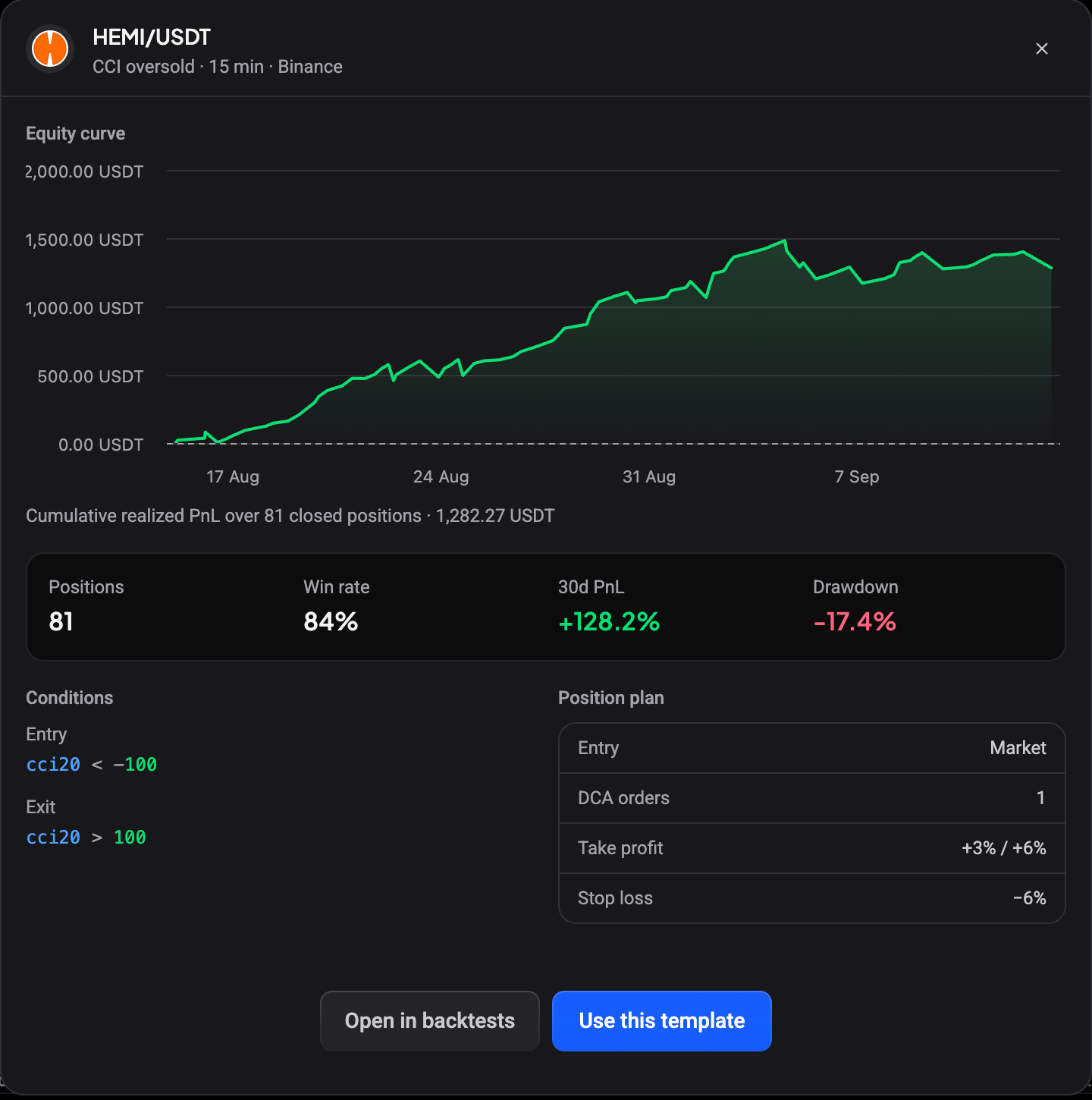 🔍 Click the image to see a larger version
From here:
- Open in backtests loads the configuration into the DCA bot backtest page so you can change it and run it yourself.
- Use this template opens the DCA bot wizard with the market, conditions and position plan filled in. Pick your account and investment, review, and start.
Grid bot backtest results
The grid list shows Market, Method, Grids, Price range, Backtest PnL, Grid Profit %, Drawdown, Cycles and Duration. Filter by market, exchange, Min profit, Max drawdown, Min cycles and Volume, and change the order with Sort.
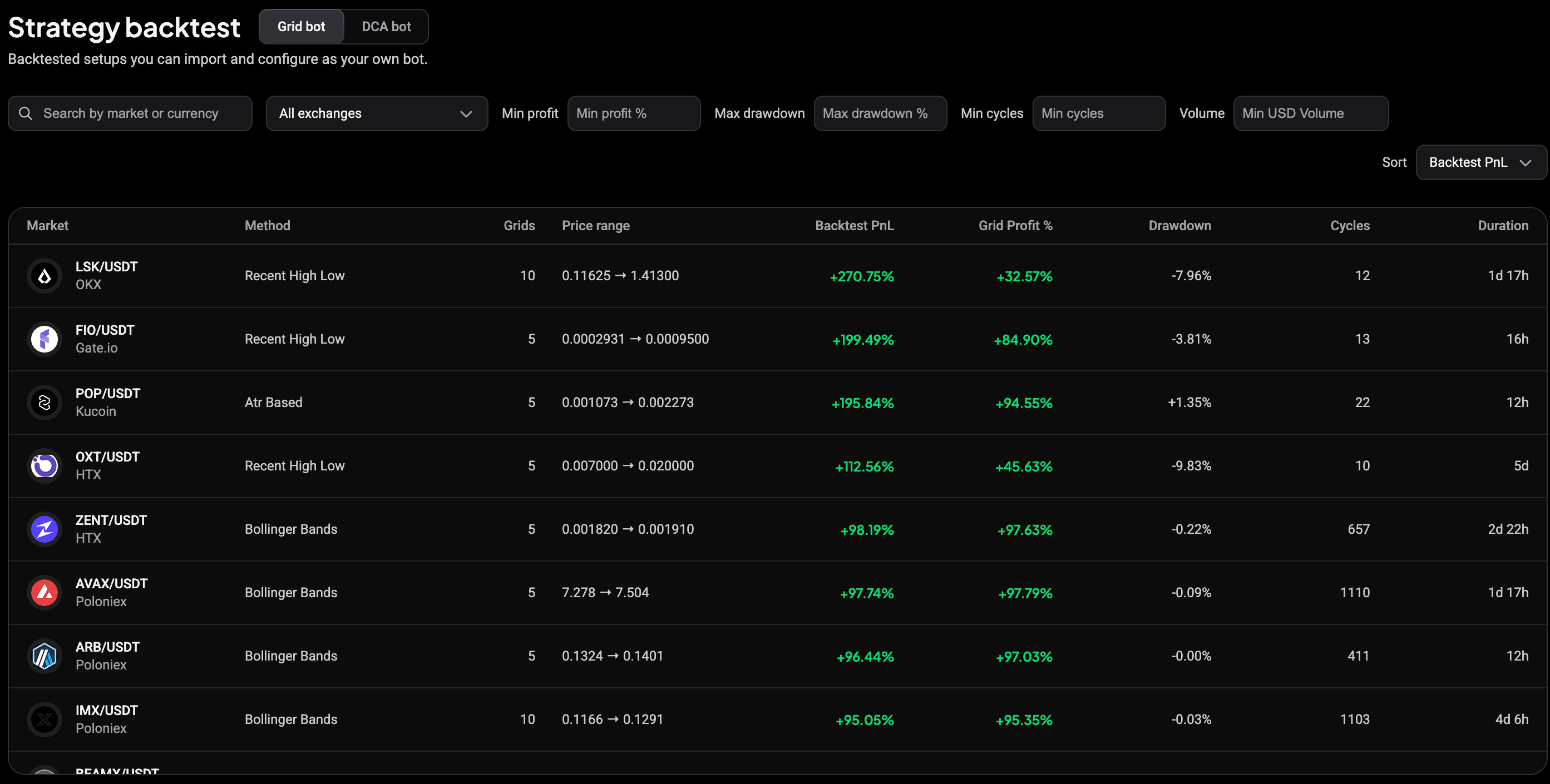 🔍 Click the image to see a larger version
Preview a grid configuration
Click a row to see the backtest statistics, the Grid setup (method, grids, step, scale and trailing), the Price range with its exit levels, and the backtest window.
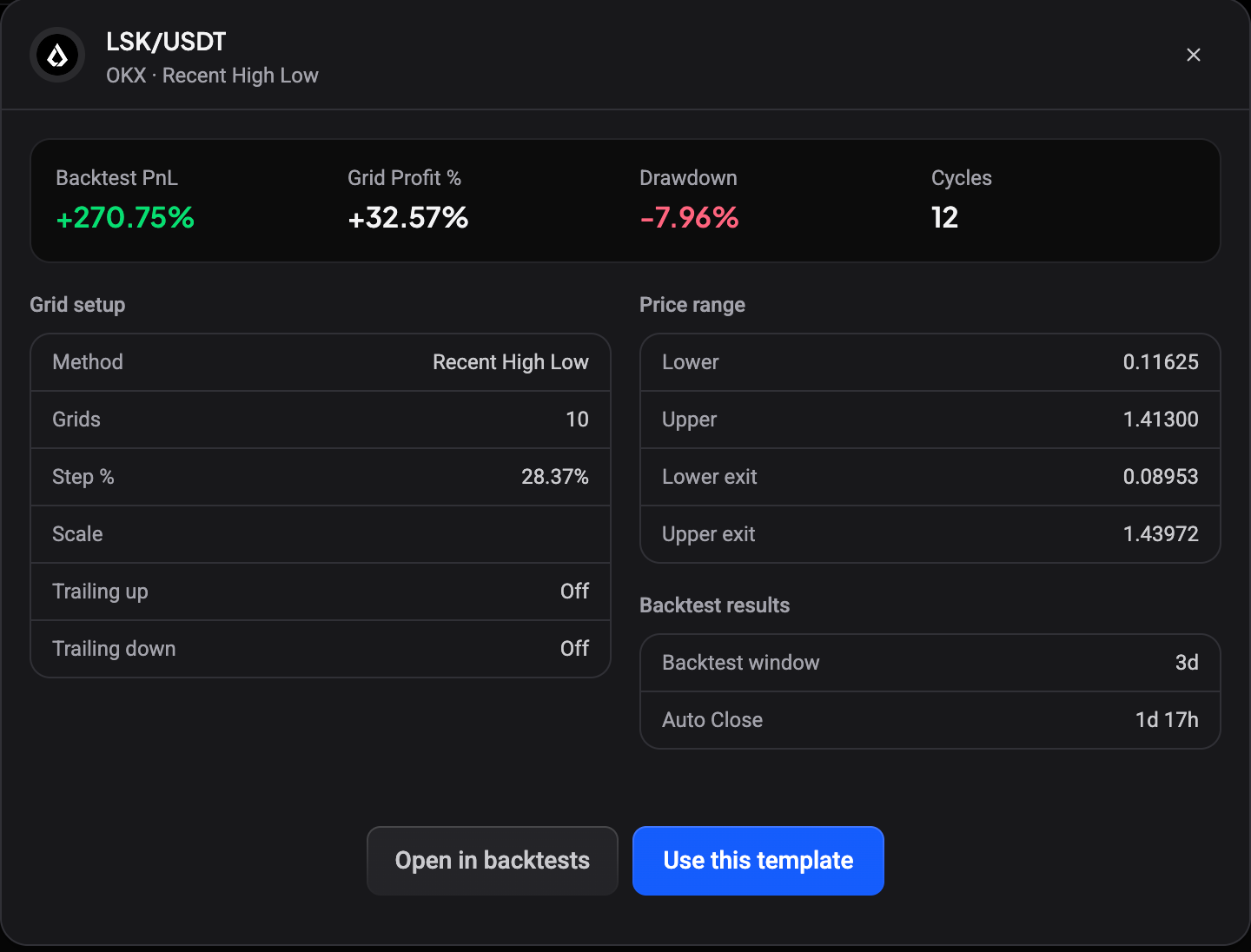 🔍 Click the image to see a larger version
Open in backtests opens the grid bot backtester with the same market, range, grids and scale, so you can adjust and rerun it. Use this template uses the configuration as the starting point for your own grid bot.
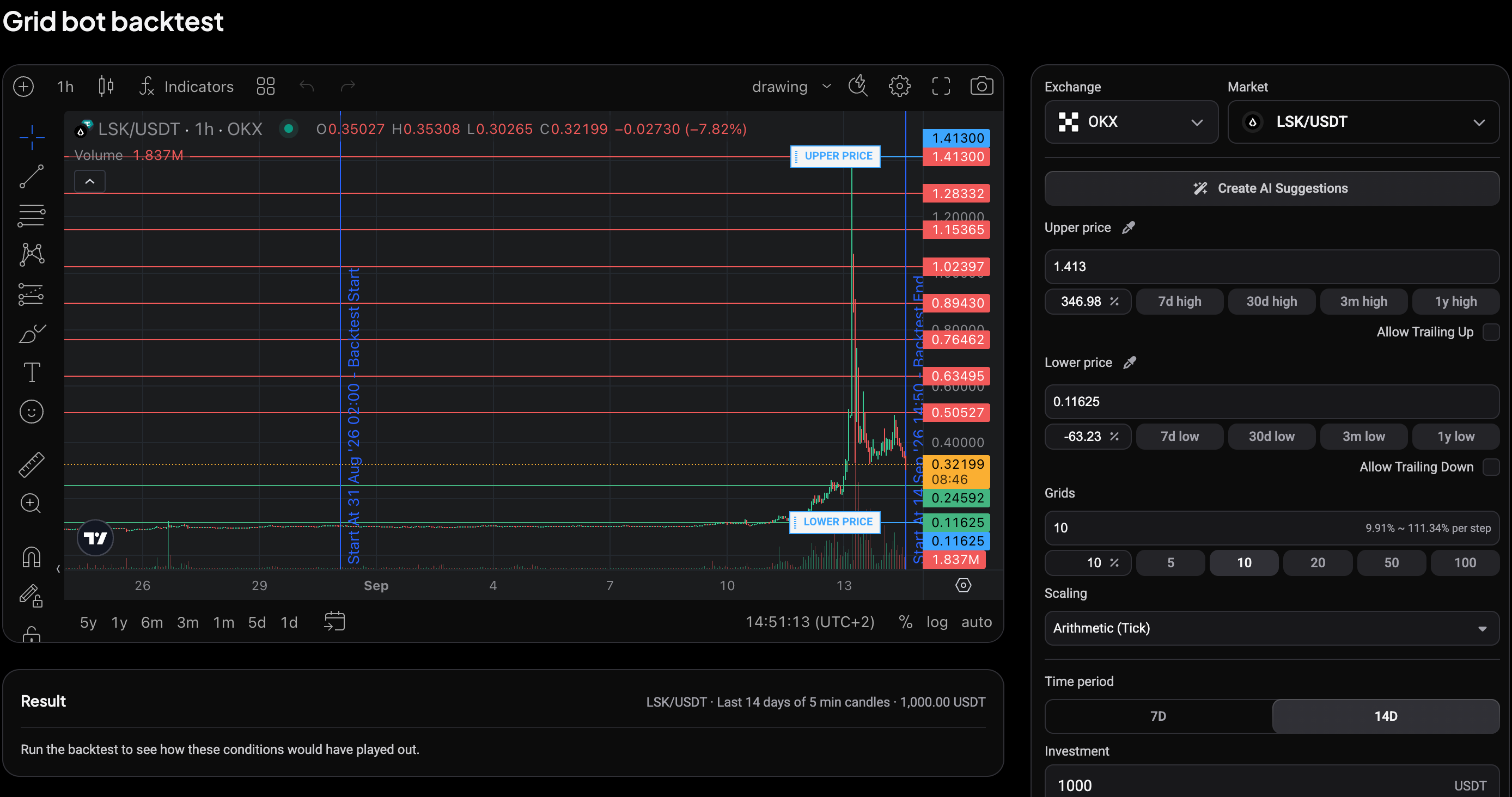 🔍 Click the image to see a larger version
Still stuck?
If a configuration won’t load or the preview looks wrong, reach out via support chat.