
How do I earn rewards with Altrady's referral program?
Every Altrady account has its own referral link. Share it, and when someone signs up through it and pays for a subscription, you earn credit toward free days or a Bitcoin payout. Here’s where to find it and how the rewards actually work.
Find your referral program page
 🔍 Click the image to see a larger version
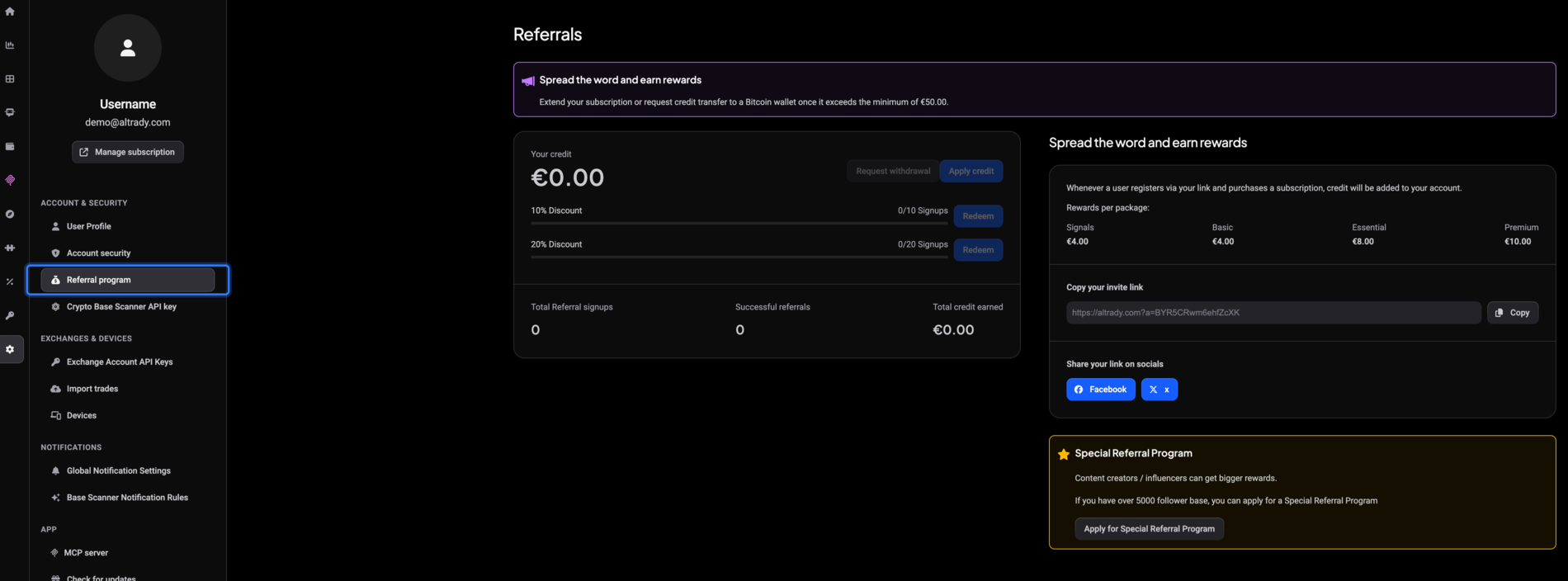
Open Settings from the sidebar, then choose Referral program. This opens the Referrals page, which shows your invite link, your current credit balance, and your referral stats side by side.
Share your invite link
Under Copy your invite link, your personal link sits in a read-only field. Click Copy next to it to grab the link and paste it anywhere: a DM, an email, a group chat.
Prefer posting it directly? Use the Facebook or x buttons under Share your link on socials to open a pre-filled post with your link included.
Chart screenshots you share from Altrady also carry your referral link automatically, so anyone who checks out a chart you posted can find their way to Altrady through you too.
How credit is earned
Signing up through your link on its own doesn’t earn anything. Credit is added only when the person you referred completes a paid purchase. It’s a flat, one-time amount per plan, shown on the page under Rewards per package:
- Signals: €4.00
- Basic: €4.00
- Essential: €8.00
- Premium: €10.00
So if someone clicks your link, creates an account, and then subscribes to the Essential plan, €8.00 lands in your credit balance. Trials and free browsing don’t trigger a reward; only a completed paid subscription does.
Your running totals sit lower on the page: Total Referral signups (everyone who signed up through your link), Successful referrals (those who went on to pay), and Total credit earned (the lifetime sum, even after you’ve spent some of it).
Turn credit into free days or cash
 🔍 Click the image to see a larger version
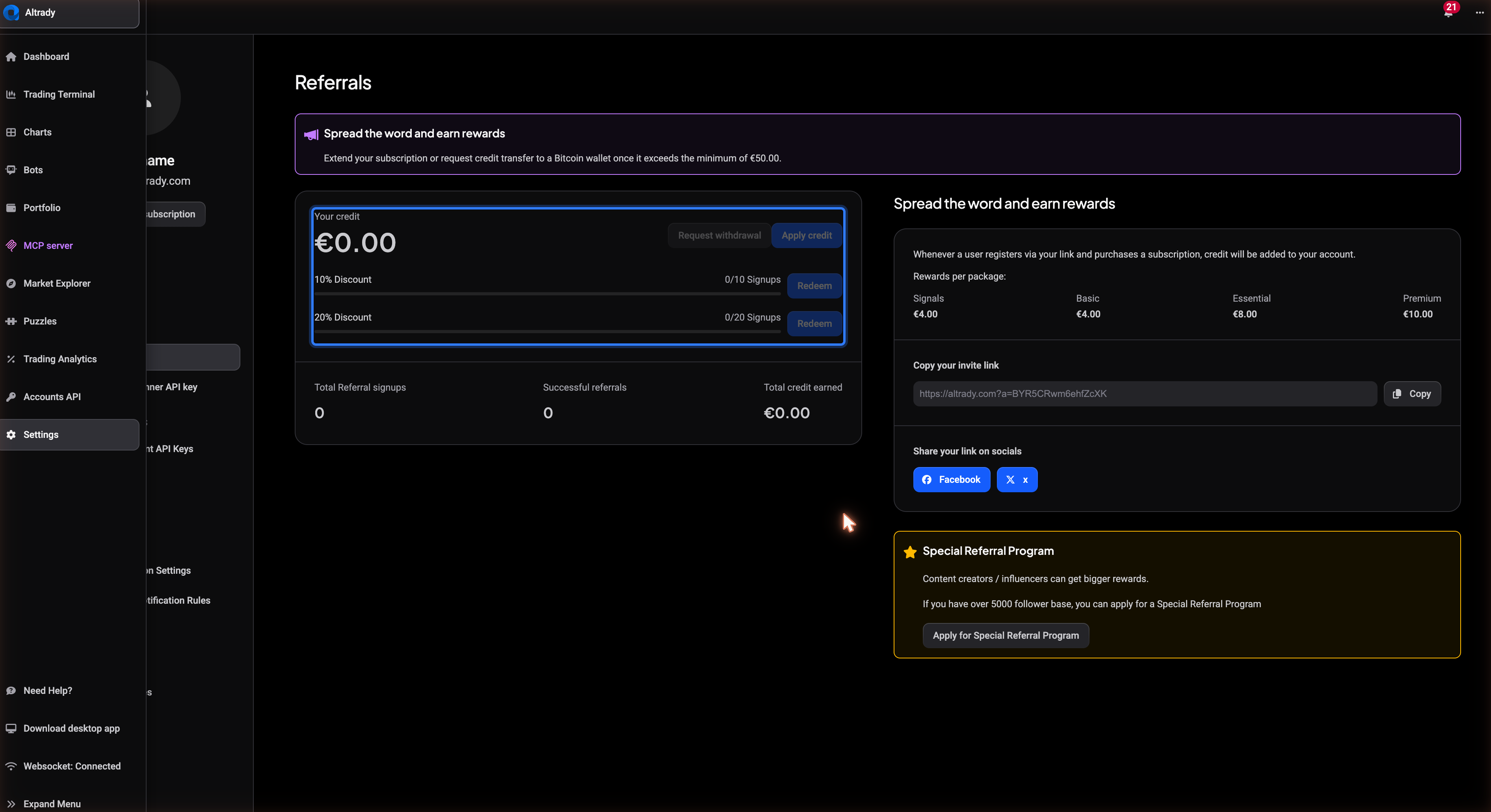
Your Your credit balance shows what you’ve built up so far. There are two ways to use it:
- Apply credit converts your euro balance into free subscription days on the spot. The button stays disabled while your balance is at €0.00, so there’s nothing to click until you’ve earned something.
- Request withdrawal is for a Bitcoin payout instead. It stays disabled until your credit reaches the €50.00 minimum. Once you’re past that, clicking it opens instructions to email [email protected] to arrange the transfer.
Neither option happens automatically: you choose which one fits, whenever you’re ready.
Earn a discount voucher from signups
 🔍 Click the image to see a larger version
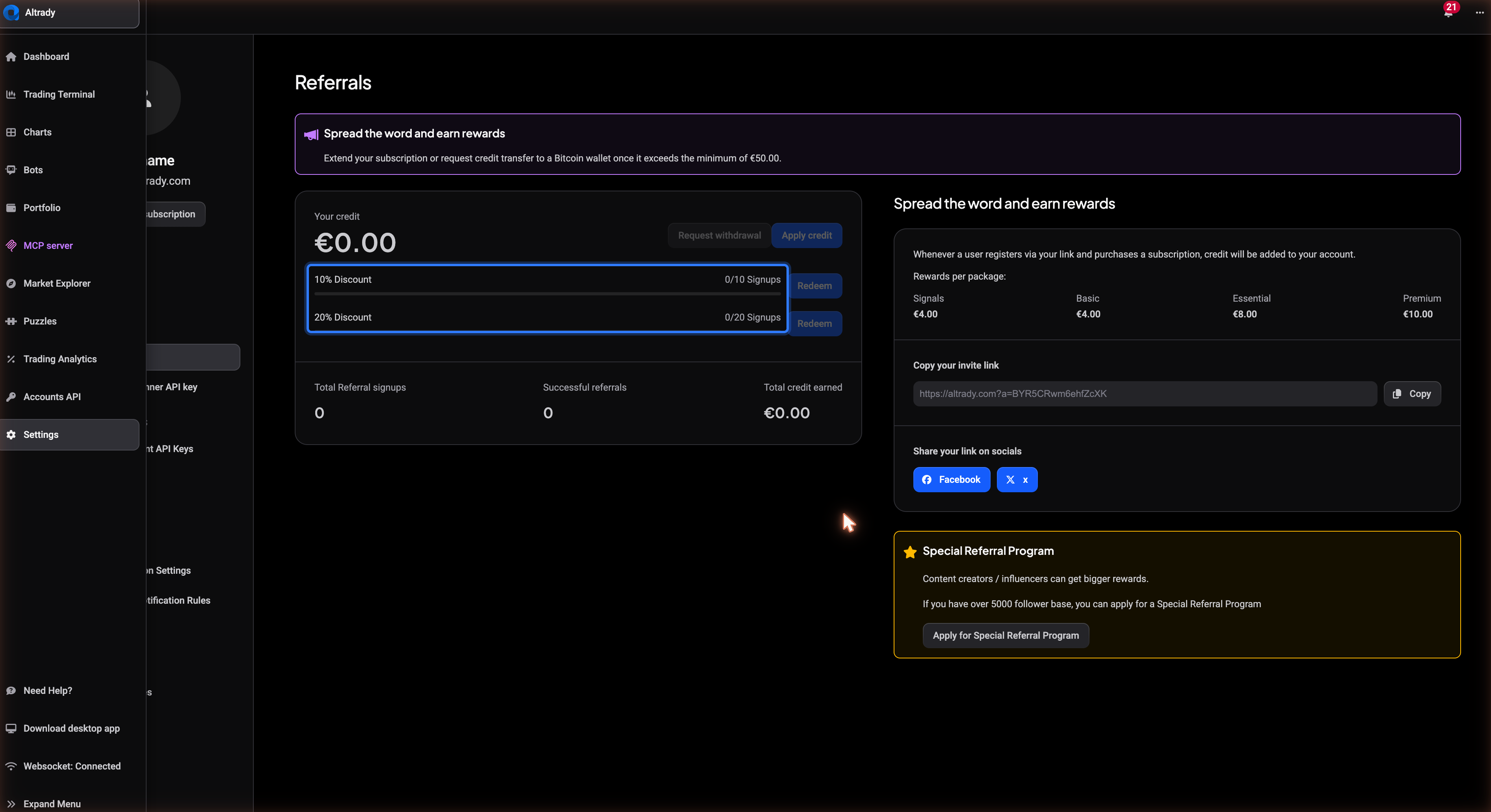
Separately from credit, the page tracks referral signups toward discount vouchers. Once you’ve reached 10 recent signups, a 10% Discount voucher becomes available to redeem; reach 20 and a 20% Discount voucher unlocks instead. Click the matching Redeem button to claim it: your voucher code appears on screen and also lands in your inbox, ready to use on your next Altrady checkout.
After you redeem a voucher, the signup counter resets to zero, so you can work toward the next one from a clean slate. This counter is separate from your all-time Total Referral signups number, which never resets.
Still stuck?
If your invite link isn’t loading, a referral hasn’t shown up after a friend paid, or your credit balance looks off, reach out through support chat in the app and the team will look into your account directly.