
Connect Toobit
Connecting your Toobit account to Altrady takes just a few minutes. You’ll create an API key on Toobit (a special access code that lets Altrady see your balances and place trades), then paste that key into Altrady.
A quick reassurance before you start: Altrady never needs withdrawal permission. You should never enable withdrawal access on any API key you create for Altrady, on Toobit or any other exchange.
If anything doesn’t match what you see on screen, exchanges update their layouts from time to time; see Connection Problems or reach out and we’ll help.
For background on what API keys are and why they’re safe to use this way, see API Keys Explained.
Before you trade Toobit Futures
Toobit Futures has an important setup point — see Trading Futures on Toobit at the end of this guide before your first futures trade.
Step 1: Start a new trading account in Altrady
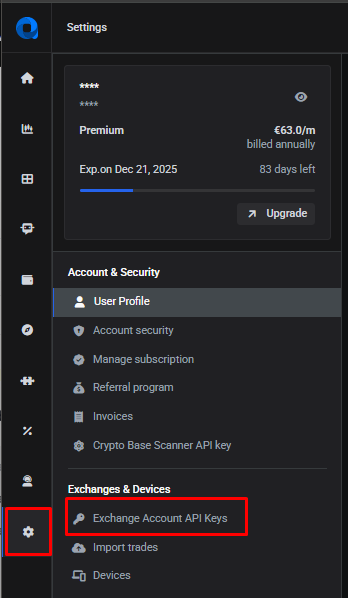
- Log into Altrady and go to Settings > Exchange Account API keys.
 🔍 Click the image to see a larger version
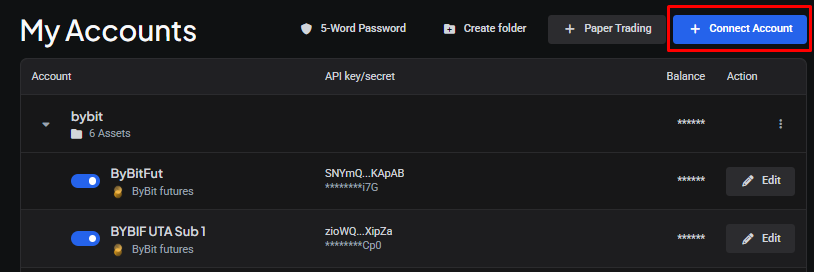
- Click + Connect Account.
 🔍 Click the image to see a larger version
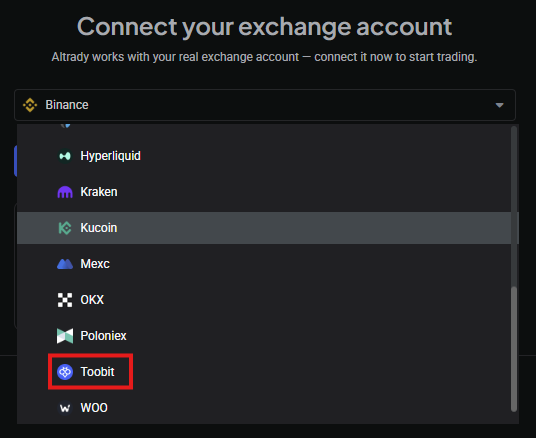
- From the dropdown menu at the bottom, select Toobit.
 🔍 Click the image to see a larger version
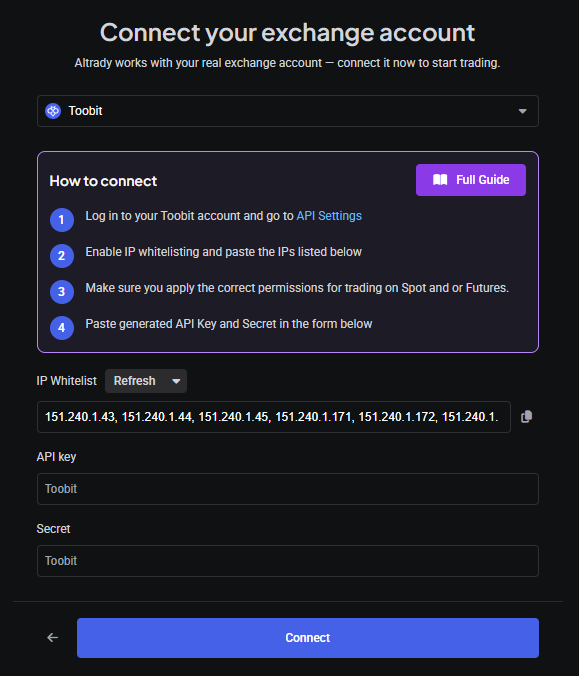
- Altrady now shows a ready trading account, waiting for the API key and secret.
 🔍 Click the image to see a larger version
Keep this Altrady tab open; you’ll come back to it in a moment.
Step 2: Create the API key on Toobit
-
In a new tab, log in to Toobit.
-
Hover over your profile icon to open the dropdown menu, and select API Management.
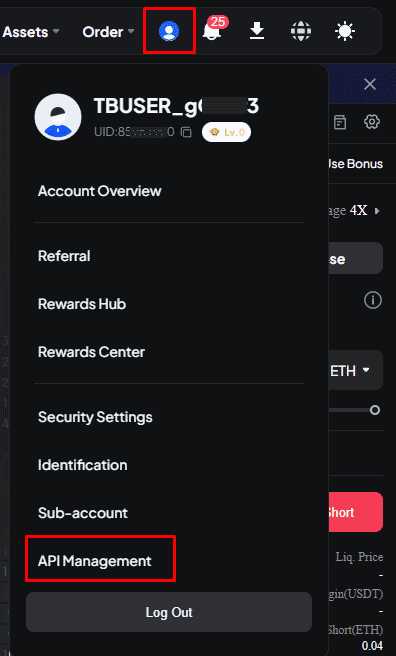 🔍 Click the image to see a larger version
- On the API keys page, click + New API.
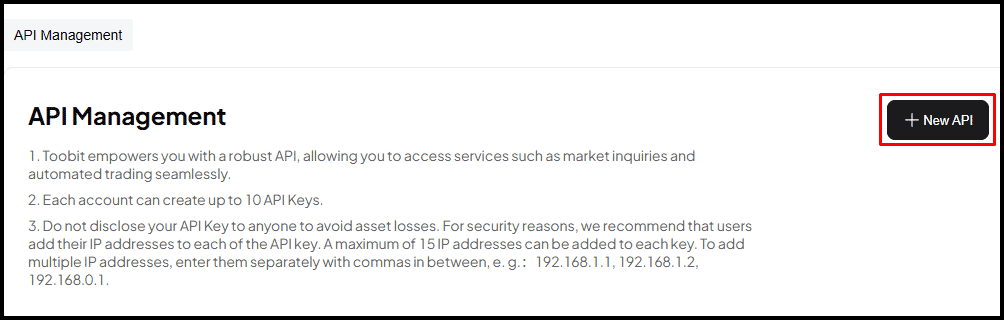 🔍 Click the image to see a larger version
-
Enter the details and permissions exactly as shown in the screenshot below.
For added security, enable IP address restrictions. To do this: in Altrady, click the copy icon to copy the IP whitelist to your clipboard, then paste that whitelist into the IP restriction field on Toobit.
Once all the permissions are set as shown, click Confirm on Toobit.
Remember: never tick a withdrawal permission for this key.
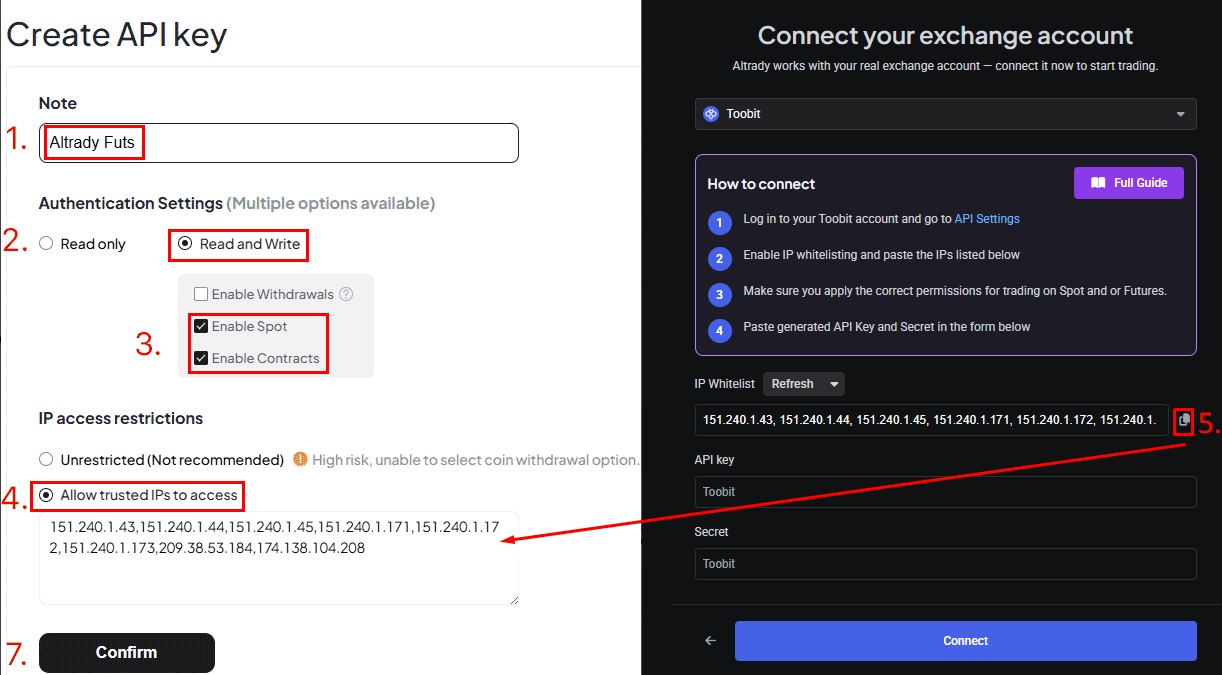 🔍 Click the image to see a larger version
Step 3: Connect the key to Altrady
-
Toobit will now display your new API key and secret.
Copy both of these into your Altrady trading account, then click Save in Altrady.
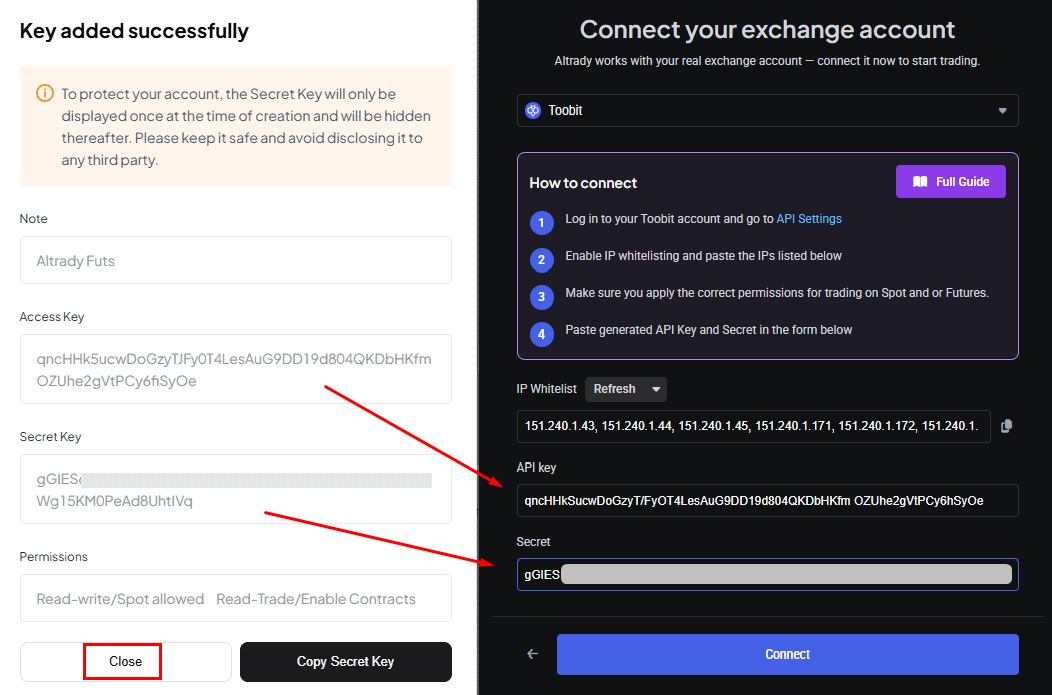 🔍 Click the image to see a larger version
- Altrady will check that it can access your account balance. Click +Add to confirm.
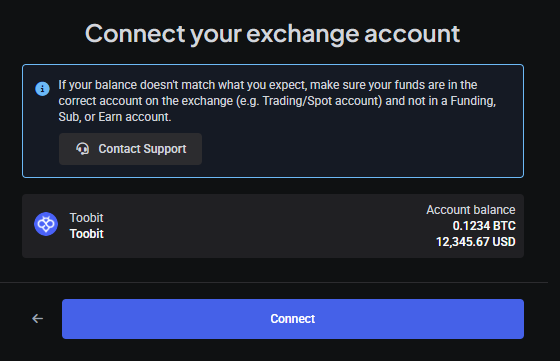 🔍 Click the image to see a larger version
- Back on Toobit, close the API key window; your new key now appears in the list.
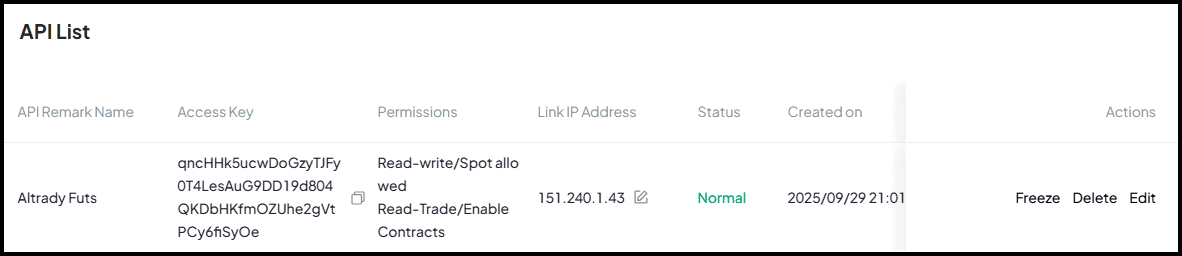 🔍 Click the image to see a larger version
-
It can take a couple of minutes for your account balance to appear in the Trading widget on the Trading Terminal.
On the Trading Terminal, open the Markets widget (or click + next to the tabs at the top). Select Futures, then Toobit from the list of exchanges, and choose a contract pair for which you hold some quote currency (USDT or USDC).
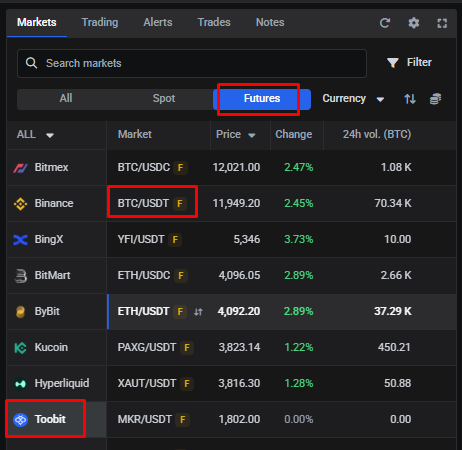 🔍 Click the image to see a larger version
- In the Trading widget, your leveraged available balance for long and short positions is shown at the top. Toobit only offers Hedge mode, so there’s no option to switch to one-way mode. Your wallet balance for the contract’s quote currency is shown at the bottom. If it looks out of date, click the Resync arrow (top right) to force an update from the exchange.
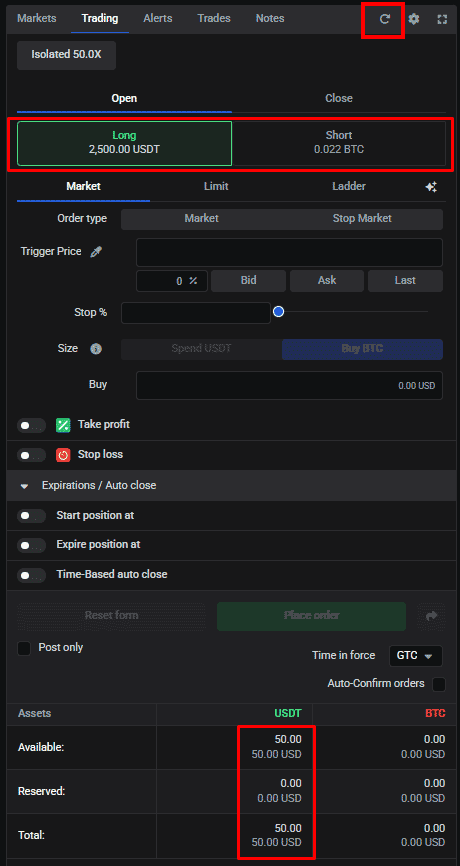 🔍 Click the image to see a larger version
You’re connected. Once your balance appears, you’re ready to trade Toobit through Altrady.
A few things to know about trading on Toobit
- Closing a manual position with an open exit order: unlike some exchanges, Toobit doesn’t allow orders to be overwritten. If a manual position has an open exit order, you’ll need to delete that order manually before you can close the position, otherwise Toobit will reject the close order. This doesn’t apply to smart orders or smart positions.
- Changing margin mode on an open position: Toobit won’t let you change margin mode while a position is running. You’ll see an error message from Toobit if you try.
- Reducing leverage on an open position (Isolated Margin mode): Toobit doesn’t support lowering leverage on an open Isolated Margin position. You can increase leverage, but once you have, it can’t be decreased again for that position.
Trading Futures on Toobit
Altrady supports Toobit USD-margined perpetual futures. Toobit runs in Hedge mode only.
Having trouble?
If your keys don’t connect or your balance isn’t showing, see Connection Problems.