
How Altrady protects your API keys
When you connect an exchange to Altrady, you’re handing over API keys, and we take that seriously. Here’s exactly how we keep them safe, in plain language.
The short version
Your API keys are never stored as plain text. They’re encrypted, and the only thing that can unlock that encryption is a secret passphrase made of 5 words, your Vault password. Think of it like a PIN for a safe: without it, your keys stay locked, even from us.
The good news is you won’t be typing this passphrase all the time. It stays remembered on your device. You’ll only be asked for it again if you switch to a new device or reinstall Altrady.
Also worth repeating, since it matters: Altrady only ever requests read and trade permissions on your exchange API keys. We can never withdraw funds from your exchange account, no matter what.
Setting up your Vault password (first time only)
The first time you connect an exchange, Altrady walks you through creating your Vault password.
- On the Create a secure Vault screen, tap Generate Vault Password.
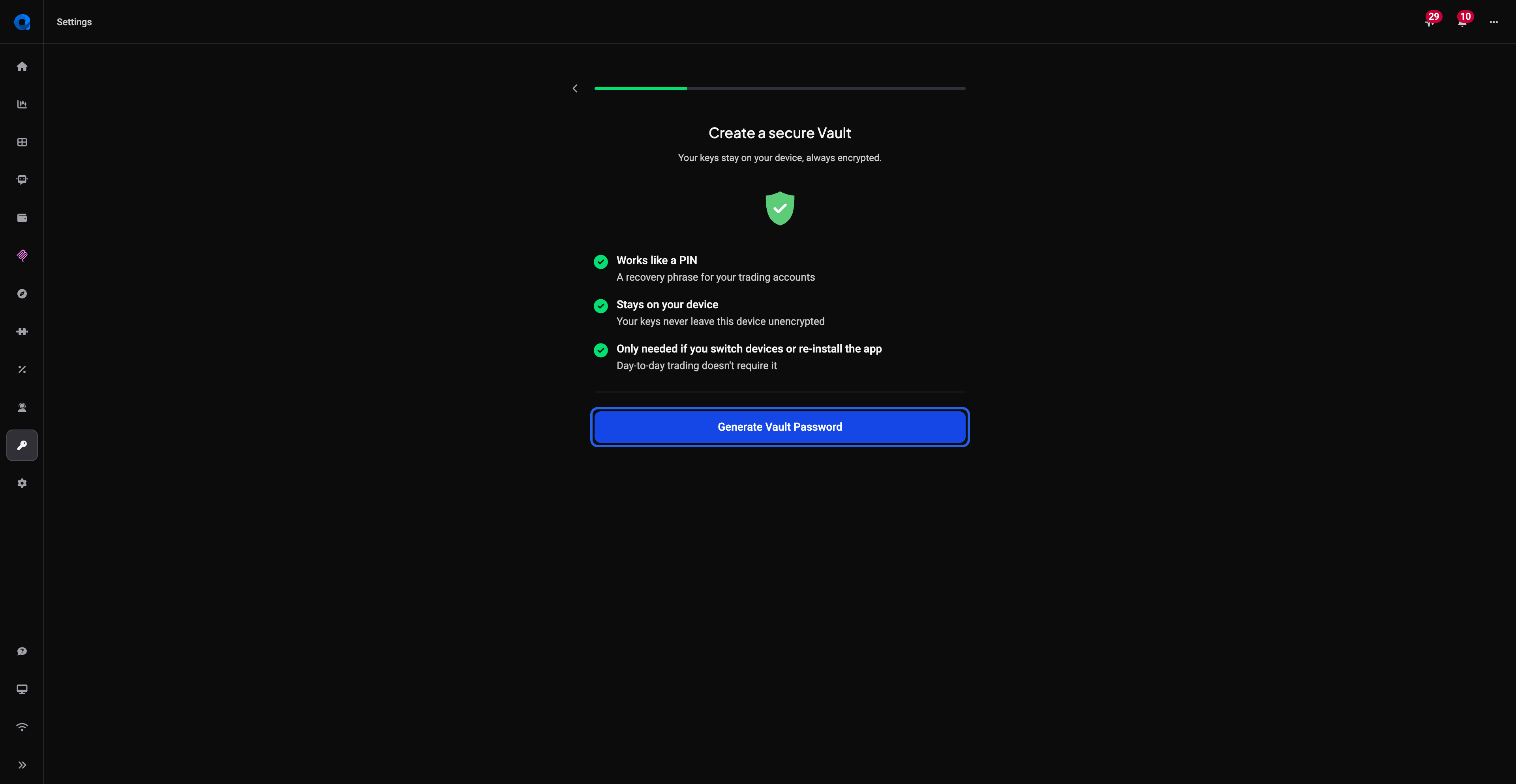 🔍 Click the image to see a larger version
- Altrady generates a unique 5-word passphrase for you. Use the Copy button to save it somewhere safe: a password manager or a note you trust. This is the only copy of your Vault password; Altrady doesn’t keep a readable copy of it anywhere.
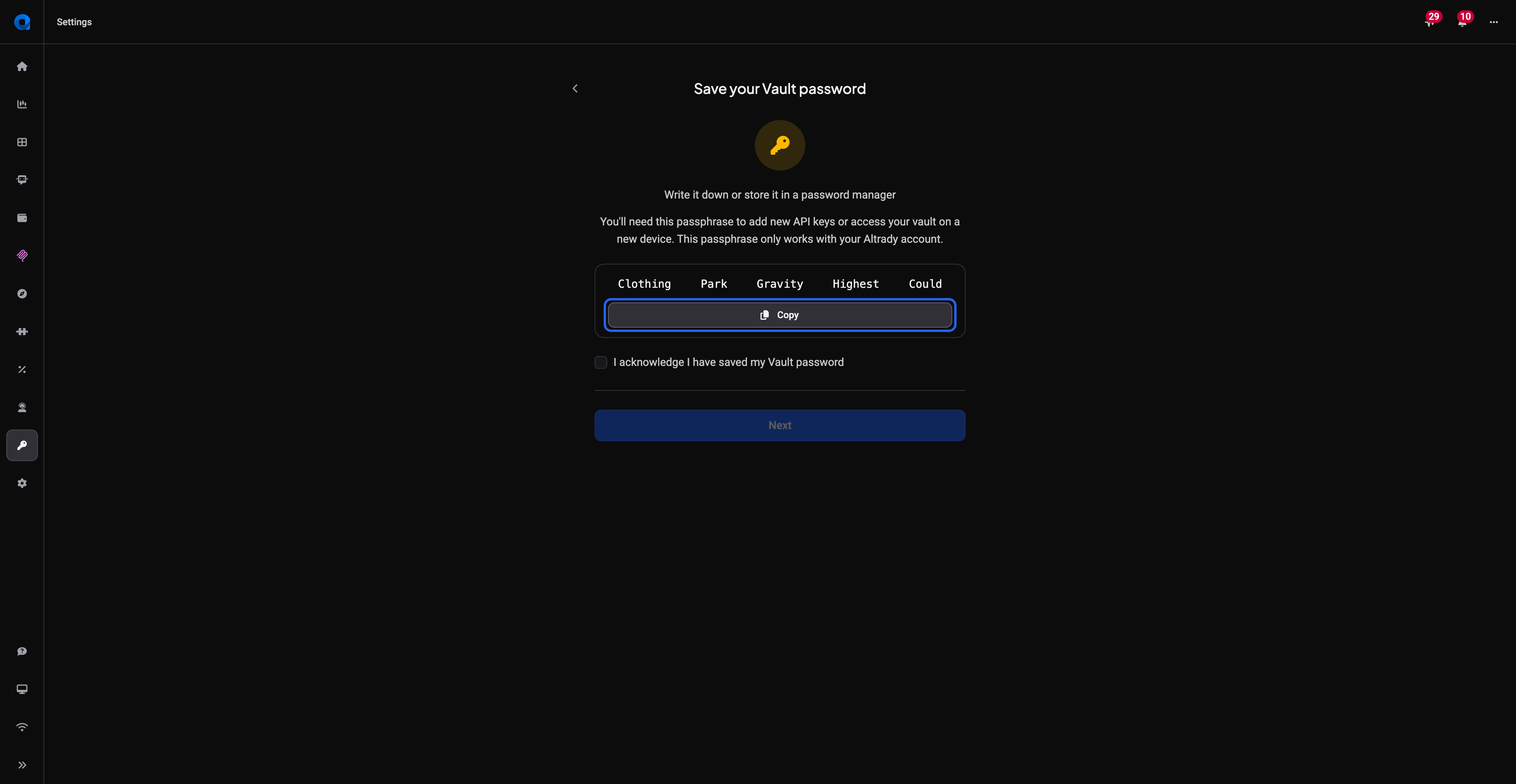 🔍 Click the image to see a larger version
- Tick the acknowledgement checkbox to confirm you’ve saved your words, then tap Next to continue.
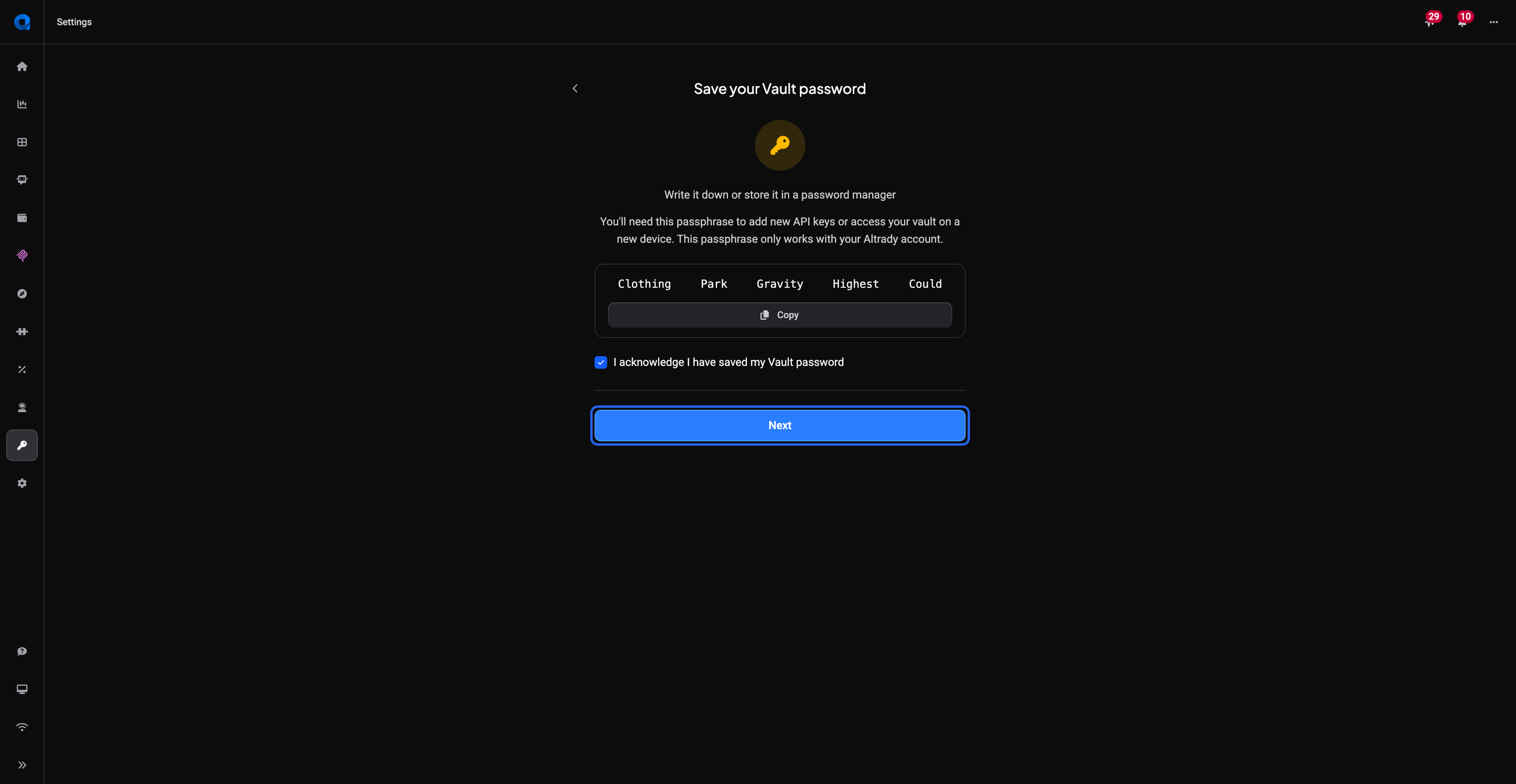 🔍 Click the image to see a larger version
That’s it: your Vault is set up, and your API keys are now protected behind those 5 words.
Unlocking your Vault on a new device
If you switch devices or reinstall Altrady, you’ll be asked to enter your 5 words to unlock the Vault again.
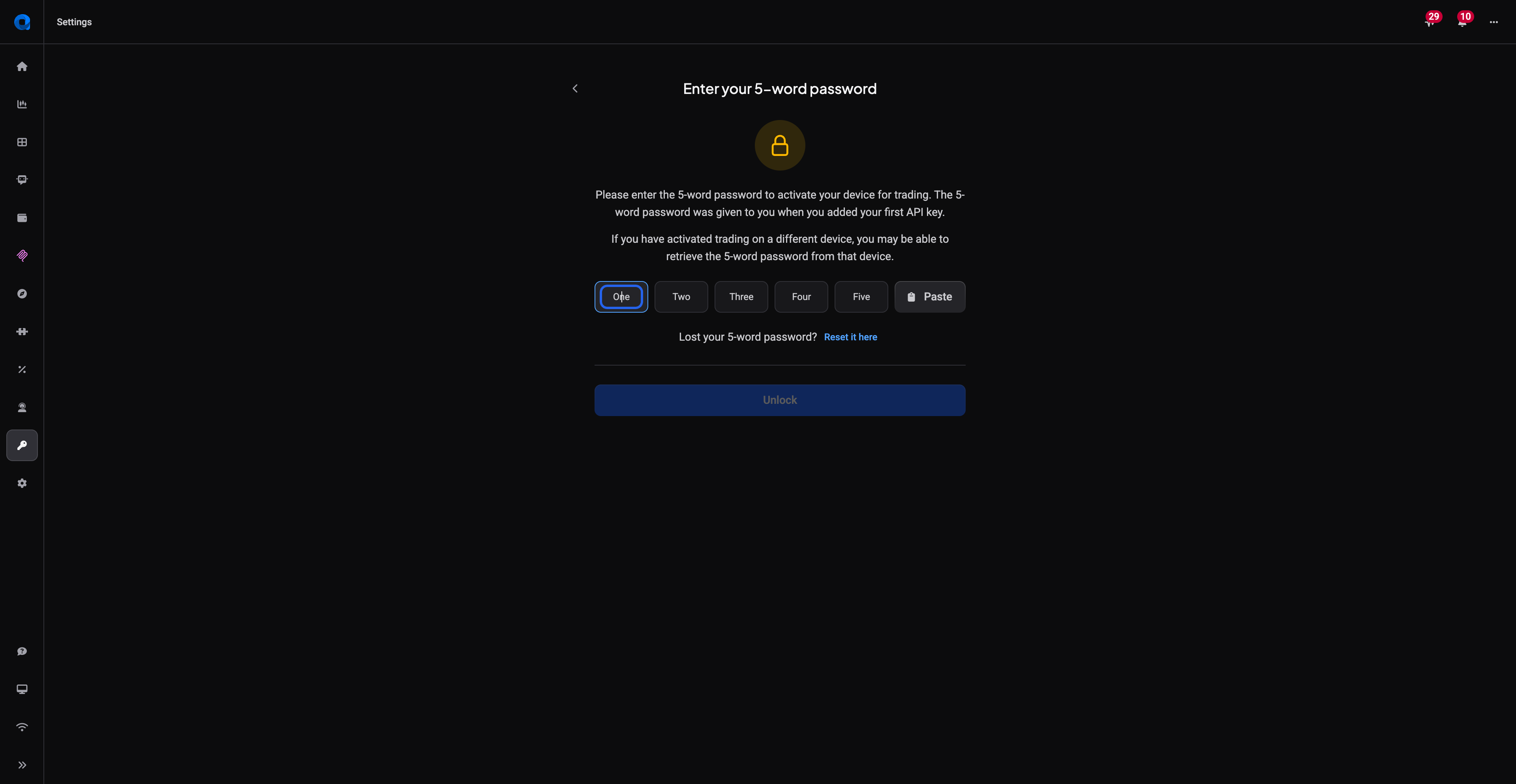 🔍 Click the image to see a larger version
Just type in the same 5 words you saved during setup, and your encrypted API keys unlock as normal.
Lost your 5 words?
Your 5 words are what encrypt your API keys, so if you lose them you can reset — but it comes with a trade-off worth knowing.
If you’re still signed in on another device (for example the desktop app), you can retrieve your existing 5 words there instead of resetting. Otherwise, on the unlock screen use the Reset it here link, generate a new Vault password, and save the new words somewhere safe.
What a reset does: with a new Vault password, Altrady can no longer read the API keys you saved under the old words, so your live connections stop working. Nothing is deleted — your exchange accounts, trade history, open orders and bot settings all stay in place. To start trading again you’ll need to generate a new API key on each exchange, then open each exchange account in Altrady and use Edit to replace the old key with the new one (each extra key has to be replaced too).